How Automated Review Requests Improve Dental Growth
Most dental practices have more happy patients than their online reviews suggest.
A patient may leave after a smooth hygiene visit, a painless filling, a same-day emergency appointment, or a successful cosmetic consult feeling genuinely satisfied. But unless someone asks at the right time, in the right way, that patient often moves on with their day and never leaves a review.
That is the core reason automated review requests matter. They turn patient satisfaction into consistent reputation growth by making the ask part of your post-appointment workflow instead of relying on memory, timing, or front desk availability.
For independent dental practice owners, dentists, and office managers, this is not just about getting more stars. It affects local SEO, new patient trust, website conversion, front desk efficiency, and long-term practice growth.
Happy Patients Usually Need a Prompt
Many practices assume that great care naturally leads to great reviews. In reality, happy patients are often quiet patients.
They may appreciate the dentist, hygienist, assistant, and front desk team, but leaving a Google review is rarely top-of-mind after an appointment. Patients are going back to work, picking up kids, running errands, or checking their next calendar item.
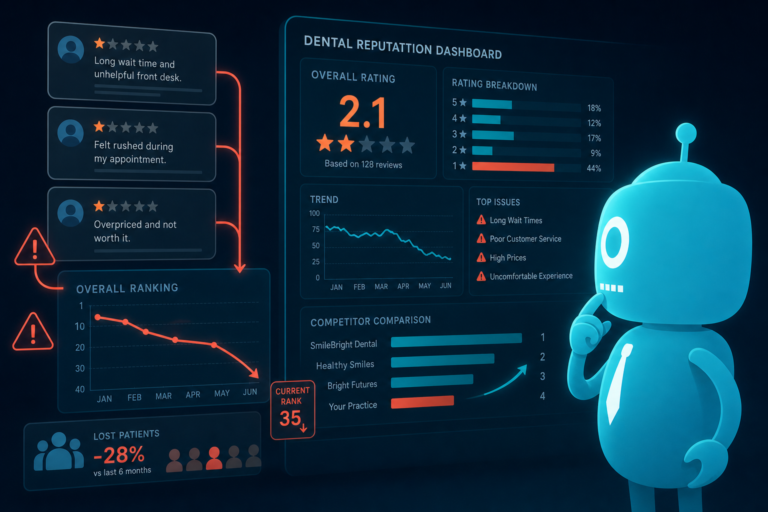
Unhappy patients, however, are often more motivated to speak up without being asked. That imbalance can cause a practice’s online reputation to underrepresent the actual quality of care being delivered.
Automated review requests solve this by consistently asking satisfied patients to share their experience at the moment when the visit is still fresh.
The Problem With Inconsistent Manual Review Requests
Manual review requests usually sound simple: “Just ask patients after their appointment.” But in a real dental office, consistency is difficult.
The front desk team is often managing checkouts, insurance questions, treatment plans, phone calls, schedule changes, hygiene reappointments, and walk-ins. Even with the best intentions, review requests can easily be skipped.
Common reasons manual requests fail
- The front desk is busy during checkout.
- Staff members forget to ask during high-volume appointment blocks.
- Patients are in a hurry and do not want to scan a card or type a link.
- Some team members ask regularly while others rarely do.
- New staff may not be trained on when or how to request reviews.
- There is no clear tracking system for who was asked.
This creates a reputation growth problem. One month may generate several reviews, while the next month may generate none. For a dental practice competing in local search, that inconsistency can weaken momentum.
Automation creates a reliable process that does not depend on whether someone remembered to ask at the desk.
Why SMS and Email Timing Matters
The timing of a review request can make a significant difference in response rates. If the request arrives too late, the patient’s experience is no longer fresh. If it arrives at an inconvenient time, it may be ignored.
SMS and email automation allows a dental practice to send review requests at strategic moments after the appointment.
Example timing for dental review requests
- Immediately after checkout: Effective for simple visits such as hygiene appointments, whitening consults, or routine exams.
- One to two hours after the visit: Gives the patient time to leave the office and settle before receiving the request.
- Later the same day: Useful for busy professionals who may respond after work.
- Next-day follow-up: Helpful for treatment visits where the practice wants to check in before requesting feedback.
For example, a patient who just completed a comfortable cleaning may receive a short text message a few hours later:
“Hi Sarah, thank you for visiting Bright Smile Dental today. If you had a great experience, would you mind sharing a quick Google review? It helps other local patients find our practice.”
This works because it is timely, specific, and easy to act on.
Post-Appointment Workflows Make Review Requests Scalable
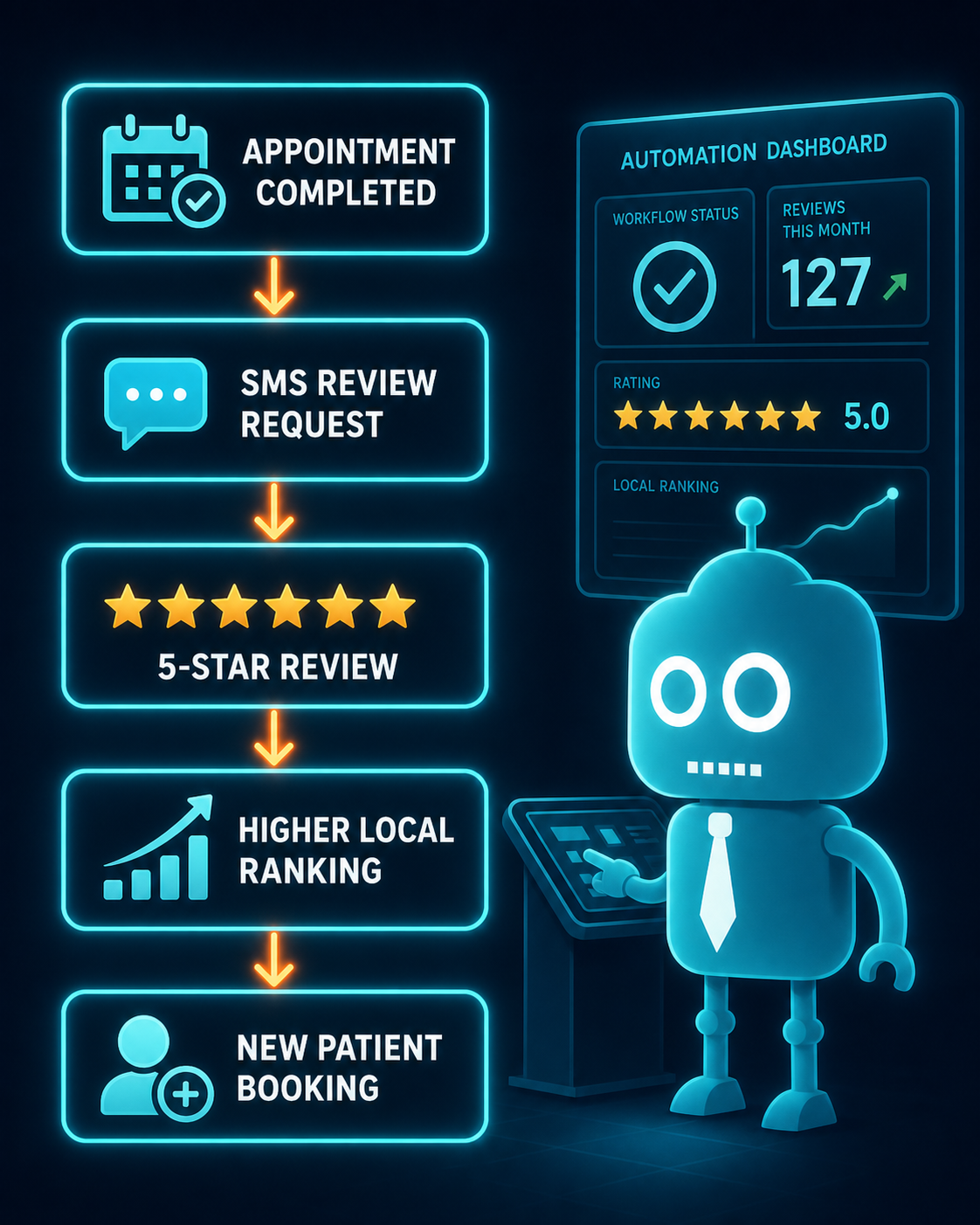
The strongest review systems are built into post-appointment workflows. Instead of treating reviews as a separate task, automation connects them to the patient journey.
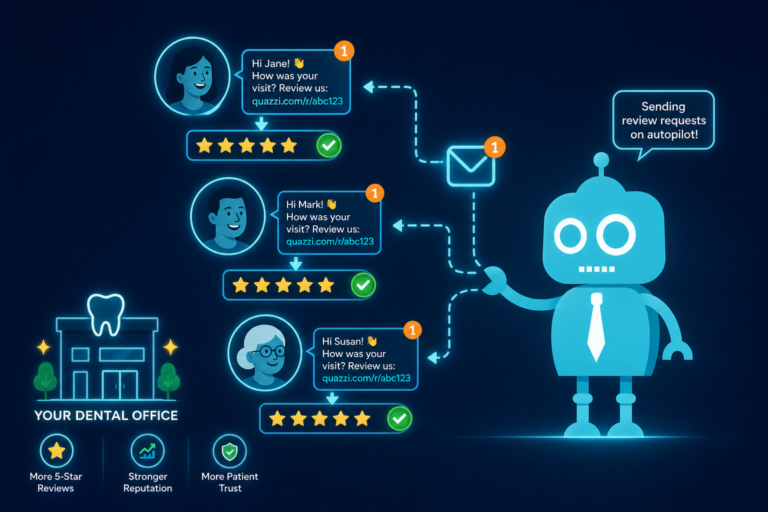
When an appointment is completed in the practice management system or CRM, a workflow can trigger a follow-up message. Depending on the setup, the system may send an SMS, email, or both.
What a dental review workflow can include
- Appointment completion triggers the review request.
- The patient receives an SMS or email with a direct review link.
- A follow-up message is sent if the patient does not click.
- Staff receive alerts when feedback requires attention.
- The practice tracks request volume, clicks, and review activity.
This is especially valuable for growing practices with multiple providers or busy hygiene schedules. If your office sees 25, 40, or 60 patients per day, a manual process will miss opportunities. A workflow does not get distracted during the lunch rush or forget during a busy Monday morning.
Direct Review Links Remove Friction
Patients are more likely to leave a review when the process is simple. A vague request like “Please review us online” creates extra work for the patient. They have to search for the practice, choose the right profile, find the review button, and decide what to write.
A direct review link removes those steps.
What makes a good review request link?
- It goes directly to the practice’s Google review form whenever possible.
- It works smoothly on mobile devices.
- It is included in both SMS and email messages.
- It avoids confusing patients with too many platform choices.
- It uses clear wording so patients know exactly what to do.
Most dental patients will open a text message on a smartphone. If the link takes them directly to the review screen, the process can take less than a minute.
That small reduction in friction can have a major impact over time.
Staff Alerts Help Protect the Patient Experience
Automated review systems are not only about public reviews. They can also help the dental team identify patient concerns quickly.
Some workflows allow patients to provide private feedback before being directed to a public review page. Others can alert staff when a patient responds negatively to a follow-up message.
This gives the office a chance to respond before a concern becomes a public complaint.
Practical staff alert examples
- A patient replies that they are confused about their treatment estimate.
- A patient mentions they waited longer than expected.
- A patient says they are experiencing discomfort after treatment.
- A patient had a billing question that was not resolved at checkout.
With staff alerts, the office manager or front desk team can follow up quickly. This improves service recovery and shows patients that the practice is attentive after they leave the chair.
For dental practices, that follow-up can be the difference between a frustrated patient and a loyal one.
How Automated Reviews Support Dental SEO
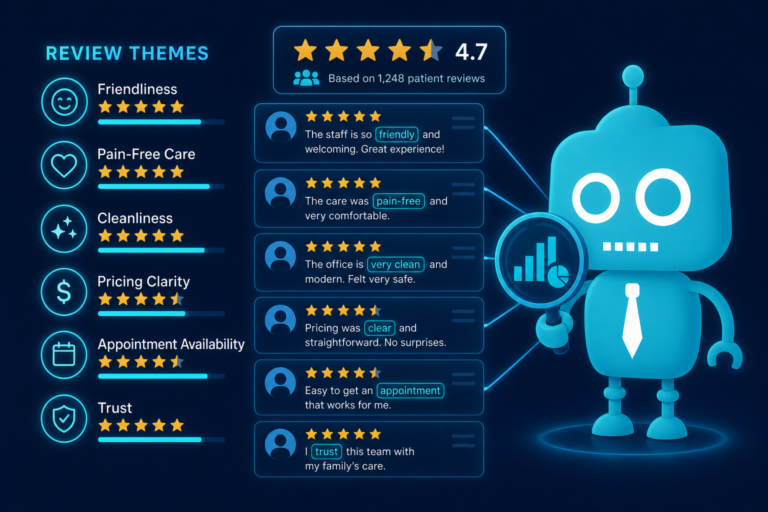
Online reviews are an important part of local visibility. When patients search for terms like “dentist near me,” “family dentist in [city],” “emergency dentist,” or “cosmetic dentist near me,” they often compare practices based on map results, star ratings, review volume, and recent patient feedback.
Consistent review growth helps strengthen your local presence in several ways.
Review signals that matter for local search
- Review quantity: More authentic reviews can help build authority and trust.
- Review velocity: A steady pattern of new reviews signals that the practice is active.
- Review recency: Recent reviews reassure patients that the practice is still delivering quality care.
- Keywords in reviews: Patients may naturally mention services like cleanings, implants, Invisalign, crowns, emergency visits, or pediatric care.
- Engagement: Responding to reviews shows activity and professionalism.
For example, if a patient writes, “The team helped me with a same-day dental emergency and made the process easy,” that review can support both trust and relevance for emergency dentistry searches.
Automated review requests increase the chances that these authentic patient experiences appear online consistently.
Reviews Improve Website Conversion
Getting traffic to your dental website is only part of the growth equation. Your website also needs to convert visitors into appointment requests, phone calls, and form submissions.
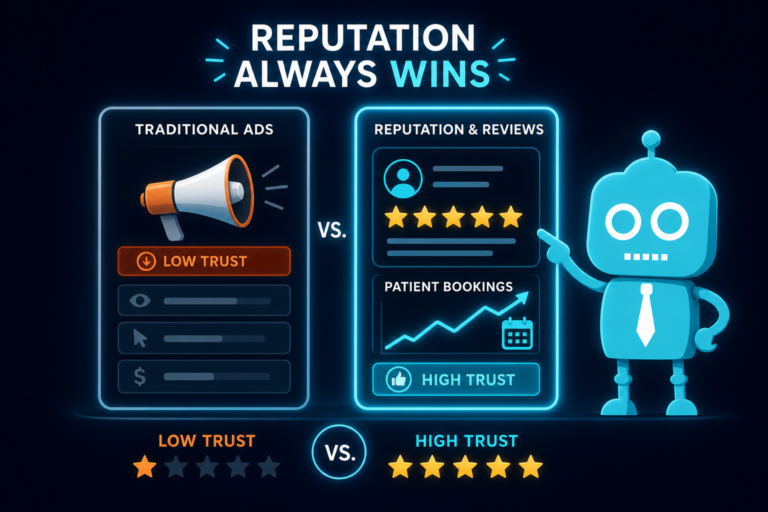
Reviews help bridge the trust gap for new patients who have not met your team yet.
A prospective patient may visit your website after seeing your Google Business Profile, clicking a local ad, or searching for a specific service. Before they schedule, they want reassurance that other patients had a positive experience.
Where reviews can improve conversion on a dental website
- Homepage trust sections
- New patient pages
- Emergency dentistry pages
- Cosmetic dentistry and Invisalign pages
- Dental implant consultation pages
- Contact and appointment request pages
- Landing pages for paid ads
For example, a dental implant landing page with patient reviews about clear communication, gentle care, and successful results can make a visitor more comfortable submitting a consultation request.
Strong reviews also support front desk conversations. When a new patient calls and says, “I saw your reviews online,” the practice is starting from a place of trust.
Automation Supports the Front Desk Instead of Replacing It
Some dental teams worry that automation may feel impersonal. In practice, the opposite is often true when it is set up correctly.
Automation handles the repetitive task of sending review requests so the front desk can focus on patient relationships, scheduling, insurance coordination, and treatment follow-up.
The message can still sound warm and personal. It can include the practice name, patient first name, appointment context, and a friendly tone that matches your brand.
Manual versus automated review process
- Manual process: Staff remember to ask when time allows.
- Automated process: Every eligible patient receives a timely request after the appointment.
- Manual process: No clear tracking of who was asked.
- Automated process: Requests, clicks, and responses can be tracked.
- Manual process: Review growth depends on individual habits.
- Automated process: Review growth becomes part of the practice system.
The goal is not to remove the human touch. The goal is to make sure happy patients are consistently invited to share their experience.
Consistent Reputation Growth Compounds Over Time
One review request campaign can help. But the real value comes from consistency.
If a practice sends review requests every day after completed appointments, reputation growth becomes predictable. Even if only a small percentage of patients leave reviews, the numbers compound over months and years.
A simple example
If a dental practice sees 600 patient appointments per month and sends automated requests to eligible patients, even a modest response rate can generate steady review growth. Over time, that can create a major difference between a practice with 43 reviews and a competitor with 450 recent, positive reviews.
This matters because patients compare options quickly. A strong review profile can help your practice stand out before a patient ever reaches your website or calls the office.
Consistent reputation growth also protects the practice. A single negative review has less impact when it is surrounded by a large number of recent, positive, authentic patient experiences.
Best Practices for Dental Review Request Automation
Automated review requests work best when they are thoughtful, compliant, and connected to your patient communication strategy.
Use clear and simple language
Patients should immediately understand what you are asking. Avoid long messages. A short thank-you with a direct review link is usually enough.
Send from a recognizable practice identity
The SMS or email should clearly identify your dental practice. Patients are more likely to respond when they recognize the sender.
Make the request mobile-friendly
Most review actions happen on mobile devices. Your links, landing pages, and forms should be easy to use on a smartphone.
Segment when appropriate
Not every appointment type needs the same message. A hygiene visit, emergency visit, cosmetic consultation, and implant follow-up may call for slightly different wording or timing.
Monitor responses
Automation should not be ignored after launch. Review the results, watch for patient replies, and adjust timing or message wording based on performance.
Respond to reviews professionally
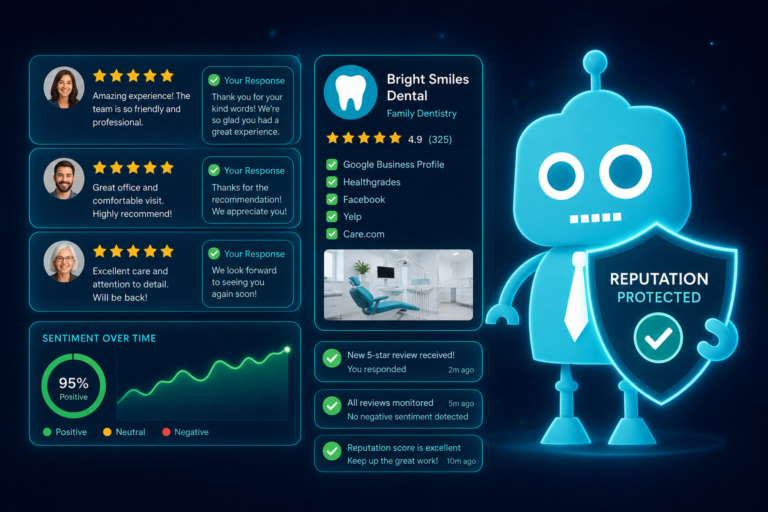
A steady stream of reviews is more powerful when the practice also responds. Thank patients for positive feedback and handle concerns with professionalism and privacy in mind.
Automated Review Requests Help Build a Growth System
Dental growth is not driven by one tactic alone. It comes from a connected system: a strong website, local SEO, online reviews, fast follow-up, convenient forms, clear calls to action, and front desk processes that support new patient conversion.
Automated review requests fit directly into that system.
They help your practice:
- Capture more feedback from satisfied patients
- Improve local SEO signals
- Build trust before new patients call
- Increase website conversion rates
- Reduce pressure on the front desk
- Identify patient concerns faster
- Create consistent reputation growth over time
The key insight is simple: happy patients often do not leave reviews unless the system asks consistently. When the request is automated, timely, and easy to complete, your practice gives satisfied patients a clear path to support your growth.
Build a Better Dental Growth System With CreateTheSite.com
Your online reputation works best when it is connected to a modern dental website and a reliable patient communication system.
CreateTheSite.com helps dental practices build the digital foundation needed to attract, convert, and retain more patients. Services include modern website design, secure hosting, mobile optimization, lead capture forms, CRM integrations, SMS and email automation, appointment follow-up workflows, and ongoing website support.
Whether your practice needs a better website, stronger new patient conversion, automated review requests, or a more organized follow-up process, CreateTheSite.com can help you create a system that supports real practice growth.
If your happy patients are not leaving reviews consistently, the problem may not be your care. It may be the lack of a system. CreateTheSite.com can help you build that system and turn more patient satisfaction into visible trust online.