How Dentists Can Get More 5-Star Reviews
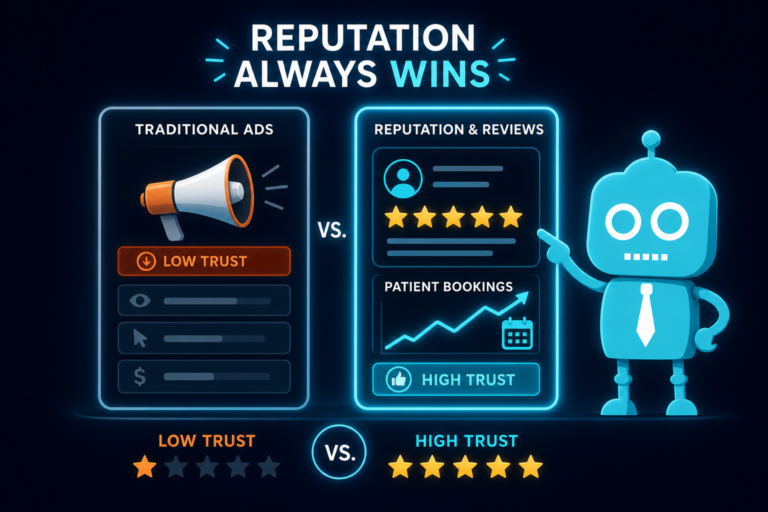
For independent dental practices, 5-star reviews are not just a reputation metric. They influence new patient acquisition, local SEO visibility, website conversion rates, and how confident a prospective patient feels before calling or booking online.
But the best dental practices do not get more positive reviews by pressuring patients, buying reviews, or hoping happy patients remember to post one later. They get more 5-star reviews by building ethical systems around patient experience, timing, communication, and follow-up.
The key is simple: deliver a great experience, ask at the right moment, make the review process easy, and train your team to do it consistently.
Why 5-Star Reviews Matter for Dental Practices
When a potential patient searches for “dentist near me,” “emergency dentist,” “cosmetic dentist,” or “family dentist,” your online reviews often appear before they ever visit your website.
Patients use reviews to answer questions like:
- Is this dentist gentle?
- Will the office be clean and modern?
- Is the front desk helpful?
- Are appointments on time?
- Will they explain treatment clearly?
- Do patients feel pressured or respected?
Strong reviews help convert searchers into callers. They also support your website’s performance because a visitor who sees consistent 5-star feedback is more likely to complete a lead capture form, request an appointment, or call the office.
However, review growth should never rely on shortcuts. Dental practices need a repeatable, compliant, and ethical process.
The Unique Angle: Better Reviews Come from Ethical Systems and Better Timing
Most practices do not have a “review problem.” They have a systems problem.
Happy patients leave the office every day. The issue is that no one asks them at the right time, the process feels inconvenient, or the team is unsure what to say.
A strong dental review system includes:
- A consistently positive patient experience
- Clear internal signals for when to ask
- SMS and email review links
- A simple, mobile-friendly review process
- Front desk training and accountability
- Professional responses to reviews
- Strict avoidance of fake or incentivized reviews
- Automation through your CRM, practice management software, or marketing platform
When these pieces work together, review generation becomes part of your normal patient follow-up process, not an awkward one-off request.
Start with a Strong Patient Experience
You cannot automate your way into a great reputation if the patient experience is inconsistent. The foundation of 5-star reviews is excellent care supported by smooth office operations.
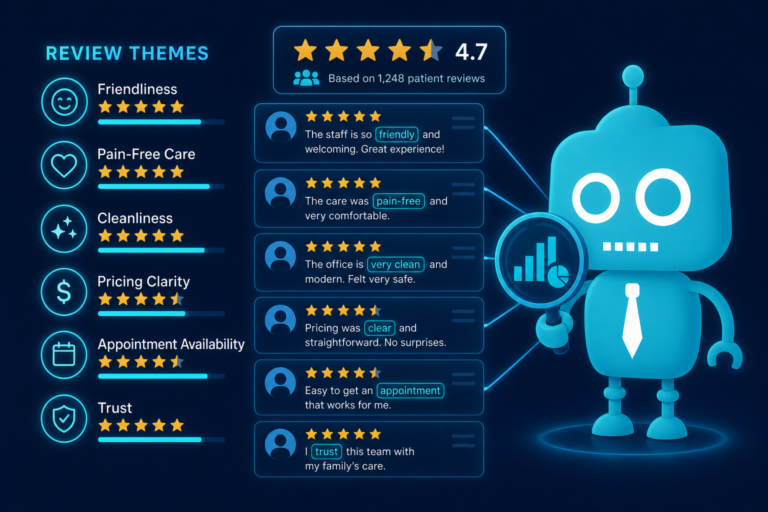
Patients often mention the full experience in reviews, not just the clinical outcome. A typical 5-star dental review might reference the receptionist, hygienist, dentist, wait time, office cleanliness, billing clarity, and how comfortable the patient felt.
What Patients Notice Before They Leave a Review
- How quickly the phone is answered
- How easy it is to schedule an appointment
- Whether forms are digital and simple
- How warmly they are greeted
- Whether the appointment starts on time
- How clearly treatment options are explained
- Whether pricing, insurance, and financing are discussed professionally
- How the dentist and team handle anxiety or discomfort
- Whether follow-up instructions are clear
For example, a patient who came in nervous about a root canal may leave a glowing review if the team explained each step, checked in during treatment, and followed up afterward. That experience creates the emotional moment that makes a review more likely.
Review Generation Begins Before the Appointment
Your website, online booking process, appointment reminders, and front desk communication all shape the patient’s expectations. If your website looks outdated, your forms are hard to use on mobile, or no one confirms the appointment promptly, the patient experience starts with friction.
A modern dental website with clear calls to action, mobile optimization, and fast-loading pages supports both new patient conversion and patient satisfaction before they ever sit in the chair.
Ask for Reviews at the Right Time
Timing is one of the most important parts of getting more 5-star reviews. Asking too early can feel premature. Asking too late means the patient has moved on with their day.
The best time to ask is when the patient has just had a positive interaction and their satisfaction is clear.
Good Times to Ask for a Dental Review
- After a successful new patient exam when the patient compliments the team
- After a hygiene visit where the patient says the cleaning was gentle
- After cosmetic treatment, such as veneers, whitening, or bonding, when the patient is excited about the result
- After an emergency appointment where the patient is relieved and grateful
- After a child has a positive first visit and the parent expresses appreciation
- After a follow-up call where the patient confirms they are doing well
The best review requests are tied to real satisfaction signals. If a patient says, “Everyone was so nice,” or “That was much easier than I expected,” that is the moment to ask.
Example Script for Asking at Checkout
Front desk team member: “We’re so glad your visit went well today. If you have a minute, would you be willing to share your experience in a Google review? It really helps other patients in the area feel comfortable choosing our office.”
This approach is simple, respectful, and patient-centered. It does not pressure the patient or tell them what rating to leave.
Example Script After a Cosmetic Case
Dentist or treatment coordinator: “Your smile looks fantastic, and we’re so happy you’re pleased with the result. If you feel comfortable sharing your experience online, we can text you a quick review link.”
This works because the patient is emotionally engaged and proud of the outcome.
Use SMS and Email Review Links
Even when patients are happy, they are unlikely to search for your Google Business Profile manually. Make the process easy by sending a direct review link through SMS or email.
For dental practices, SMS is often the highest-performing channel because patients are already used to receiving appointment reminders, confirmation texts, and follow-up instructions from the office.
Why SMS Review Requests Work
- Patients usually see texts quickly
- The link can open directly on their phone
- The process takes less than a minute
- It reaches patients while the appointment is still fresh
Email still has value, especially for patients who prefer longer-form communication or need to leave the review later from a desktop device. Many practices use both: an SMS shortly after the appointment and an email follow-up if no review is received.
Example SMS Review Request
“Hi [First Name], thank you for visiting [Practice Name] today. We’re glad we could care for you. If you’d like to share your experience, here’s a quick link to leave us a review: [Review Link]”
Example Email Review Request
Subject: Thank you for visiting [Practice Name]
“Hi [First Name],
Thank you for choosing [Practice Name]. We hope you had a great experience with our team. If you have a moment, we’d appreciate your feedback on Google. Your review helps other local patients find a dental office they can trust.
Leave a review here: [Review Link]
Thank you,
[Practice Name]”
Keep the message short. Patients should not have to read a long marketing email to understand what to do.
Make the Review Process Easy
The easier the process, the more reviews you will receive. A patient may be willing to leave a review, but if they have to search your practice name, choose the right location, find the review button, and log in, many will stop.
Reduce Friction in Every Step
- Use a direct Google review link
- Send the link by SMS and email
- Make sure the link works on mobile
- Keep the request clear and brief
- Do not ask patients to visit multiple platforms at once
- Do not require them to create an account with your website
If your practice has multiple locations, make sure each patient receives the correct review link for the location they visited. Sending patients to the wrong profile can create confusion and weaken your local SEO performance.
Add Review Prompts to Patient Touchpoints
In addition to direct SMS and email links, dental practices can add subtle review prompts in places patients already interact with the office:
- Post-appointment follow-up emails
- QR codes at checkout
- Printed care instructions
- Appointment completion messages
- Patient portal messages
A QR code at the front desk can work well, but it should not replace SMS or email. Most patients will not stop in the reception area to write a review while they are preparing to leave. Digital follow-up is usually more effective.
Train the Front Desk Team to Ask Confidently
Your front desk team plays a major role in review generation. They are often the last people patients interact with before leaving the office, which makes them essential to the timing of the request.
However, many team members feel awkward asking for reviews because they do not want to seem pushy. Training solves this.
What Front Desk Training Should Include
- When to ask for a review
- What language to use
- How to identify happy patients
- How to avoid pressuring patients
- How to send the review link from the CRM or communication platform
- How to document that the request was sent
- How to handle negative feedback before it becomes a public review
Simple Front Desk Workflow
- Patient checks out after a positive appointment.
- Front desk thanks the patient and listens for satisfaction signals.
- Team member asks if they would be willing to share feedback online.
- Patient agrees.
- Team member sends the Google review link by SMS or email.
- The request is logged in the CRM or patient communication system.
This workflow turns review requests into a consistent operational habit rather than something that happens randomly.
Example for a Nervous Patient Who Had a Great Visit
Patient: “I was really nervous before coming in, but everyone made this so easy.”
Front desk: “That means a lot to hear. Many patients feel nervous about dental visits, so your feedback could really help someone else feel more comfortable choosing us. Would it be okay if I texted you a quick review link?”
This script connects the review request to helping other patients, which feels natural and ethical.
Respond Professionally to Reviews
Getting more reviews is only part of reputation management. Responding to reviews shows prospective patients that your practice is attentive, professional, and engaged.
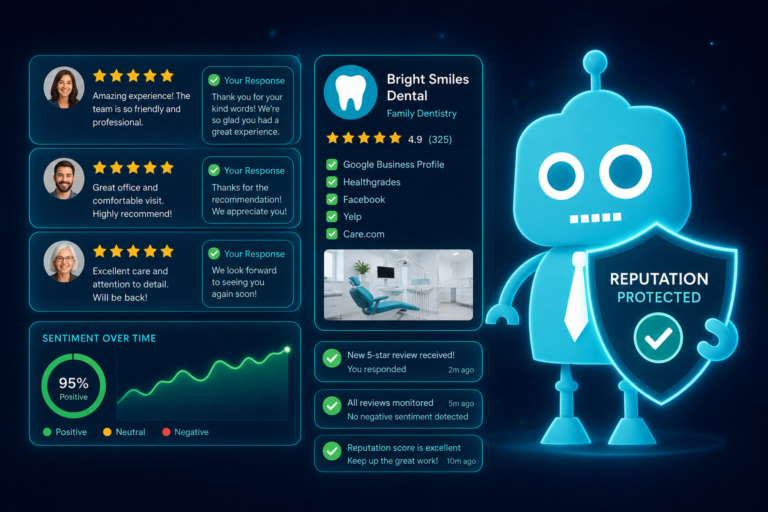
Many patients read both the review and the practice’s response. A thoughtful response can reinforce trust before someone clicks through to your website or calls the office.
How to Respond to Positive Reviews
Keep responses warm, brief, and compliant. Avoid mentioning private treatment details or protected health information.
Example:
“Thank you for your kind review. We’re so glad you had a positive experience with our team and appreciate you choosing [Practice Name].”
If the patient mentions a specific service, be careful not to confirm treatment details unless appropriate and compliant. A general response is usually safest.
How to Respond to Negative Reviews
Negative reviews should be handled calmly and professionally. Do not argue, reveal patient information, or write an emotional response.
Example:
“Thank you for your feedback. We take patient concerns seriously and would appreciate the opportunity to speak with you directly. Please contact our office at [Phone Number] so we can better understand and address your concerns.”
This response shows prospective patients that your office listens without turning the review section into a public dispute.
Review Responses Can Improve Conversion
A patient comparing three local dentists may choose the office that responds professionally and consistently. Review responses demonstrate that the practice is active, organized, and patient-focused.
That confidence can lead to more appointment requests through your website, more calls from your Google Business Profile, and better conversion from paid ads or local SEO traffic.
Avoid Fake or Incentivized Reviews
Ethical review generation is critical for dental practices. Fake reviews, paid reviews, employee reviews, or incentivized reviews can damage your reputation and may violate platform guidelines.
Do not offer discounts, gift cards, whitening products, raffle entries, or other rewards in exchange for reviews. Even if the intention is positive, incentives can make reviews look biased and may lead to removal or penalties.
What to Avoid
- Paying for positive reviews
- Asking staff or family members to pose as patients
- Offering gifts in exchange for reviews
- Only asking patients who promise to leave 5 stars
- Writing reviews on behalf of patients
- Using review gating that filters unhappy patients away from public platforms
The goal is not to manipulate ratings. The goal is to make it easy for real patients to share honest feedback after a positive experience.
Ask for Feedback, Not a Specific Rating
Avoid saying, “Can you leave us a 5-star review?” Instead, ask patients to share their experience.
Better wording:
“If you had a good experience today, we’d appreciate you sharing your feedback online.”
This keeps the request ethical and authentic while still encouraging satisfied patients to take action.
Use Automation to Make Review Requests Consistent
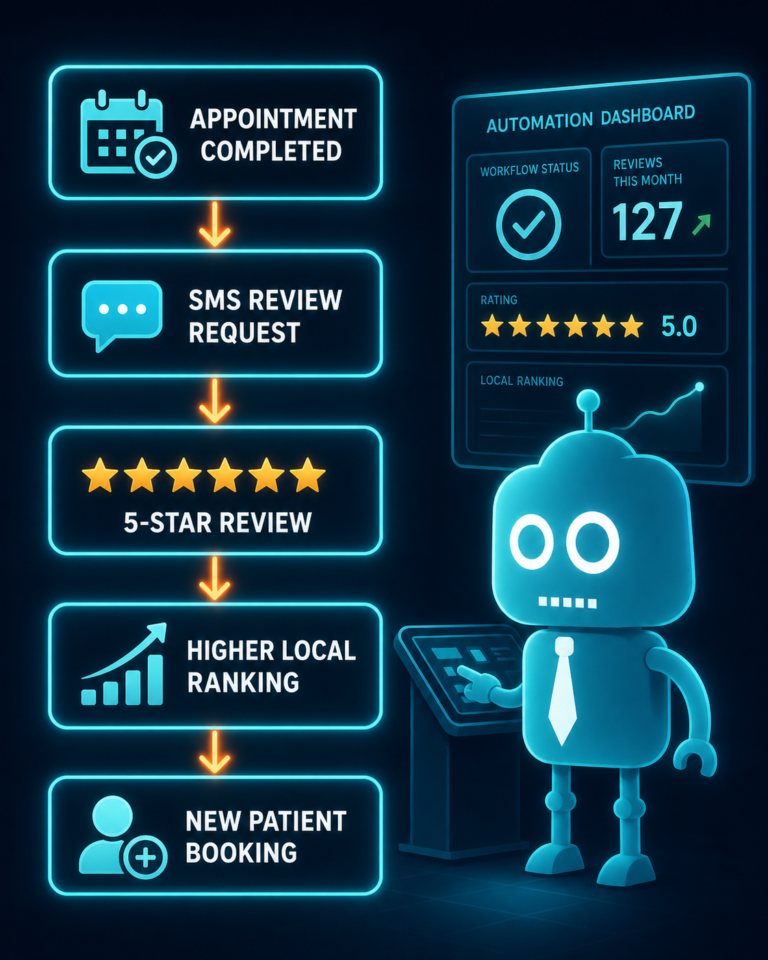
Automation helps dental practices get more reviews without relying on memory or manual follow-up. When review requests are connected to your CRM, patient communication system, or practice management workflow, the process becomes predictable.
How Automation Helps
- Sends review requests shortly after completed appointments
- Reduces missed opportunities
- Allows SMS and email follow-up
- Tracks which patients received requests
- Helps measure response rates
- Supports consistent front desk operations
For example, after a hygiene appointment is marked complete, your system can automatically send a review request 30 to 60 minutes later. For a larger treatment case, your team may prefer to send the request after a follow-up call confirms the patient is happy.
The best automation still allows human judgment. Not every appointment should trigger a review request. If a patient had a billing concern, treatment complication, or long wait time, it may be better to send a personal follow-up first.
Smart Automation Rules for Dental Practices
- Send review requests only after completed appointments
- Exclude patients with unresolved complaints or billing disputes
- Use different timing for hygiene, cosmetic, emergency, and surgical visits
- Send SMS first, then email if needed
- Route unhappy feedback to the office manager for follow-up
- Track review growth by provider, location, and appointment type
Automation should support an ethical patient experience, not replace it.
Connect Reviews to Your Website and New Patient Acquisition
Reviews are powerful on Google, but they should also support your website conversion strategy. When prospective patients land on your site, they should quickly see trust signals that reinforce your reputation.
Ways to Use Reviews on a Dental Website
- Feature selected patient testimonials on the homepage
- Add review highlights near appointment request forms
- Include star ratings or review snippets on service pages
- Create location-specific review sections for multi-location practices
- Link to your Google Business Profile
- Use reviews near calls to action for high-value services like implants, Invisalign, veneers, and emergency dentistry
For example, a patient considering dental implants may spend more time researching before calling. Seeing reviews from patients who felt informed, comfortable, and supported can help move that visitor from research mode to appointment request.
Review placement should be strategic. A testimonial near a “Request an Appointment” button can reduce hesitation and increase form submissions.
Create a Review System Your Team Can Actually Follow
A successful review strategy does not need to be complicated. It needs to be clear, ethical, and repeatable.
A Practical 5-Star Review System for Dental Offices
- Deliver a strong patient experience. Focus on comfort, communication, wait times, and follow-up.
- Identify happy patients. Listen for compliments and satisfaction signals.
- Ask at the right time. Use checkout, post-treatment moments, and follow-up calls.
- Send a direct review link. Use SMS and email to make the process easy.
- Train the front desk. Provide scripts, workflows, and expectations.
- Respond professionally. Thank patients and address concerns without sharing private information.
- Avoid shortcuts. Do not buy, fake, gate, or incentivize reviews.
- Automate follow-up. Use CRM and SMS/email systems to keep requests consistent.
When this system becomes part of your daily operations, your practice can steadily build a stronger online reputation without pressuring patients or violating trust.
Common Mistakes That Keep Dental Practices from Getting More Reviews
Many dental offices provide excellent care but still struggle to grow their review count. Usually, the issue is one of these avoidable mistakes.
Waiting Too Long to Ask
If you ask days or weeks after the appointment, the emotional impact has faded. Send the request while the positive experience is still fresh.
Making the Patient Search for Your Profile
Never ask patients to “find us on Google” without sending a direct link. Every extra step lowers the chance they will complete the review.
Only Asking Occasionally
Review growth requires consistency. If only one team member asks once in a while, results will be inconsistent.
Not Training the Team
If the front desk does not know what to say, they may avoid asking altogether. Provide simple scripts and make review requests part of the checkout workflow.
Ignoring Negative Feedback
Negative feedback can reveal problems in scheduling, communication, billing, or patient expectations. Use it to improve operations.
Using Unethical Tactics
Fake or incentivized reviews may seem like a shortcut, but they create long-term risk. Authentic reviews from real patients are far more valuable.
Final Thoughts: More 5-Star Reviews Come from Better Systems
Dental practices earn more 5-star reviews when they combine excellent patient care with smart timing, easy technology, and trained front desk operations.
The most successful approach is not aggressive. It is systematic. Create a great experience, ask when the patient is most satisfied, send a simple SMS or email link, and follow up professionally.
Over time, this builds a stronger online reputation, improves local search visibility, increases trust on your website, and helps more new patients choose your practice with confidence.
Need Help Turning Your Dental Website into a Review and Patient Acquisition System?
CreateTheSite.com helps dental practices build modern websites that do more than look good. We help independent dentists create online systems that support new patient acquisition, website conversion, and ongoing patient communication.
Our services include modern dental website design, secure hosting, mobile optimization, lead capture forms, CRM integrations, SMS and email automation, appointment follow-up workflows, and ongoing website support.
If your practice wants a website that works with your review strategy, connects to your front desk operations, and helps convert more visitors into booked appointments, CreateTheSite.com can help you build the right foundation.
Visit CreateTheSite.com to learn how we can support your dental practice with a modern, conversion-focused website and the digital tools needed to grow with confidence.