The Best CRM Features for Dental Practices
Dental practices do not need bloated CRM software packed with features they will never use. They need practical tools that help the front desk respond faster, capture more new patient opportunities, follow up consistently, and understand which marketing efforts are actually working.
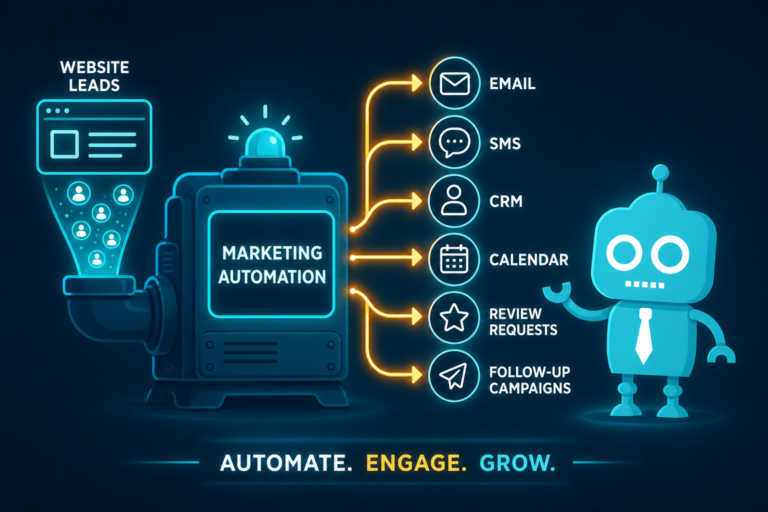
For independent dental practice owners, dentists, and office managers, the right CRM should support the way a dental office really operates. That means helping with phone calls, appointment requests, website leads, text messages, email follow-up, missed calls, patient reviews, and reactivation campaigns.
The best dental CRM features are not about adding complexity. They are about making sure fewer new patient opportunities slip through the cracks.
Why Dental Practices Need Practical CRM Features, Not Bloated Software
A dental office is not a large corporate sales department. Most practices do not need complicated sales pipelines, endless tagging systems, or enterprise-level reporting that nobody has time to review.
What dental practices do need is a simple, reliable system that helps answer questions like:
- Who submitted an appointment request from the website?
- Which calls came from Google Ads, SEO, or the practice website?
- Did the front desk follow up with that new patient lead?
- Which missed calls were never returned?
- Are we asking happy patients for reviews consistently?
- Which inactive patients should we contact?
When a CRM is built around practical front desk workflows, it can directly improve new patient acquisition, website conversion, patient communication, and overall practice growth.
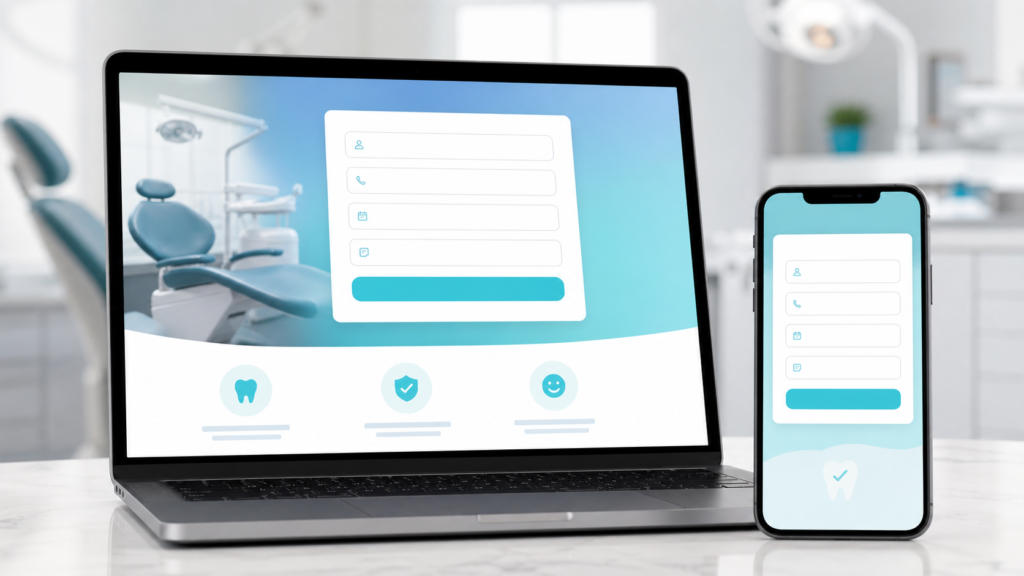
1. Lead Capture Forms That Turn Website Visitors Into New Patient Opportunities
Your dental website should do more than look professional. It should convert visitors into appointment requests, consultation requests, and phone calls.
Lead capture forms are one of the most important CRM features for dental practices because they connect your website directly to your follow-up process.
What a good dental lead capture form should include
- Patient name
- Phone number
- Email address
- Preferred appointment time
- Service of interest, such as dental implants, Invisalign, emergency dentistry, or cosmetic dentistry
- Optional message field
The form should be short enough that patients actually complete it, but detailed enough that your team knows how to respond.
For example, if someone fills out a form for an emergency dental appointment, that lead should be treated differently than someone asking about teeth whitening. A practical CRM can help your front desk prioritize urgent requests and respond quickly.
2. Call Tracking to Understand Where New Patient Calls Come From
Phone calls are still one of the most valuable conversion actions for dental practices. Many patients prefer to call before booking, especially for emergency dentistry, dental implants, sedation dentistry, or insurance questions.
Call tracking helps your practice understand which marketing channels are driving phone calls.
Why call tracking matters for dental marketing
Without call tracking, you may know that your phone rang, but you may not know why. Was the call from your Google Business Profile? Your website? A paid ad? An SEO page about dental implants?
With call tracking connected to your CRM, you can see:
- Which source generated the call
- Whether the call was answered or missed
- How long the call lasted
- Whether the caller became a scheduled patient
- Which campaigns produce high-quality new patient inquiries
This gives practice owners and office managers better visibility into marketing performance. Instead of guessing whether your website or ads are working, you can track actual call activity.
3. SMS and Email Automation for Faster Follow-Up
Speed matters when a potential new patient contacts your dental office. If someone submits an appointment request and does not hear back quickly, they may call another practice.
SMS and email automation help your office respond immediately, even when the front desk is busy helping patients in the office.
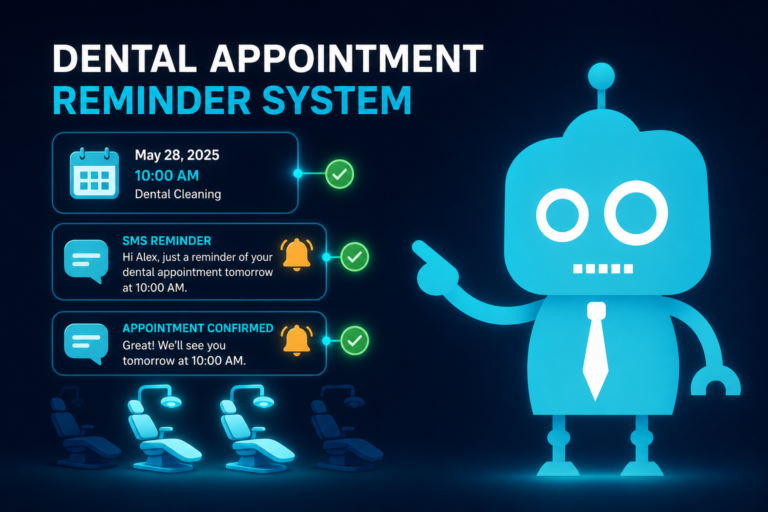
Examples of useful dental SMS and email automations
- Automatic confirmation after a website form submission
- Text message letting the patient know the office will contact them shortly
- Email with next steps for a consultation request
- Follow-up text if the patient has not responded
- Reminder for the front desk to call the lead
For example, after a patient requests an Invisalign consultation, the CRM can instantly send a text that says:
“Thanks for contacting our office about Invisalign. Our team received your request and will reach out shortly to help you schedule a consultation.”
This type of automation reassures the patient that their request was received while giving your staff time to respond personally.
4. Appointment Request Tracking So No Inquiry Gets Lost
Appointment request tracking is essential for dental practices that receive leads from multiple sources. A patient might contact your office through a website form, a landing page, Google Business Profile, Facebook ad, online chat, or phone call.
A practical CRM should organize these requests in one place so your team can see what needs attention.
What appointment request tracking should show
- Patient name and contact information
- Date and time of the request
- Requested service
- Lead source
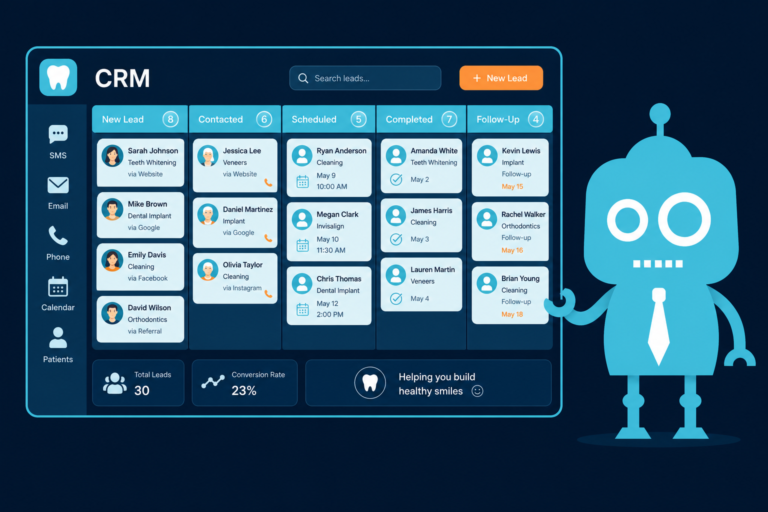
- Status, such as new, contacted, scheduled, no response, or not a fit
- Assigned team member
- Follow-up history
This is especially helpful for busy front desk teams. Instead of relying on sticky notes, email inboxes, or memory, the CRM becomes the central place for tracking new patient opportunities.
5. Lead Source Attribution to Know Which Marketing Channels Work
Dental marketing can involve many moving parts: SEO, Google Ads, social media, direct mail, referral campaigns, email marketing, and your website. Lead source attribution helps you understand which channels are producing real inquiries.
This is one of the most valuable CRM features for dental practice owners because it connects marketing activity to measurable results.
Practical examples of lead source attribution
- A patient submits a dental implant consultation form from an SEO landing page
- A new patient calls after clicking a Google Ads campaign
- A parent requests a pediatric dental appointment from the practice website
- An emergency patient calls from the Google Business Profile
- An inactive patient books after receiving a reactivation email
With proper attribution, you can see which marketing channels generate not just traffic, but actual appointment opportunities.
This helps you invest more confidently in the campaigns that are working and adjust the ones that are not.
6. Follow-Up Reminders for Front Desk Accountability
Most dental practices lose opportunities because follow-up is inconsistent. The front desk may intend to call someone back, but then the schedule gets busy, a patient checks in, insurance questions come up, and the lead is forgotten.
Follow-up reminders help your team stay accountable.
How follow-up reminders help dental offices
- Remind staff to call a new patient lead
- Prompt a second follow-up if the patient does not answer
- Notify the team when an appointment request is still unscheduled
- Help office managers review open opportunities
- Reduce dependence on manual notes and spreadsheets
For example, if a potential dental implant patient submits a form on Monday but does not answer the first call, the CRM can remind your team to follow up again the next day. That second or third touchpoint can make the difference between a lost lead and a scheduled consultation.
7. Missed Call Recovery to Capture More New Patient Opportunities
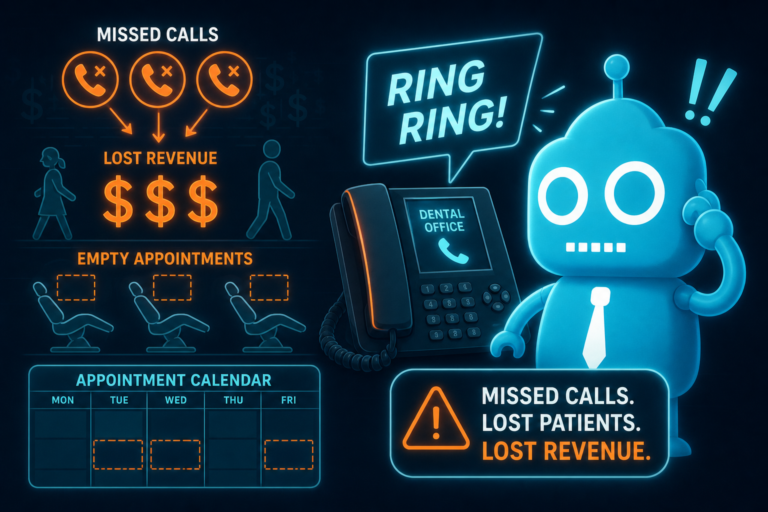
Missed calls are one of the biggest hidden leaks in dental practice growth. If a new patient calls during lunch, after hours, or while the front desk is on another call, that opportunity may be lost.
A CRM with missed call recovery can help your practice respond quickly.
What missed call recovery can do
- Log missed calls automatically
- Send an instant text message to the caller
- Create a follow-up task for the front desk
- Show whether the missed caller was contacted later
- Help office managers identify patterns in missed call volume
A simple automated text can make a major difference:
“Sorry we missed your call. This is the team at [Practice Name]. How can we help you today?”
This gives the caller an easy way to respond instead of moving on to the next dental office in search results.
8. Review Automation to Build Trust and Improve Local SEO
Online reviews are critical for dental practices. Patients often compare dentists based on Google reviews before deciding who to call.
Review automation helps your practice consistently ask happy patients for feedback without putting more manual work on the front desk.
How review automation works for dental practices
After a completed appointment, the CRM can send a text or email asking the patient to leave a review. The message can link directly to your Google review profile, making the process easy.
For example:
“Thank you for visiting our office today. If you had a great experience, would you mind leaving us a quick Google review? It helps other patients find our practice.”
Consistent review requests can help your dental practice:
- Increase the number of recent Google reviews
- Improve trust with prospective patients
- Support local SEO performance
- Highlight positive patient experiences
- Strengthen your reputation in the community
The key is consistency. A practical CRM makes review requests part of the normal patient communication process.
9. Reactivation Campaigns for Inactive Patients
New patient acquisition is important, but many dental practices also have a large opportunity sitting inside their existing patient base. Inactive patients may be overdue for hygiene visits, treatment, cosmetic consultations, or follow-up care.
Reactivation campaigns help bring those patients back.
Examples of dental reactivation campaigns
- Overdue hygiene appointment reminders
- Unscheduled treatment follow-up
- Annual exam reminders
- Cosmetic dentistry check-in messages
- “We miss you” campaigns for patients who have not visited in over a year
A reactivation email or text does not need to be complicated. It simply needs to be timely, friendly, and easy to act on.
For example:
“Hi [First Name], we noticed it has been a while since your last dental visit. We would be happy to help you schedule your next cleaning. Reply to this message or call us to find a convenient time.”
Reactivation is one of the most practical CRM uses for dental practices because it helps increase production without relying only on brand-new patient leads.
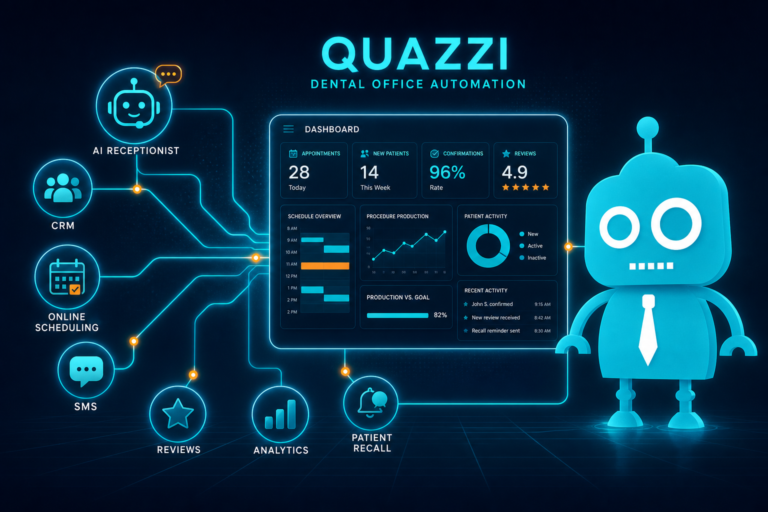
10. Dashboards That Show What Matters
A dental CRM dashboard should not overwhelm you with unnecessary data. It should quickly show the numbers that matter to your practice.

Useful dashboard metrics for dental practices
- New website leads
- New phone calls
- Missed calls
- Appointment requests
- Scheduled new patients
- Lead sources
- Follow-up status
- Review requests sent
- New reviews received
- Reactivation campaign performance
For an office manager, the dashboard should make it easy to see which leads need attention. For a practice owner, it should show whether marketing is producing real appointment opportunities.
The best dashboards are simple, visual, and action-oriented. They help your team make better decisions without spending hours digging through reports.
How the Right CRM Supports the Front Desk
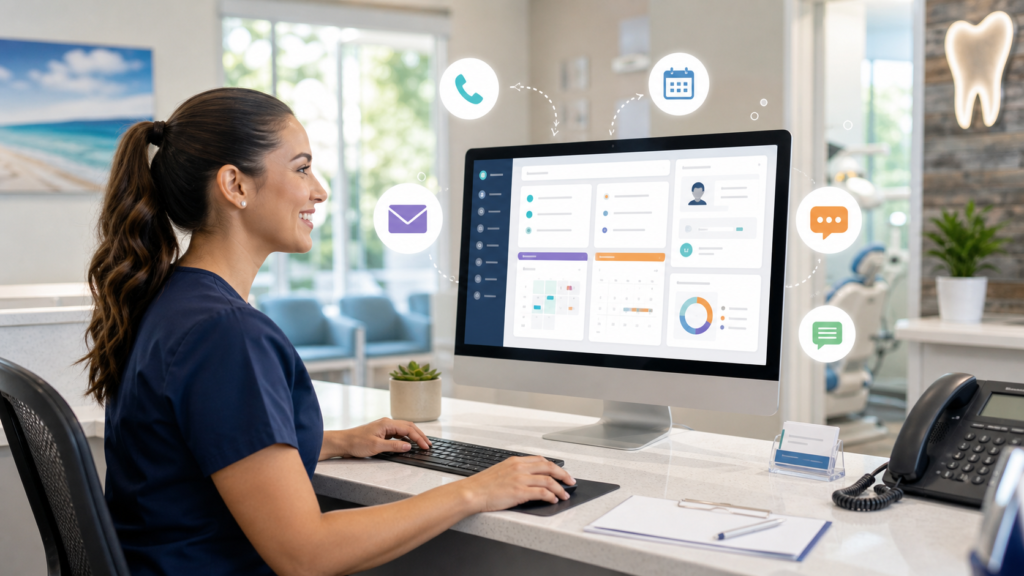
A CRM should make life easier for your front desk, not harder. If the system creates more clicks, more confusion, or more duplicate work, your team will not use it consistently.

The right dental CRM setup supports front desk operations by:
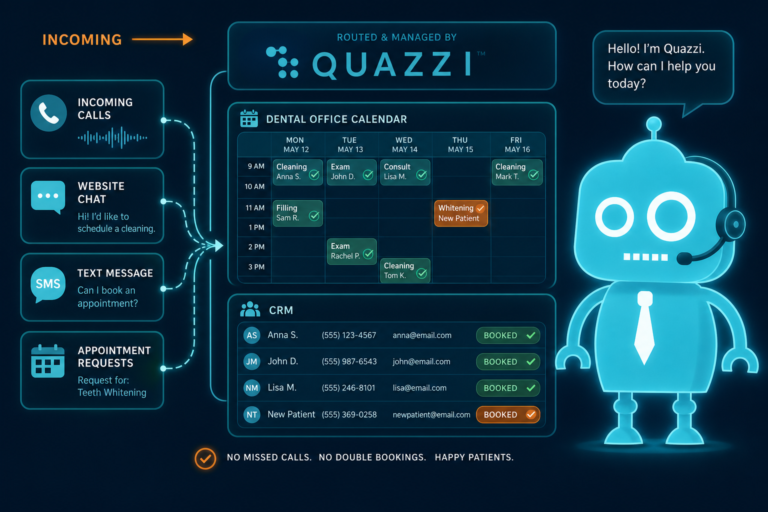
- Centralizing website leads, calls, and appointment requests
- Automating simple text and email responses
- Creating reminders for follow-up
- Making missed calls visible
- Helping staff prioritize urgent requests
- Tracking which leads have been contacted
- Reducing manual spreadsheets and sticky notes
For dental practices, CRM success is not about using every possible feature. It is about building a simple workflow that helps your staff respond faster and communicate more consistently.
CRM Features and Your Dental Website Should Work Together
Your dental website and CRM should not operate separately. They should work together as one patient acquisition system.
When a potential patient visits your website, they should be able to call, request an appointment, ask a question, or submit a consultation request easily from a mobile device. Once they take action, that information should flow into your CRM for tracking and follow-up.
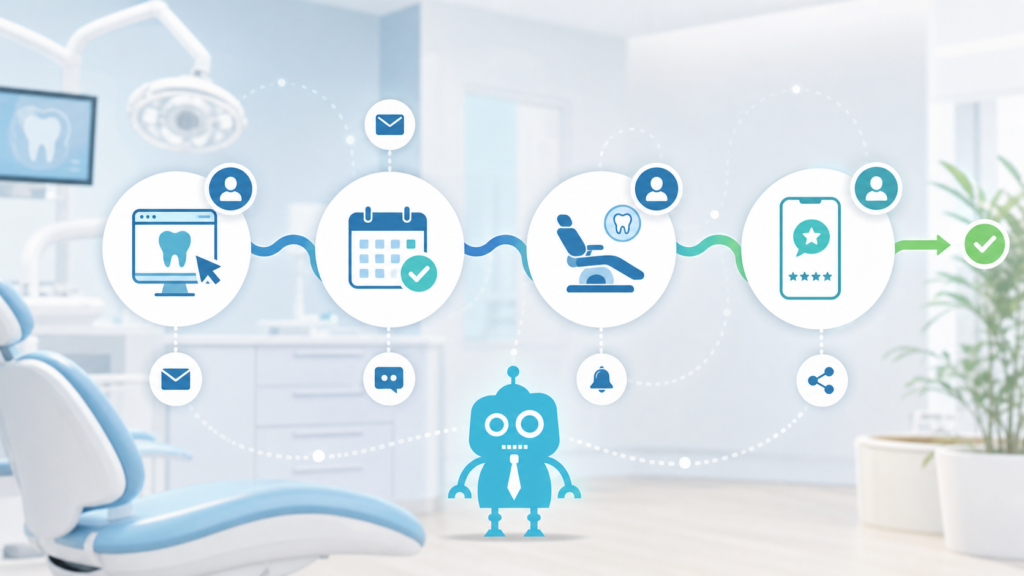
A practical dental website and CRM workflow
- A patient visits your dental implant page from Google.
- They fill out a consultation request form.
- The CRM records the lead source and service interest.
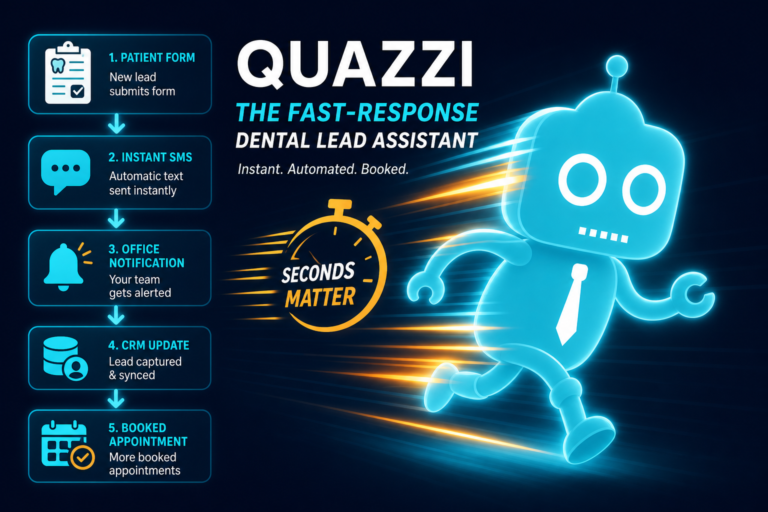
- The patient receives an automatic confirmation text or email.
- The front desk gets a follow-up reminder.
- The team calls the patient and updates the lead status.
- If scheduled, the lead is marked as converted.
- After the visit, the patient receives a review request.
This is the type of practical system that helps dental practices turn website traffic into real appointments.
What to Avoid in Dental CRM Software
Not every CRM is a good fit for an independent dental office. Some systems are too complex, too expensive, or too focused on features that do not match dental workflows.
Common CRM problems for dental practices
- Too many unnecessary features
- Complicated setup and training
- Poor integration with the practice website
- No call tracking or missed call visibility
- No simple SMS and email automation
- Limited reporting on lead sources
- Dashboards that are difficult to understand
- Systems that the front desk does not actually use
The best CRM for a dental practice is not always the biggest platform. It is the one your team can use consistently to capture leads, follow up quickly, and improve patient communication.

Final Thoughts: Choose CRM Features That Help You Schedule More Patients
Dental practices need CRM features that solve real problems. The goal is not to add software for the sake of software. The goal is to make sure every new patient opportunity is captured, tracked, followed up with, and measured.
The most useful CRM features for dental practices include lead capture forms, call tracking, SMS and email automation, appointment request tracking, lead source attribution, follow-up reminders, missed call recovery, review automation, reactivation campaigns, and simple dashboards.
When these tools are connected to a modern dental website, they create a more reliable system for new patient acquisition and front desk follow-up.
Need a Better Website and CRM System for Your Dental Practice?
CreateTheSite.com helps dental practices build modern, conversion-focused websites that support real front desk workflows and new patient growth.
Our team can help with dental website design, secure hosting, mobile optimization, lead capture forms, CRM integrations, SMS and email automation, appointment follow-up, and ongoing website support.
If your current website is not generating enough appointment requests, or if leads are getting lost between your website, phone calls, and front desk, CreateTheSite.com can help you create a more practical system.
Your dental practice does not need bloated software. You need a website and CRM setup that makes it easier for patients to contact you and easier for your team to follow up.
Visit CreateTheSite.com to learn how we can help your dental practice improve website conversion, patient communication, and new patient acquisition.