The Importance of Reactivation Campaigns for Dental Practices
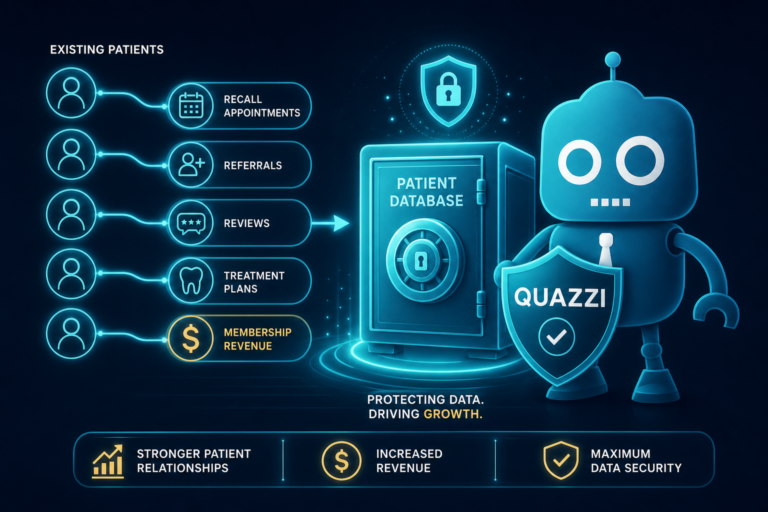
Inactive patients are not “lost” patients. In many dental practices, they are hidden revenue sitting inside the patient management system, already familiar with the office, the dentist, the team, and the quality of care.
For independent dental practice owners, dentists, and office managers, reactivation campaigns can be one of the most cost-effective ways to increase production without relying only on new patient acquisition. These patients already know your name. Many simply need a timely reminder, a clear reason to return, and an easy way to schedule.
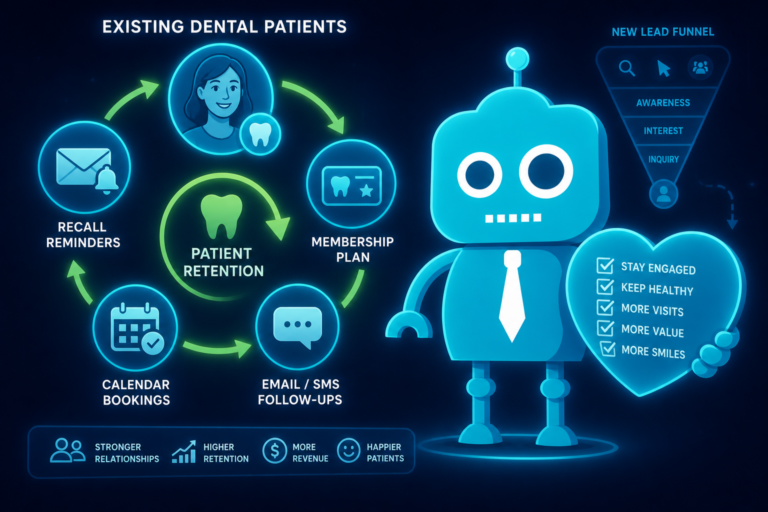
A strong dental reactivation strategy combines smart patient segmentation, email and SMS automation, front desk follow-up, website conversion tools, CRM integrations, and clear tracking. Done well, it fills hygiene gaps, brings unfinished treatment back onto the schedule, improves patient retention, and supports long-term practice growth.
Why Dental Patients Disappear
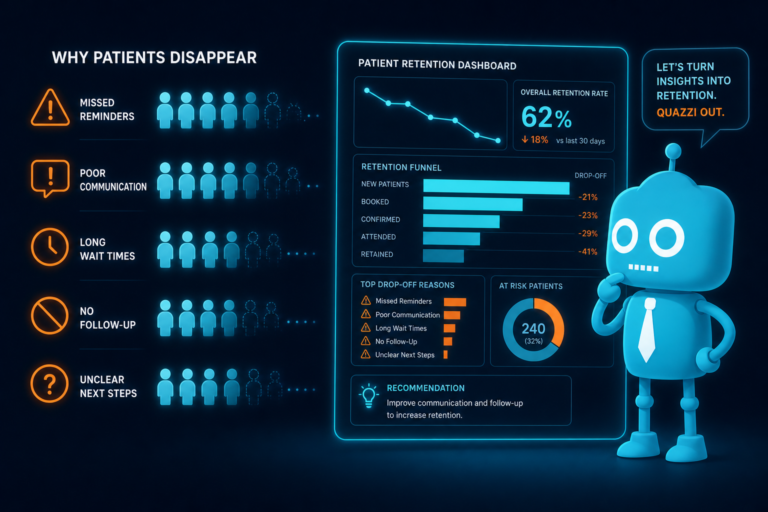
Most inactive dental patients do not leave because they dislike the practice. In many cases, they disappear because life gets busy, insurance changes, fear delays action, or no one follows up consistently.
Understanding why patients become inactive helps your team create better messaging and avoid treating every overdue patient the same way.
Common Reasons Patients Become Inactive
- They forgot to schedule their next hygiene visit. If a patient leaves without pre-appointing, they can easily fall through the cracks.
- They changed jobs or insurance plans. Patients may assume your office no longer accepts their benefits, even if you do.
- They postponed treatment due to cost. Crowns, implants, scaling and root planing, and restorative work can be delayed when financing or payment options are not explained clearly.
- They had dental anxiety. Fearful patients often avoid care until symptoms become urgent.
- They moved or changed routines. A patient may still live close enough to return, but they simply broke the habit.
- They were not followed up with after a missed appointment. One missed hygiene visit can turn into two years without care if the office does not have a reactivation workflow.
- They did not understand the urgency of unfinished treatment. “Watch areas,” cracked teeth, periodontal concerns, and incomplete treatment plans need clear communication.
The key point is this: many inactive patients are not rejecting your practice. They are waiting for a convenient, relevant reason to reconnect.
Inactive Patients Are Hidden Revenue Already Familiar With Your Practice
New patient marketing matters, but it often costs more than reactivating existing patients. A new patient must discover your practice, trust your website, read your reviews, complete a form or call, verify insurance, and show up. An inactive patient has already crossed many of those trust barriers.
They may already have radiographs, perio charting, treatment history, insurance details, and notes in your system. They may already like your hygienist, recognize your front desk team, or remember a positive experience with the dentist.
That familiarity is valuable. A patient who has not visited in 18 months may need a hygiene appointment, updated X-rays, periodontal evaluation, restorative work, or treatment they previously delayed. Reactivation campaigns help turn that dormant opportunity into scheduled care.
Segmenting Inactive Patients for Better Results
A successful dental reactivation campaign starts with segmentation. Sending one generic message to every patient who has not visited recently is better than doing nothing, but it leaves results on the table.
Segmenting inactive patients allows your team to send more relevant messages based on patient history, treatment needs, timing, and value to the practice.
Segment by Time Since Last Visit
Start by creating groups based on how long patients have been inactive:
- 6 to 9 months overdue: These patients may only need a simple hygiene reminder.
- 9 to 18 months overdue: These patients may need stronger messaging about staying current with preventive care.
- 18 to 36 months inactive: These patients may need a “welcome back” message, reassurance, and an easy scheduling option.
- 3+ years inactive: These patients may require a more personalized outreach campaign and updated contact information.
Segment by Treatment Status
Inactive patients with unfinished treatment should not receive the same message as patients who only need a cleaning. Treatment-based segmentation helps the team focus on production and patient health.
- Patients with unscheduled crowns, bridges, implants, fillings, or extractions
- Patients with incomplete periodontal therapy
- Patients who started but did not complete clear aligner or cosmetic consultations
- Patients with diagnosed treatment plans over a certain dollar amount
- Patients who accepted part of a treatment plan but never scheduled the next phase
Segment by Insurance or Membership Status
Insurance and affordability often influence whether patients return. If your dental practice offers an in-house membership plan, a third-party financing option, or flexible payment arrangements, inactive patients should be segmented accordingly.
For example, an uninsured patient who has not visited in two years may respond well to a membership offer. A patient with remaining insurance benefits may respond to a reminder about maximizing coverage before year-end.
Segment by Communication Preference
Some patients respond quickly to SMS. Others prefer email. Some need a phone call from the front desk. Your CRM system, dental software, or patient communication platform should help identify which channels work best.
If your practice is using website forms, online scheduling requests, and automated appointment follow-up, those interactions can also help identify patient preferences and improve future reactivation campaigns.
Email and SMS Reactivation for Dental Practices
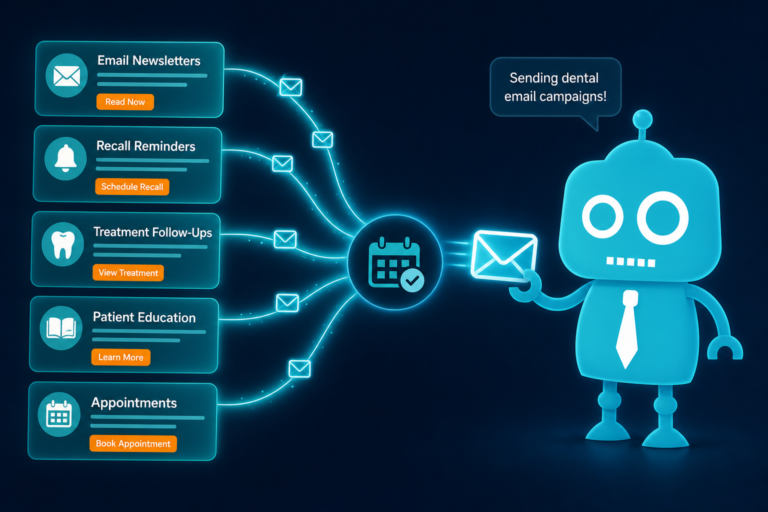
Email and SMS are two of the most effective tools for dental patient reactivation because they are fast, scalable, and measurable. However, the message must be specific, compliant, and easy to act on.
The goal is not to send a long newsletter. The goal is to get the patient to schedule.
What Makes a Good Reactivation Message?
A strong reactivation message should include:
- A friendly reminder that the patient is due or overdue
- A clear benefit of returning
- A simple call-to-action
- A direct link to request an appointment or call the office
- A tone that feels helpful, not judgmental
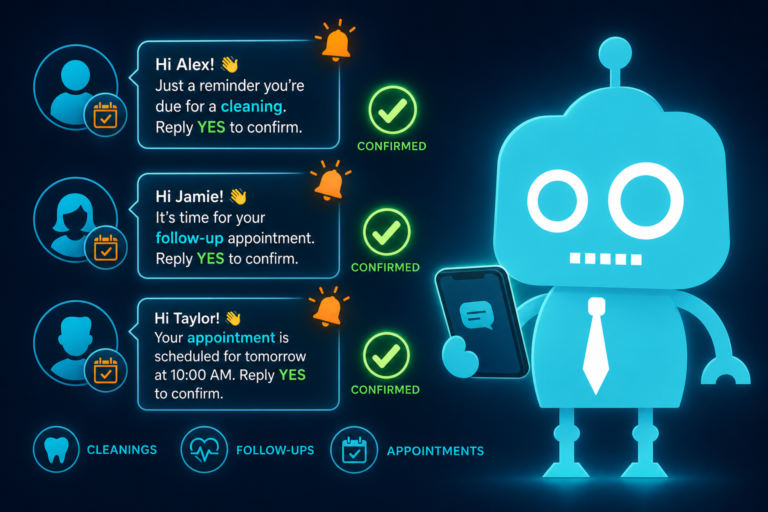
Example SMS for Overdue Hygiene Patients
Example: “Hi Sarah, this is Bright Smile Dental. You’re due for your preventive cleaning and exam. We have a few openings this week. Reply SCHEDULE or call us at (555) 123-4567.”
This works because it is short, direct, and easy to respond to. The patient does not have to search for your phone number or navigate your website from scratch.
Example Email for Inactive Patients
Subject: We’d love to welcome you back to our dental office
Email body: “It has been a while since your last visit, and we would be happy to help you get back on track. Regular dental visits help prevent small issues from becoming larger concerns. If you are ready to schedule, you can request an appointment online or call our front desk team.”
Include a visible button that says “Request an Appointment” and links to a mobile-friendly appointment form on your website.
Use Automation, But Keep the Human Touch
Email and SMS automation can save your front desk hours of manual outreach. A CRM or patient communication platform can trigger messages based on last visit date, unscheduled treatment, missed appointments, or incomplete forms.
However, automation should support the front desk, not replace it completely. High-value cases, long-term patients, and patients with unfinished treatment often benefit from a personal phone call after automated reminders are sent.
Closing Hygiene Gaps With Reactivation Campaigns
Hygiene gaps are one of the most visible signs of patient attrition. Open hygiene appointments reduce daily production, weaken recall consistency, and create missed opportunities for diagnosis.
A hygiene-focused reactivation campaign should target patients who are overdue for preventive care, periodontal maintenance, or routine exams.
Practical Hygiene Reactivation Workflow
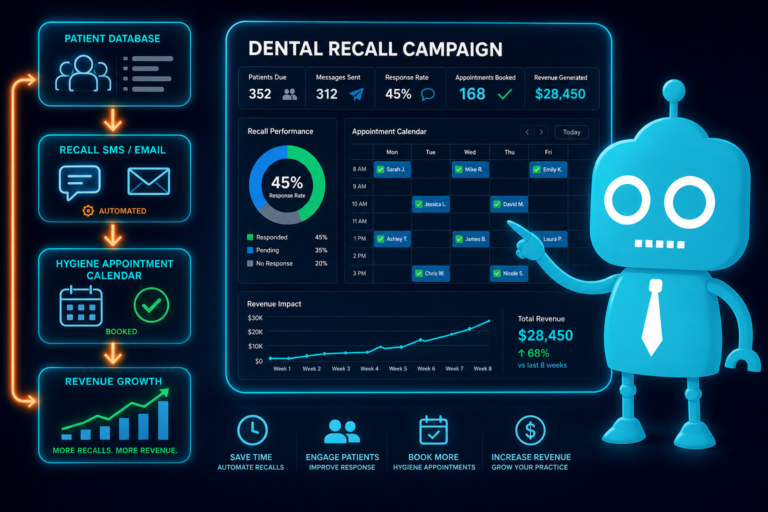
- Run a report of patients overdue for hygiene by 6, 12, 18, and 24 months.
- Remove patients who have transferred, moved out of the area, or requested no contact.
- Send an SMS reminder with available appointment times or a scheduling link.
- Send an email follow-up explaining the value of preventive dental care.
- Call priority patients who have not responded within a few days.
- Track appointments scheduled and completed from each outreach method.
For example, if your hygienist has openings next Tuesday and Thursday, your message can say, “We have hygiene openings available next Tuesday and Thursday. Would you like us to reserve one for you?” This feels more immediate than a vague reminder.
Reactivating Patients With Unfinished Treatment
Unfinished treatment is often where the largest reactivation opportunity exists. These patients already received a diagnosis and treatment recommendation. Many simply did not schedule, delayed due to cost, or needed more education.
From a clinical perspective, this matters because untreated dental issues can worsen. From a business perspective, unscheduled treatment represents production that has already been identified but not completed.
How to Approach Unfinished Treatment
Messages about unfinished treatment should be more personalized than hygiene reminders. Avoid sounding alarmist, but be clear about why follow-up matters.
Example: “Hi Mark, this is Dr. Lee’s office. We wanted to follow up on the crown that was recommended for your upper right tooth. Dr. Lee would like to help you protect that tooth before it becomes more difficult to treat. Would you like us to review available times?”
This message is specific, patient-centered, and tied to the reason the treatment was recommended.
Support Treatment Reactivation With Website Content
Your website can help convert reactivated patients by answering common questions before they call. Pages about crowns, dental implants, periodontal therapy, clear aligners, emergency dentistry, and financing options can support your outreach campaigns.
If a patient receives an email about unfinished implant treatment, the email can link to your dental implant page, patient financing page, or appointment request form. This creates a smoother path from reminder to decision.
Using Membership Offers to Bring Patients Back
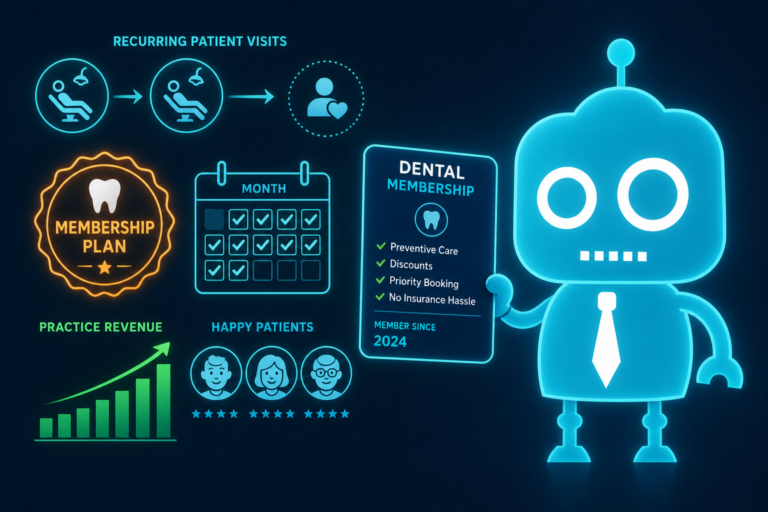
For patients without insurance, cost uncertainty is a major barrier. An in-house dental membership plan can be an effective reactivation tool because it gives patients a simple way to return without worrying about traditional insurance limitations.
Membership offers work especially well for patients who have not visited because they lost employer-based dental benefits, retired, became self-employed, or changed insurance networks.
What to Include in a Membership Reactivation Offer
- A simple explanation of the membership plan
- What preventive services are included
- Any discounts on additional treatment
- How the patient can enroll
- A link to the membership page on your website
Example: “No dental insurance? Our in-office membership plan helps patients stay current with cleanings, exams, and needed care. Ask us how to restart your dental visits with a simple annual plan.”
The best membership campaigns are clear and easy to understand. Avoid complicated language. Patients should immediately know what the plan does and how it helps them return to care.
Improving Website Conversion for Reactivated Patients
Reactivation campaigns do not happen in isolation. If your SMS or email sends patients to an outdated website, a confusing contact page, or a form that does not work well on mobile devices, you may lose the opportunity.
Many inactive patients will click before they call. They may check your office hours, read recent reviews, look at provider bios, review services, or confirm that the practice still feels modern and trustworthy.
Your Website Should Make Scheduling Easy
A dental website supporting reactivation campaigns should include:
- Mobile-friendly appointment request forms
- Click-to-call buttons
- Clear office hours and location information
- Updated dentist and team photos
- Recent patient reviews or testimonials
- Service pages for hygiene, restorative, cosmetic, and emergency dentistry
- Financing and membership plan information
- CRM or patient communication integrations
If your front desk receives incomplete form submissions or patients say they “couldn’t find how to schedule,” your website may be limiting the success of your reactivation campaigns.
Front Desk Operations Matter
Reactivation is not only a marketing task. It is also an operations task. The front desk team needs clear scripts, follow-up steps, and scheduling protocols.
When a reactivated patient calls, the team should know how to handle the conversation efficiently and warmly.
Front Desk Script Example
Patient: “I got a text saying I’m overdue.”
Front desk: “We’re glad you called. It looks like you’re due for your cleaning and exam, and we’d be happy to get you back on the schedule. We have openings on Wednesday at 10:00 or Friday at 2:30. Which works better for you?”
This approach avoids over-explaining and moves directly toward scheduling.
Make Follow-Up Consistent
Every reactivation campaign should have a defined follow-up sequence. For example:
- Day 1: SMS reminder
- Day 3: Email with appointment request link
- Day 7: Front desk call
- Day 14: Final SMS or email reminder
- Day 30: Add patient to future recall campaign if no response
Consistency is what turns a one-time outreach attempt into a reliable patient retention system.
Using Reviews to Rebuild Trust
Inactive patients may still remember your practice, but they may also look you up before returning. Recent positive reviews can reassure them that the practice is active, trusted, and still delivering a good patient experience.
Review generation should be part of your larger digital strategy. After reactivated patients complete their appointments, send a follow-up message thanking them and, when appropriate, inviting them to leave a review.
More recent reviews can also improve local SEO, helping your dental practice attract new patients while supporting reactivation efforts.
Tracking Reactivation Results
If you do not track results, it is difficult to know whether your reactivation campaign is working. Dental practices should measure both marketing activity and actual production outcomes.
Key Reactivation Metrics to Track
- Number of inactive patients contacted
- SMS delivery and response rates
- Email open and click rates
- Appointment requests submitted through the website
- Phone calls generated from the campaign
- Appointments scheduled
- Appointments completed
- Unfinished treatment scheduled
- Production generated from reactivated patients
- No-show or cancellation rate for reactivated patients
For example, if you contact 500 inactive patients and 42 schedule appointments, that is an 8.4% scheduling rate. If 30 complete their visits and 10 accept treatment, the campaign may generate significant production from patients already in your database.
Connect Your Website, CRM, and Dental Software
Tracking improves when your website forms, CRM system, call tracking, and patient communication tools work together. If a patient clicks an email, submits an appointment form, receives an automated confirmation, and schedules through the front desk, your team should be able to connect those steps.
This helps you understand which campaigns are producing results and which messages need improvement.
Reactivation Campaigns Support New Patient Marketing
Reactivation should not replace new patient acquisition. It should strengthen it.
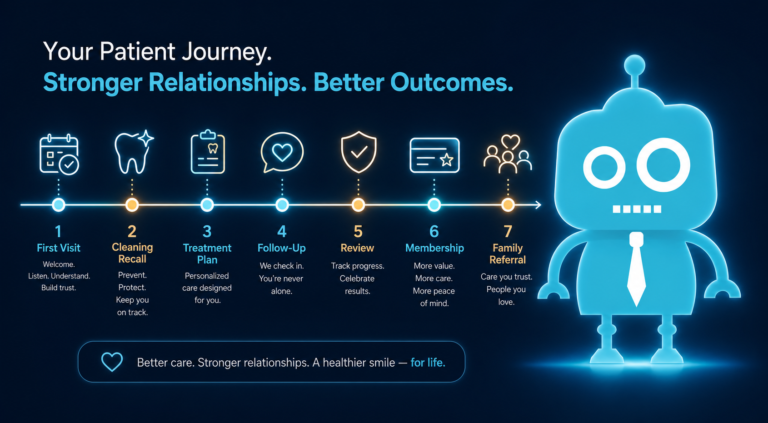
A practice with strong retention does not need to rely as heavily on expensive new patient marketing to keep the schedule full. When inactive patients return, they create hygiene consistency, treatment opportunities, better review flow, and stronger patient relationships.
At the same time, the systems used for reactivation also improve new patient conversion. A modern website, mobile-friendly forms, CRM integrations, SMS/email automation, appointment follow-up, and front desk workflows help both inactive patients and brand-new patients take action.
Practical Reactivation Campaign Ideas for Dental Offices
1. The “We Miss You” Hygiene Campaign
Target patients who are 12 to 24 months overdue for hygiene. Use a friendly SMS and email sequence with a direct scheduling link.
2. The Unfinished Treatment Follow-Up Campaign
Target patients with diagnosed but unscheduled treatment. Prioritize larger treatment plans, cracked teeth, periodontal therapy, and cases where delay may increase risk.
3. The Insurance Benefits Campaign
Target inactive patients with remaining benefits before year-end. Remind them that unused dental benefits may expire.
4. The Membership Plan Campaign
Target uninsured or inactive patients who have not scheduled because of cost concerns. Promote your in-house membership plan and link to a clear membership page.
5. The “New Dentist or Updated Office” Campaign
If your practice has added a provider, expanded hours, renovated the office, added technology, or improved online scheduling, use that as a reason to reconnect.
Make Reactivation a System, Not a One-Time Project
The most successful dental practices do not treat reactivation as a once-a-year cleanup project. They build it into their monthly operations.
Each month, the team should review overdue hygiene reports, unscheduled treatment reports, broken appointment lists, and inactive patient segments. Automated SMS and email campaigns can run in the background, while the front desk focuses on priority calls and patient conversations.
When reactivation becomes a system, the practice becomes less dependent on chance. Patients are less likely to disappear unnoticed, and the schedule becomes easier to manage.
Build Better Reactivation Campaigns With CreateTheSite.com
Reactivating inactive dental patients requires more than sending a reminder. Your practice needs a website that converts, forms that capture leads, systems that connect, and follow-up tools that make it easy for patients to schedule.
CreateTheSite.com helps dental practices build the digital foundation needed for stronger patient reactivation and new patient growth. Our services include modern dental website design, secure hosting, mobile optimization, lead capture forms, CRM integrations, SMS and email automation, appointment follow-up tools, and ongoing website support.
If your current website is outdated, difficult to update, not mobile-friendly, or disconnected from your patient communication workflow, your reactivation campaigns may not reach their full potential.
CreateTheSite.com can help your dental practice create a smoother path from reminder to appointment request, from website visit to scheduled patient, and from inactive record to returning patient.
Ready to turn hidden patient revenue into scheduled care? Visit CreateTheSite.com to learn how a better dental website and smarter follow-up systems can support your reactivation campaigns and long-term practice growth.