AI Receptionists for Dental Practices Explained
If you own or manage a dental practice, you have probably heard vendors claim that an AI receptionist can “answer every call,” “book more patients,” and “automate your front desk.”
That sounds impressive, but it also raises fair questions:
- Will it understand dental patients?
- Will it say the wrong thing about treatment or insurance?
- Will it frustrate callers who just want a human?
- Will it actually help the front desk, or create more work?
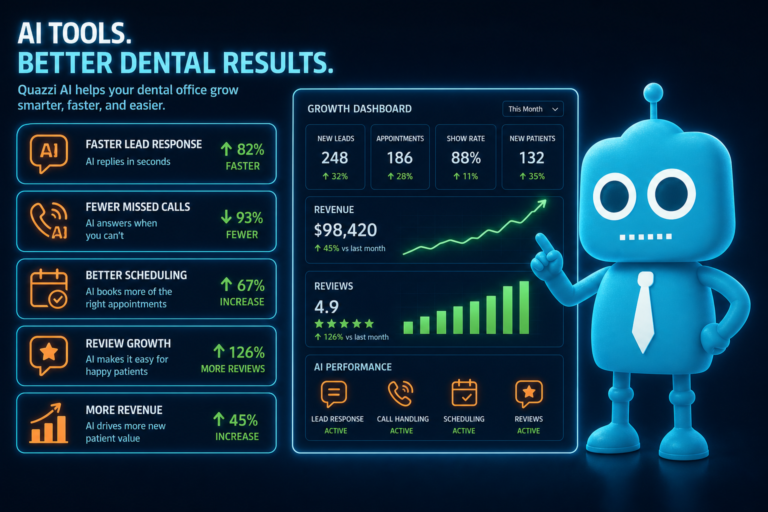
For skeptical dentists, the best way to understand AI receptionists is simple: they are not a replacement for your front desk team. They are a support layer that helps capture calls, answer basic questions, route urgent issues, collect appointment requests, and reduce missed opportunities when your team is busy or the office is closed.
Used correctly, an AI receptionist can help a dental practice convert more website visitors and phone calls into scheduled appointments without sacrificing the personal, professional experience patients expect.
What Is an AI Receptionist for a Dental Practice?
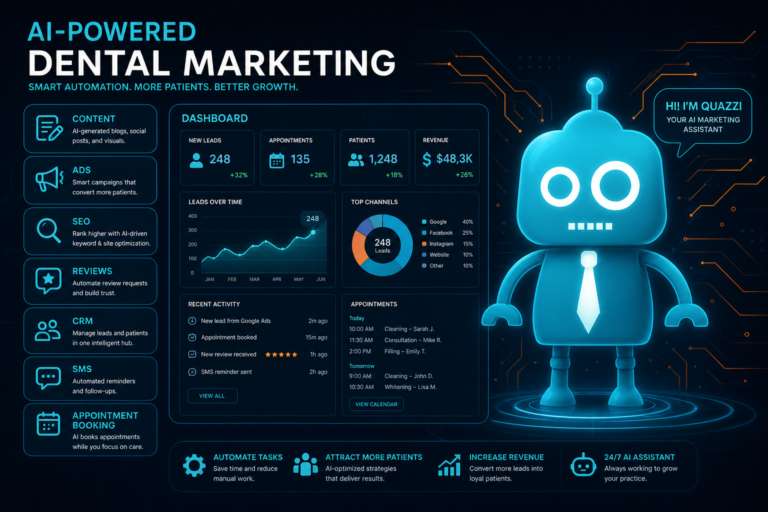
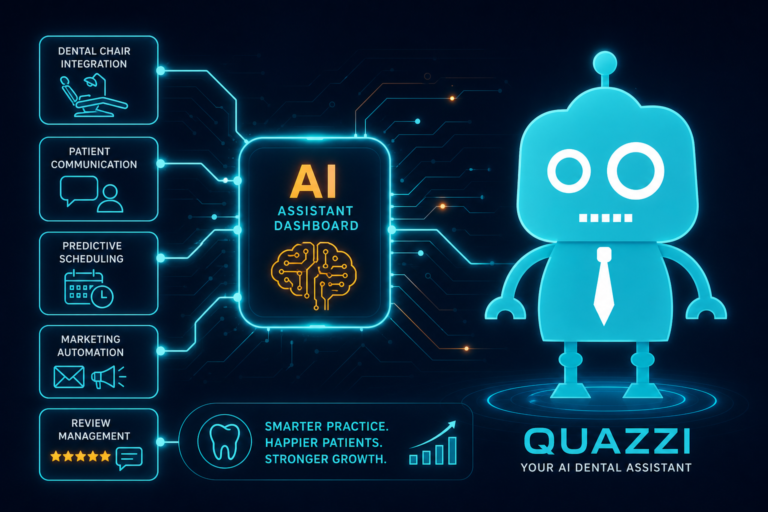
An AI receptionist for a dental practice is a software-based assistant that can respond to phone calls, website chats, text messages, or form submissions using artificial intelligence and automation.
In a dental office, it may help with tasks such as:
- Answering common patient questions
- Capturing new patient information
- Taking appointment requests
- Routing emergencies to the correct person
- Following up by SMS or email
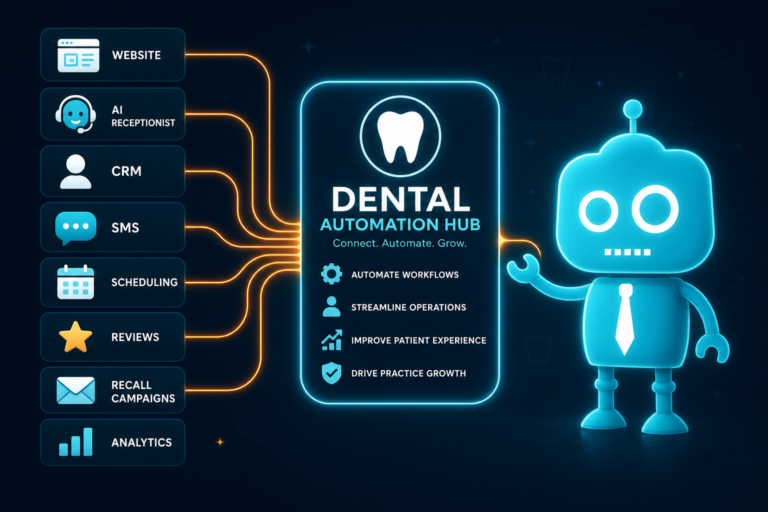
- Sending lead information into a CRM
- Supporting the front desk during busy call times
Think of it as a digital front desk assistant that handles the first layer of communication. It should help your team stay organized, respond faster, and prevent new patient leads from slipping through the cracks.
Why Dental Practices Are Looking at AI Receptionists
Most independent dental practices do not lose new patients because they provide poor care. They lose them because communication breaks down.
Common examples include:
- A new patient calls during lunch and does not leave a voicemail
- A website visitor fills out a form but waits two days for a reply
- The front desk is helping a patient in person and misses two calls
- A patient texts after hours asking about Invisalign, implants, or an emergency visit
- A voicemail is returned too late, after the patient has already called another office
Dental marketing is expensive. If you are investing in SEO, Google Ads, social media, direct mail, or a modern dental website, every missed call or unanswered inquiry reduces your return on investment.
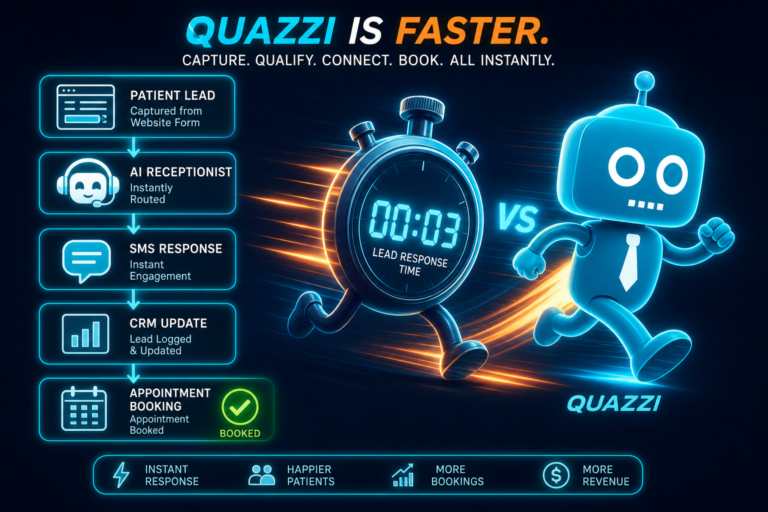
An AI receptionist helps bridge that gap by responding quickly and collecting the right information, especially when your team is unavailable.
What an AI Receptionist Does
A well-configured AI receptionist should handle practical, low-risk communication tasks that support your front desk. It should be trained around your practice’s services, hours, policies, and preferred workflows.
Answers Basic Practice Questions
Patients often ask the same questions before scheduling:
- Are you accepting new patients?
- Do you see children?
- Do you offer emergency dental appointments?
- Where are you located?
- What insurance plans do you accept?
- Do you offer cosmetic dentistry, implants, Invisalign, or whitening?
- What are your office hours?
An AI receptionist can answer these questions using approved information from your practice. For example, instead of a generic response, it can say:
“Yes, we are accepting new patients. Our office is located in downtown Franklin, and we offer general dentistry, cleanings, crowns, whitening, Invisalign consultations, and emergency dental visits when available. Would you like to request an appointment?”
This keeps the conversation moving toward scheduling without requiring your front desk to answer the same question repeatedly.
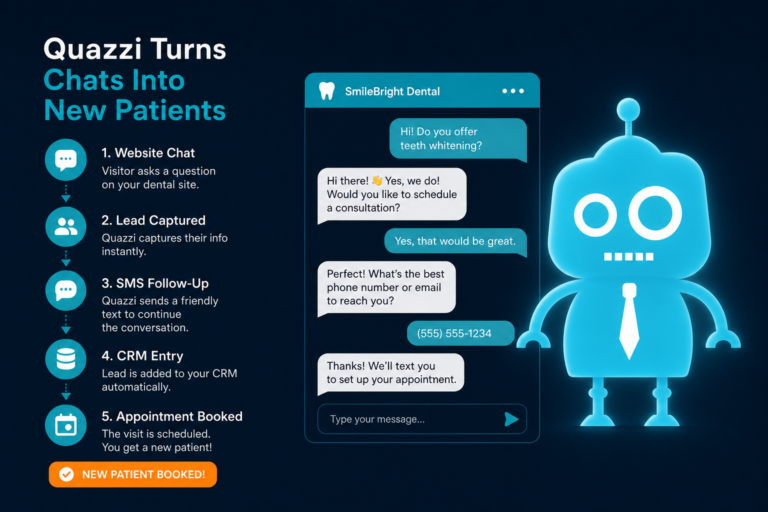
Captures New Patient Leads
For new patient acquisition, speed matters. If someone is browsing your website and asks about a dental implant consultation or a same-day emergency appointment, the AI receptionist can capture:
- Name
- Phone number
- Email address
- Preferred appointment day or time
- Reason for visit
- Whether they are a new or existing patient
- Insurance information, if appropriate
That information can then be sent to your front desk, CRM, email inbox, or practice management workflow for follow-up.
Supports Website Conversion
Your dental website should do more than look professional. It should convert visitors into patients.
An AI receptionist can support website conversion by engaging visitors who are already showing interest. For example, someone reading your page about dental crowns may have questions about timing, cost, insurance, or appointment availability. A website chat or conversational form can guide them toward submitting a request instead of leaving the site.
This is especially useful for high-value services such as:
- Dental implants
- Invisalign or clear aligners
- Cosmetic dentistry
- Veneers
- Emergency dentistry
- New patient exams
- Teeth whitening
What an AI Receptionist Should Not Do
This is where skeptical dentists are right to be cautious.
An AI receptionist should not act like a dentist, hygienist, treatment coordinator, insurance expert, or clinical decision-maker. It should operate within clear boundaries.
It Should Not Diagnose
An AI receptionist should never diagnose a condition. If a patient says, “My tooth hurts when I bite,” the AI should not suggest that the patient has a cracked tooth, infection, or cavity.
A safer response would be:
“I’m sorry you’re experiencing discomfort. A dentist would need to evaluate the tooth to determine the cause. I can help request an appointment or route this as an urgent concern if needed.”
It Should Not Give Clinical Treatment Advice
AI should not tell patients whether they need antibiotics, whether pain is normal after a procedure, or whether they should wait to be seen.
It can provide general, pre-approved instructions, such as:
- “If you are experiencing severe swelling, difficulty breathing, or uncontrolled bleeding, seek emergency medical care.”
- “For post-operative concerns, I can notify the office or route your message according to the practice’s instructions.”
It Should Not Promise Appointment Availability
Unless it is fully integrated with your scheduling system and configured correctly, the AI receptionist should not guarantee an appointment time.
Instead of saying, “You are booked for Tuesday at 2:00,” it should say:
“I can send your appointment request for Tuesday afternoon. The office will confirm availability.”
This protects the patient experience and avoids scheduling conflicts.
It Should Not Handle Sensitive Conversations Without Escalation
Some conversations need a human quickly. Examples include:
- Billing disputes
- Complicated insurance questions
- Angry patients
- Clinical concerns after treatment
- Requests for records
- Complaints or negative review issues
The AI receptionist should recognize these situations and trigger a human handoff.
After-Hours Capture: Turning Closed Hours Into Opportunities
Many new patient leads happen outside normal business hours. People search for dentists after work, after dinner, on weekends, or when a dental problem becomes uncomfortable.
If your office closes at 5:00 p.m., your marketing does not stop at 5:00 p.m. Your website, Google Business Profile, and online reviews are still working. But if no one responds until the next business day, some patients will move on.
An AI receptionist can provide after-hours dental lead capture by:
- Answering basic questions
- Collecting appointment requests
- Identifying urgent dental concerns
- Sending confirmation that the request was received
- Notifying the front desk for follow-up
- Starting SMS or email automation
For example, a prospective patient may visit your website at 9:30 p.m. and ask, “Do you offer emergency appointments for tooth pain?”
The AI receptionist can respond immediately, collect their information, explain that the office will confirm availability, and route urgent concerns based on your protocol.
That is much better than relying on a voicemail the patient may not leave.
Missed Call Support for Busy Dental Front Desks
Even the best front desk teams miss calls. Dental offices are busy environments. Your team may be checking in a patient, collecting payment, reviewing treatment plans, answering insurance questions, or helping someone in the chair.
Missed calls are not always a staffing problem. They are often a workflow problem.
An AI receptionist can help with missed call support by responding when calls are not answered. Depending on the setup, it may:
- Send an automatic text message after a missed call
- Ask how the practice can help
- Collect appointment request details
- Route urgent issues
- Create a task in your CRM
- Notify the front desk by email or dashboard
For example:
“Hi, this is Maple Grove Dental. Sorry we missed your call. Are you trying to schedule an appointment, ask about insurance, or reach us about an urgent dental concern?”
This gives the patient an immediate response and gives your team useful context before calling back.
Appointment Requests: Helpful, But Not a Scheduling Free-for-All
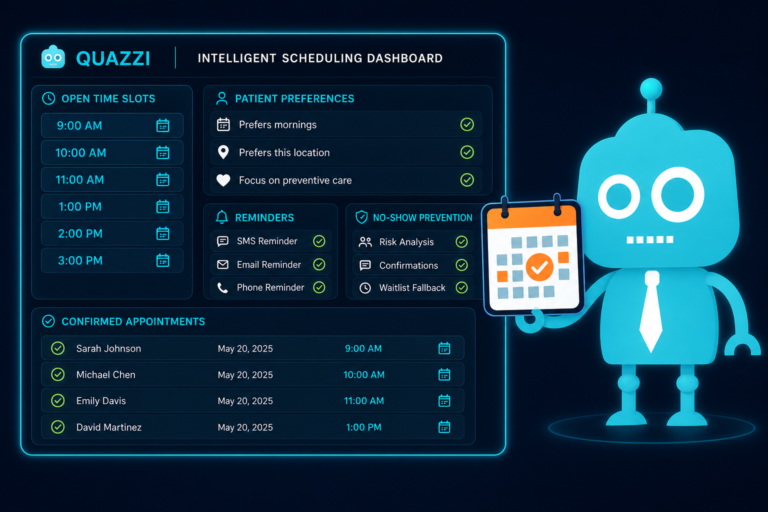
Appointment requests are one of the best uses for an AI receptionist, especially for new patient exams, hygiene visits, consultations, and emergency inquiries.
The key word is request.
Unless your AI system is deeply connected to your live schedule, provider availability, appointment types, and practice rules, it should collect appointment preferences rather than finalize bookings.
What It Should Collect
A dental AI receptionist can ask practical scheduling questions such as:
- Are you a new or existing patient?
- What type of appointment are you looking for?
- Do you prefer mornings or afternoons?
- Are there specific days that work best?
- How soon would you like to be seen?
- What is the best phone number to confirm?
Example Appointment Request Flow
Patient: “I want to schedule a cleaning.”
AI Receptionist: “I can help with that. Are you a new or existing patient?”
Patient: “New.”
AI Receptionist: “Great. What days or times usually work best for you?”
Patient: “Any morning next week.”
AI Receptionist: “Thank you. I’ll send your request to the office so they can confirm availability. What is the best phone number and email for follow-up?”
This creates a clean, organized lead for your front desk instead of a vague voicemail.
FAQs: Reducing Repetitive Front Desk Questions
Dental front desks answer many repetitive questions every week. An AI receptionist can handle a large portion of these if the responses are accurate and approved.
Common Dental FAQs an AI Receptionist Can Answer
- Insurance: “Do you accept Delta Dental, Cigna, Aetna, MetLife, or other plans?”
- Payments: “Do you offer financing or payment plans?”
- Services: “Do you provide crowns, bridges, implants, whitening, Invisalign, or dentures?”
- New patients: “What should I bring to my first visit?”
- Location: “Where are you located and is parking available?”
- Hours: “Are you open Fridays, evenings, or Saturdays?”
- Emergencies: “Do you see dental emergencies?”
However, FAQ answers should be carefully written. For example, insurance responses should avoid overpromising coverage.
A strong response might be:
“We work with many insurance plans and can help review your benefits. Coverage depends on your specific plan, so the office will confirm details before your visit.”
This is useful without creating billing misunderstandings.
Emergency Routing: Fast Help Without Clinical Overreach
Emergency dental calls require special handling. A patient with severe pain, swelling, trauma, or bleeding does not want to fill out a generic form and wait.
An AI receptionist can help by identifying urgent keywords and routing the message based on your office policy.
Examples of Emergency Dental Triggers
- Severe tooth pain
- Facial swelling
- Knocked-out tooth
- Broken tooth with pain
- Uncontrolled bleeding
- Post-surgical complications
- Abscess symptoms
The AI should not diagnose the issue. It should collect key information and route appropriately.
Example Emergency Routing Response
“I’m sorry you’re dealing with that. I can mark this as an urgent dental concern and send it to the office according to their emergency protocol. If you are experiencing difficulty breathing, severe facial swelling, uncontrolled bleeding, or a medical emergency, please call 911 or seek emergency medical care.”
This protects patient safety while helping your practice respond faster.
Human Handoff: The Most Important Feature
The best AI receptionist systems know when to stop.
Human handoff is essential in a dental setting because patient communication can quickly become personal, emotional, clinical, or financially complex.
An AI receptionist should hand off to a human when:
- The patient asks for a staff member by name
- The patient is upset or confused
- The question involves treatment recommendations
- The issue involves billing or insurance disputes
- The patient has a post-operative concern
- The conversation includes emergency symptoms
- The AI does not know the answer
A good handoff might look like this:
“That is something our team should help with directly. I’ll send your message to the office so a team member can follow up.”
Human handoff is what makes AI practical for dental practices. It allows automation to support the front desk without pretending to replace professional judgment.
CRM Integration: Where AI Receptionists Become More Useful
An AI receptionist is much more valuable when it connects to your dental CRM, lead management system, or marketing automation platform.
Without CRM integration, AI conversations can become just another inbox to check. With integration, new leads and patient inquiries can be organized, tracked, and followed up automatically.
What CRM Integration Can Do
- Create a new lead when someone submits an appointment request
- Tag the lead by service interest, such as implants, emergency, Invisalign, or new patient exam
- Send an internal notification to the front desk
- Trigger SMS or email follow-up
- Track whether the lead was contacted
- Move the lead through stages such as “New Inquiry,” “Contacted,” “Scheduled,” and “Completed Visit”
- Help measure which website pages or campaigns generate patients
For example, if a website visitor requests an Invisalign consultation, the CRM can automatically create a lead, notify your treatment coordinator, and send the patient a confirmation text:
“Thanks for contacting Bright Smile Dental about Invisalign. Our team received your request and will follow up to confirm appointment options.”
This improves responsiveness and gives your team a clear follow-up process.
SMS and Email Automation After the First Contact
AI receptionists work best when paired with thoughtful SMS and email automation.
Dental patients are busy. If they request an appointment and do not hear back quickly, they may forget, delay, or contact another office. Automated follow-up keeps the conversation alive.
Useful Dental Follow-Up Automations
- Confirmation that an appointment request was received
- Reminder to complete new patient forms
- Follow-up after an unanswered callback
- Consultation reminders for cosmetic or implant leads
- Post-visit review requests
- Reactivation messages for unscheduled treatment
For example:
“Hi Sarah, this is Oak Valley Dental. We received your request for a new patient appointment. Our team tried reaching you today. Reply here or call us at 555-123-4567 and we’ll help find a time that works.”
This kind of automation supports your front desk without sounding robotic or pushy.
How AI Receptionists Can Support Reviews and Reputation
Online reviews are a major factor in new patient decisions. Many patients compare dentists based on Google reviews before calling or submitting a form.
An AI receptionist should not manipulate reviews or pressure patients. But it can support a healthy review process by helping your team trigger review requests after completed visits.
For example, after a patient completes an appointment, your CRM or automation system can send:
“Thank you for visiting Lakeside Family Dental. If you had a positive experience, we’d appreciate your feedback on Google.”
This helps satisfied patients take the next step while keeping the process professional and compliant with your practice standards.
Practical Examples for Dental Practices
Example 1: New Patient Calls During Lunch
A patient calls at 12:15 p.m. while your front desk is at lunch. Instead of going to voicemail, the AI receptionist answers or triggers a missed-call text.
It collects the patient’s name, phone number, reason for visit, and preferred time. The lead is sent into your CRM and the front desk receives a notification.
Result: the patient feels acknowledged, and your team has a clear follow-up task.
Example 2: Emergency Inquiry After Hours
A patient visits your website at 8:45 p.m. and says they have swelling and tooth pain.
The AI receptionist identifies the concern as urgent, provides approved emergency guidance, collects contact information, and routes the message based on your protocol.
Result: the patient receives immediate direction, and your practice does not miss a potentially urgent case.
Example 3: Invisalign Lead From the Website
A prospective patient reads your Invisalign page and asks about consultation availability.
The AI receptionist answers basic questions, captures the lead, tags it as “Invisalign,” and sends the information to your CRM. An automated text confirms the request.
Result: your treatment coordinator can follow up with context and a higher chance of converting the lead.
What to Look for in an AI Receptionist Setup
Before adding an AI receptionist to your dental practice, make sure it fits your operations. The technology should adapt to your workflow, not force your team into a confusing new process.
Important Features
- Custom answers based on your practice information
- Clear boundaries around clinical advice
- Emergency routing rules
- Human handoff options
- Missed call text-back support
- Website chat or lead capture forms
- CRM integration
- SMS and email automation
- Mobile-friendly patient experience
- Reporting on leads, calls, and appointment requests
Questions to Ask Before Implementing
- What exactly will the AI say to patients?
- Can we approve or edit responses?
- How does it handle emergencies?
- When does it hand off to a human?
- Does it connect to our CRM or lead tracking system?
- Can it trigger SMS and email follow-up?
- How will the front desk see and manage new inquiries?
- How do we prevent it from giving clinical advice?
If those questions cannot be answered clearly, the system is not ready for your practice.
The Right Way to Think About AI Receptionists
An AI receptionist is not there to replace the warmth, judgment, and experience of your front desk team. In dentistry, trust still matters. Patients want to feel heard, especially when they are anxious, in pain, or considering a major treatment.
The better way to think about AI is this:
- It catches inquiries your team might miss
- It answers basic questions consistently
- It helps convert website visitors into leads
- It gives your front desk better information
- It supports faster follow-up
- It routes urgent issues appropriately
For a skeptical dentist, that is the practical value. Not hype. Not a robot replacing your team. Just better coverage, cleaner workflows, and fewer missed opportunities.
Build a Dental Website and Lead Capture System That Works With Your Front Desk
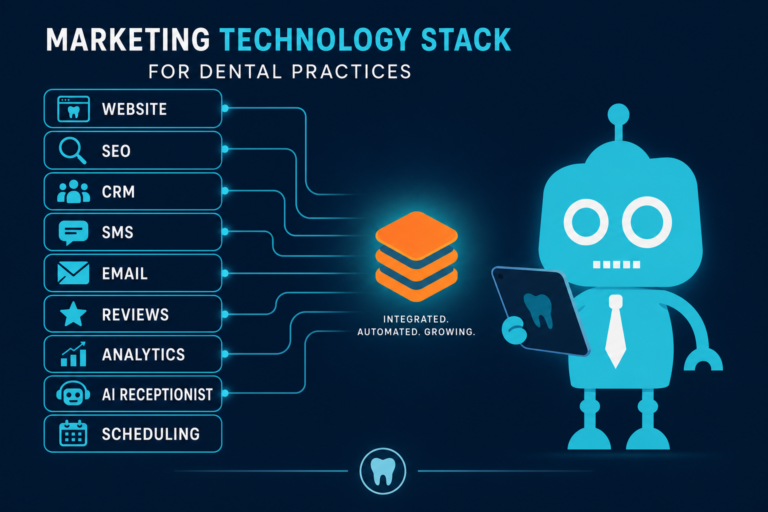
An AI receptionist is most effective when it is part of a complete digital patient acquisition system: a modern website, clear service pages, mobile optimization, lead capture forms, CRM integration, and automated follow-up.
That is where CreateTheSite.com can help.
CreateTheSite.com works with dental practices to build modern, mobile-friendly websites designed to convert visitors into patient inquiries. Services include dental website design, secure hosting, mobile optimization, lead capture forms, CRM integrations, SMS and email automation, appointment follow-up, and ongoing website support.
If your practice is missing calls, losing website leads, or relying on outdated forms and manual follow-up, CreateTheSite.com can help you create a smoother system for your front desk and a better experience for new patients.
Ready to make your dental website work harder for your practice? Visit CreateTheSite.com to explore modern website and lead capture solutions built for growing dental practices.