The Role of Automation in Modern Dentistry
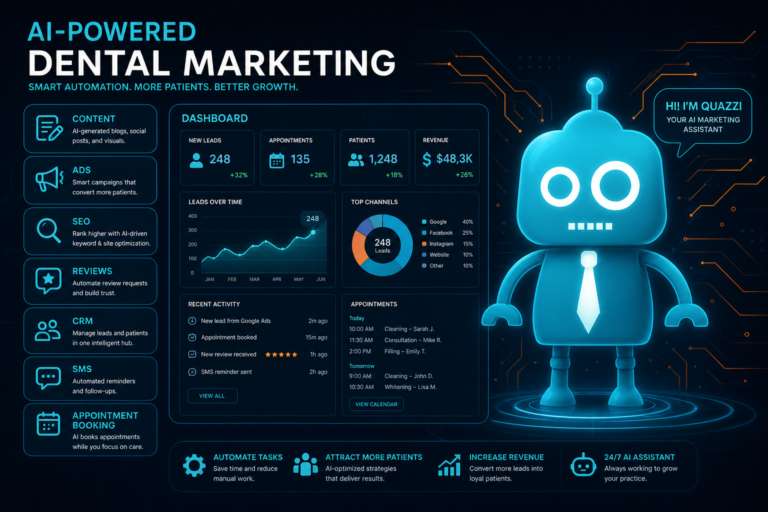
Automation in dentistry is no longer limited to appointment reminders or online forms. For independent dental practices, automation now supports the entire patient lifecycle—from the first time a prospective patient lands on your website to the moment they complete treatment, leave a review, return for hygiene, or re-engage after going inactive.
For dentists, office managers, and practice owners, the goal is not to replace personal care. The goal is to reduce manual follow-up, improve consistency, convert more website visitors into patients, and help the front desk manage a growing workload without sacrificing the patient experience.
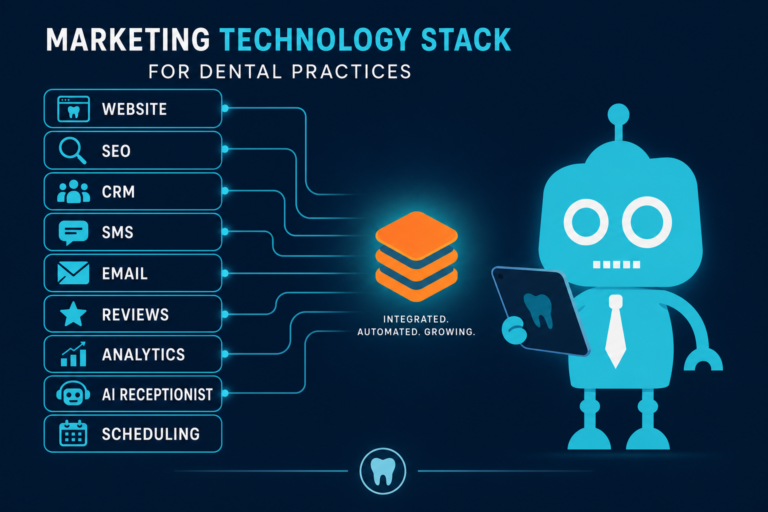
When used correctly, dental automation connects your website, CRM, phone process, email, SMS, scheduling workflows, review generation, and reporting into one more organized patient acquisition and retention system.
Why Dental Automation Should Support the Full Patient Lifecycle
Many practices think of automation as a single task: sending a text reminder before an appointment. While that is useful, it is only one small part of what automation can do.
A modern dental practice has multiple patient journeys happening at the same time:
- A new visitor is comparing your practice to nearby competitors.
- A lead submitted a contact form but has not scheduled yet.
- A patient accepted a consultation but has not committed to treatment.
- A hygiene patient is overdue for recall.
- A patient had a great experience but has not left a review.
- An inactive patient has not visited in two years.
Automation helps your practice follow up with the right person, at the right time, with the right message—without relying on memory, sticky notes, or overloaded front desk staff.
1. New Lead Capture: Turning Website Visitors Into Patients
Your dental website is often the first interaction a potential patient has with your practice. If the website is slow, outdated, hard to use on mobile, or missing clear calls to action, new patient opportunities are lost before your team even knows they existed.
Automation begins with better lead capture. This means your website should make it easy for visitors to take the next step, whether they are looking for a general dentist, emergency dentist, cosmetic dentist, implant consultation, Invisalign provider, or family dental practice.
Examples of Automated Lead Capture for Dental Websites
- New patient request forms that collect name, phone number, email, preferred appointment time, and reason for visit.
- Emergency dental forms that alert the front desk immediately when someone needs urgent care.
- Cosmetic consultation forms for veneers, whitening, bonding, or smile makeover inquiries.
- Implant consultation forms that route high-value treatment inquiries into a CRM.
- Click-to-call buttons on mobile pages for patients who prefer to call directly.
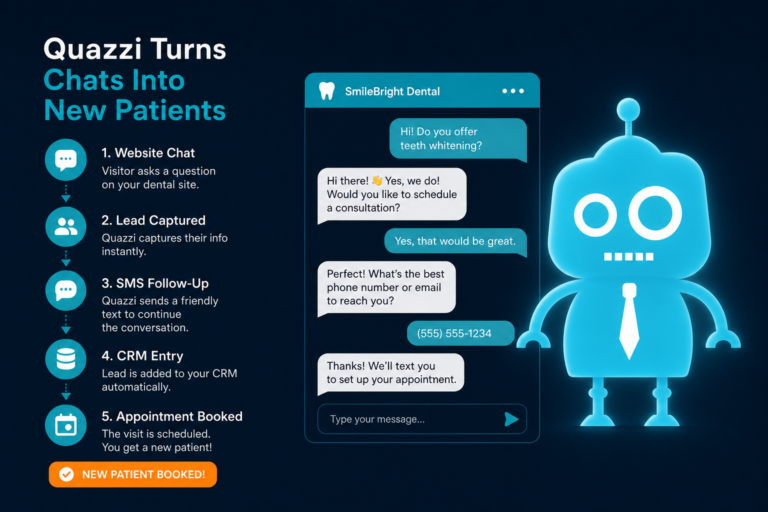
- Website chat or call-back forms that collect leads after hours.
The key is that every form submission should go somewhere useful. If a lead form simply sends an email to a general inbox, it can easily be missed. A stronger setup sends the lead into a CRM or patient communication platform, notifies your team, and triggers a structured follow-up process.
2. Follow-Up: Responding Quickly Without Letting Leads Slip Away
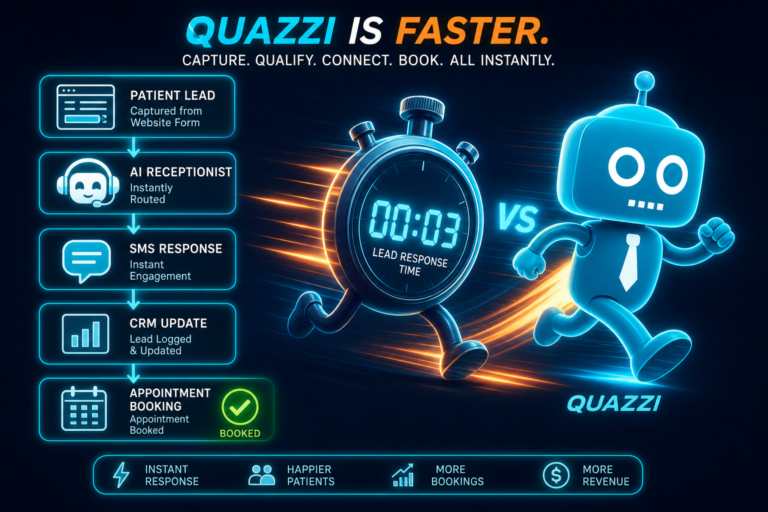
Speed matters in dental lead conversion. If a prospective patient requests an appointment from your website and does not hear back promptly, they may call another practice within minutes.
Automation helps close the gap between form submission and front desk response. It can immediately confirm that the request was received, set expectations, and remind your team to follow up.
Practical Follow-Up Automation Example
A new patient submits a form for a dental implant consultation at 9:30 p.m. Instead of waiting until the next morning with no response, the system automatically sends:
- An instant email thanking the patient for their request.
- A text message confirming that the practice will contact them during business hours.
- An internal notification to the front desk or treatment coordinator.
- A CRM task for staff to call the patient the next morning.
This creates a better first impression and helps your team prioritize new patient opportunities before they go cold.
3. Appointment Reminders: Reducing No-Shows and Last-Minute Cancellations
Appointment reminder automation is one of the most common and valuable uses of technology in dental practices. No-shows and short-notice cancellations create holes in the schedule, reduce production, and frustrate both clinicians and staff.
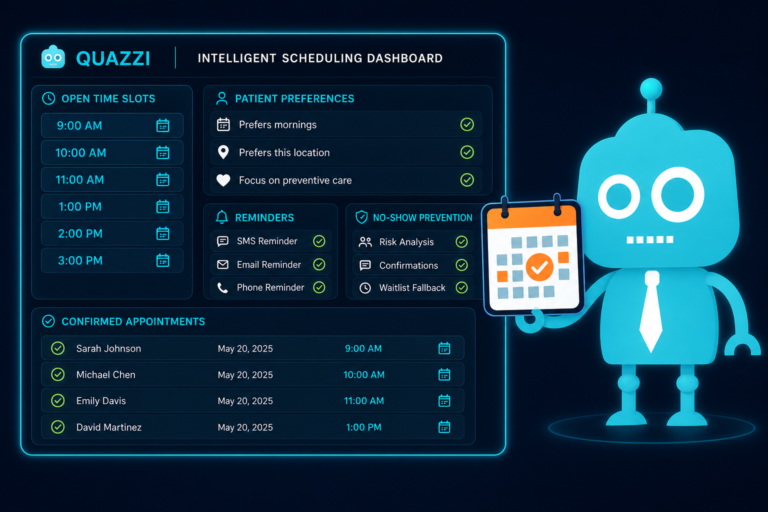
Automated SMS and email reminders help patients remember their appointments and confirm attendance without requiring repeated manual calls from the front desk.
Effective Dental Appointment Reminder Workflow
- One week before: Email reminder with appointment details and preparation instructions if needed.
- Two days before: SMS confirmation request with a simple reply option.
- One day before: Final reminder for unconfirmed patients.
- Same day: Optional short reminder for early morning or high-value appointments.
For certain procedures, reminders can include specific instructions. For example, a sedation appointment may require fasting instructions, while a new patient visit may include a link to online forms.
The result is a more predictable schedule and fewer repetitive reminder calls for your team.
4. Treatment Plan Nurture: Helping Patients Say Yes to Care
Many patients do not accept treatment immediately. They may need time to think, talk with a spouse, understand financing, review insurance benefits, or overcome anxiety. Without structured follow-up, unscheduled treatment can sit in the practice management system for months.
Automation can support treatment plan nurture by keeping the conversation going after the consultation or exam.
How Automation Supports Treatment Acceptance
- Send a post-consultation email summarizing the benefits of completing treatment.
- Provide links to educational pages about implants, crowns, Invisalign, veneers, or periodontal therapy.
- Remind patients about financing options or membership plans.
- Trigger a follow-up task for the treatment coordinator.
- Send a gentle SMS reminder if the patient has not scheduled within a set timeframe.
For example, if a patient receives a crown recommendation but does not schedule, an automated workflow could send a short educational email explaining why delaying treatment may lead to further damage, followed by a staff call reminder three days later.
This type of automation is not about pressuring patients. It is about educating them, reducing confusion, and making it easier for them to move forward with needed care.
5. Review Requests: Building Trust and Local SEO
Online reviews are critical for dental practices. Before calling your office, many potential patients check Google reviews to evaluate trust, professionalism, friendliness, and quality of care.
Automation makes review generation more consistent. Instead of relying on staff to remember to ask every happy patient, the system can send a review request after completed appointments.
Best Practices for Dental Review Automation
- Send requests shortly after a positive appointment experience.
- Use SMS for convenience, especially if your patient base responds well to text.
- Include a direct link to your Google Business Profile review page.
- Keep the message short, polite, and personal.
- Avoid incentivizing reviews or filtering patients in ways that violate platform guidelines.
A simple message can work well:
“Thank you for visiting our office today. If you had a great experience, would you be willing to share a quick Google review? It helps local patients find our practice.”
Consistent review requests can strengthen your local SEO, improve website conversion, and help prospective patients feel more confident choosing your practice.
6. Recall: Keeping Hygiene Schedules Full
Recall is one of the most important systems in a dental practice. A healthy recall program supports patient health, hygiene production, diagnosis opportunities, and long-term retention.
However, recall often becomes inconsistent when the front desk is busy with calls, insurance questions, check-ins, check-outs, and scheduling changes. Automation helps ensure patients receive timely reminders when they are due or overdue.
Automated Recall Workflow Example
- Four weeks before due date: Email reminder to schedule hygiene visit.
- Two weeks before due date: SMS reminder with scheduling call-to-action.
- On due date: Follow-up email explaining the importance of preventive care.
- One month overdue: SMS reminder with a friendly message.
- Three months overdue: Staff call task generated in the CRM or patient communication system.
This gives your team a structured process instead of relying on sporadic manual outreach. It also helps patients view hygiene as a normal, expected part of their ongoing care.
7. Reactivation: Bringing Inactive Patients Back
Most dental practices have a large number of inactive patients in their database. Some moved away, but many simply forgot to schedule, delayed care, changed insurance, or fell out of the habit.
Reactivation automation helps reconnect with these patients in a professional, organized way.
Examples of Dental Patient Reactivation Campaigns
- Overdue hygiene campaign: Target patients who have not visited in 12 to 18 months.
- Unfinished treatment campaign: Reach patients with diagnosed but unscheduled treatment.
- Insurance benefits reminder: Encourage patients to use remaining benefits before year-end.
- Family scheduling campaign: Invite parents to schedule children’s cleanings before school starts.
- Membership plan campaign: Reconnect with uninsured patients by promoting an in-house plan.
For example, a reactivation email could say:
“We noticed it has been a while since your last visit. Preventive dental care can help catch small issues before they become larger problems. If you would like to schedule your next cleaning, our team would be happy to help.”
Reactivation campaigns are especially useful because they focus on people who already know your practice. These patients are often easier and less expensive to bring back than brand-new leads.
8. Reporting: Understanding What Is Working
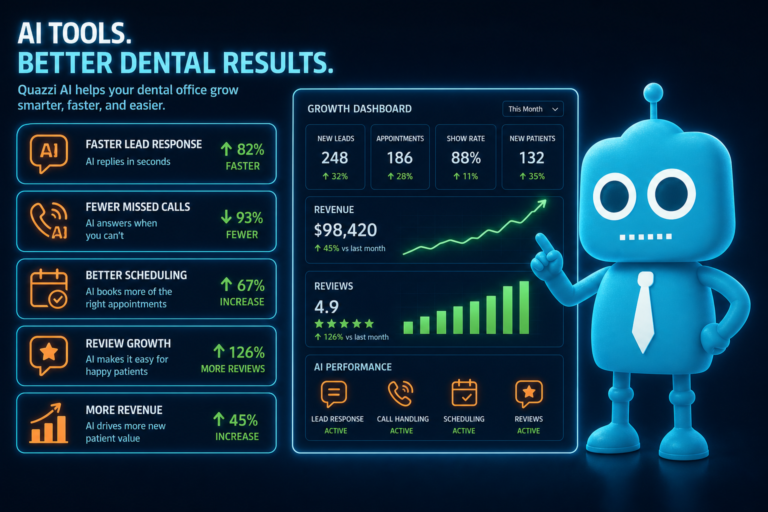
Automation is most powerful when it is connected to reporting. Without clear data, it is difficult to know which marketing channels are producing new patients, which follow-up workflows are converting, or where leads are being lost.
Dental practices should track more than website traffic. The most useful reporting connects website activity, lead capture, phone calls, form submissions, appointment requests, and patient outcomes.
Important Metrics for Dental Practice Automation
- Website visitors by service page, such as implants, emergency dentistry, Invisalign, or cosmetic dentistry.
- Form submissions and appointment requests.
- Phone calls from the website.
- Lead response time.
- New patient conversion rate.
- No-show and cancellation trends.
- Review request performance.
- Recall success rates.
- Reactivation campaign results.
- Unscheduled treatment follow-up outcomes.
Good reporting helps practice owners and office managers make better decisions. For example, if your dental implant page receives strong traffic but few consultation requests, the page may need a stronger call to action, better before-and-after content, improved mobile design, or a simpler form.
If your website generates leads but few become scheduled appointments, the issue may be follow-up speed, call handling, or lack of CRM visibility.
9. Staff Support: Helping the Front Desk Work Smarter
One of the biggest benefits of automation is staff support. Dental front desk teams handle a demanding mix of patient communication, insurance verification, scheduling, billing questions, treatment coordination, and daily problem-solving.
Automation reduces repetitive tasks so staff can focus on higher-value conversations and better patient service.
How Automation Supports Dental Office Operations
- Automatically send appointment confirmations instead of making every reminder call manually.
- Create follow-up tasks for new leads and unscheduled treatment.
- Route website inquiries to the right team member.
- Send online forms before appointments to reduce check-in delays.
- Trigger review requests after completed visits.
- Organize leads in a CRM so they are not buried in email inboxes.
- Help office managers see which follow-ups are pending or overdue.
This is especially important for independent practices that do not have a large call center or corporate support team. Automation gives smaller teams better systems, more consistency, and fewer missed opportunities.
Where Dental Automation Fits Into the Patient Lifecycle
The most effective dental automation strategy connects each stage of the patient journey. Instead of using disconnected tools, your practice should think in terms of lifecycle support.
Stage 1: Attract
Patients find your practice through Google, local search, paid ads, referrals, or your Google Business Profile. Your website needs to load quickly, look professional, work on mobile, and clearly explain your services.
Stage 2: Convert
Website visitors become leads through appointment forms, phone calls, consultation requests, and click-to-call buttons. Automation ensures those inquiries are captured and routed properly.
Stage 3: Follow Up
CRM systems, email automation, SMS automation, and internal staff tasks help ensure new leads receive timely responses.
Stage 4: Schedule
Appointment reminders, confirmations, and online forms reduce friction before the visit.
Stage 5: Complete Treatment
Treatment plan nurture campaigns educate patients, remind them of financing options, and prompt staff follow-up.
Stage 6: Build Reputation
Automated review requests help satisfied patients share their experience online, strengthening trust and local visibility.
Stage 7: Retain
Recall automation keeps patients on schedule for preventive care and ongoing treatment.
Stage 8: Reactivate
Inactive patient campaigns bring overdue patients back into the practice.
Stage 9: Improve
Reporting helps your team identify what is working, where leads are dropping off, and which systems need attention.
Common Automation Mistakes Dental Practices Should Avoid
Automation can create excellent results, but only when it is implemented thoughtfully. Poor automation can feel impersonal, confusing, or disconnected from the actual patient experience.
Mistake 1: Using Too Many Disconnected Tools
If your website forms, CRM, email platform, SMS system, and practice management software do not communicate well, staff may still have to copy and paste information manually. This increases the risk of errors and missed follow-up.
Mistake 2: Sending Generic Messages
A dental implant lead should not receive the same follow-up message as a parent scheduling a child’s cleaning. Segmenting messages by patient need makes automation more relevant and effective.
Mistake 3: Ignoring Mobile Experience
Many dental patients search from their phones. If your website forms are difficult to complete on mobile, automation will not fix the conversion problem. Mobile optimization must come first.
Mistake 4: Automating Without Staff Accountability
Automation should support the team, not create a “set it and forget it” mindset. Someone still needs to review leads, monitor tasks, respond to patients, and evaluate results.
Mistake 5: Not Measuring Results
If you are not tracking form submissions, calls, scheduled appointments, treatment acceptance, reviews, recall, and reactivation, it is difficult to know whether your automation is improving practice performance.
How to Start Automating Your Dental Practice Without Overwhelming Your Team
You do not need to automate everything at once. The best approach is to begin with the areas that create the most immediate impact for your practice.
Step 1: Improve Website Lead Capture
Make sure every key service page has a clear call to action, mobile-friendly contact form, click-to-call button, and tracking in place.
Step 2: Connect Forms to a CRM or Follow-Up System
Do not let website leads sit in an inbox. Route them into a system where your team can track status, assign tasks, and follow up consistently.
Step 3: Add SMS and Email Follow-Up
Use simple automated messages to confirm receipt of inquiries, remind patients about appointments, and support treatment plan decisions.
Step 4: Automate Review Requests
Start asking satisfied patients for reviews consistently after appointments. This can improve your online reputation and help new patients choose your practice.
Step 5: Build Recall and Reactivation Campaigns
Use automation to bring overdue and inactive patients back into the schedule. This supports both patient health and practice production.
Step 6: Review the Data Monthly
Office managers and practice owners should review automation performance regularly. Look for missed leads, slow response times, underperforming pages, and opportunities to improve patient communication.
Automation Makes Dental Practices More Consistent
The biggest value of automation is consistency. It helps your practice respond to new leads, remind scheduled patients, nurture treatment plans, request reviews, manage recall, reactivate inactive patients, and support staff without relying entirely on manual effort.
For independent dental practices, this consistency can be a competitive advantage. Patients expect fast responses, convenient communication, mobile-friendly experiences, and clear follow-up. Automation helps your practice meet those expectations while giving your team better systems to manage the day.
Modern Dental Website and Automation Support from CreateTheSite.com
If your dental website is not converting visitors into patients—or if your team is still managing leads, follow-up, and appointment communication manually—CreateTheSite.com can help.
CreateTheSite.com works with dental practices to build modern, mobile-optimized websites that support the full patient lifecycle. Services include professional dental website design, reliable hosting, mobile optimization, lead capture forms, CRM integrations, SMS and email automation, appointment follow-up, and ongoing website support.
Whether your practice wants to improve new patient acquisition, streamline front desk operations, increase website conversion, or create a more organized follow-up system, CreateTheSite.com can help you put the right digital foundation in place.
Ready to modernize your dental website and automate more of your patient journey? Visit CreateTheSite.com to learn how your practice can turn more website visitors into scheduled patients while giving your team better tools to manage follow-up.