Smart Scheduling Systems for Dental Practices
For independent dental practices, scheduling is more than filling openings on a calendar. It affects patient experience, production goals, front desk workload, new patient conversion, hygiene recall, treatment acceptance, and revenue stability.
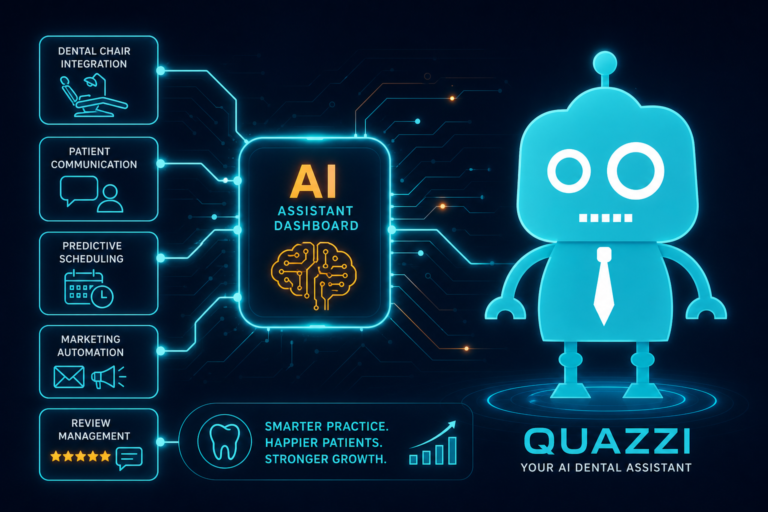
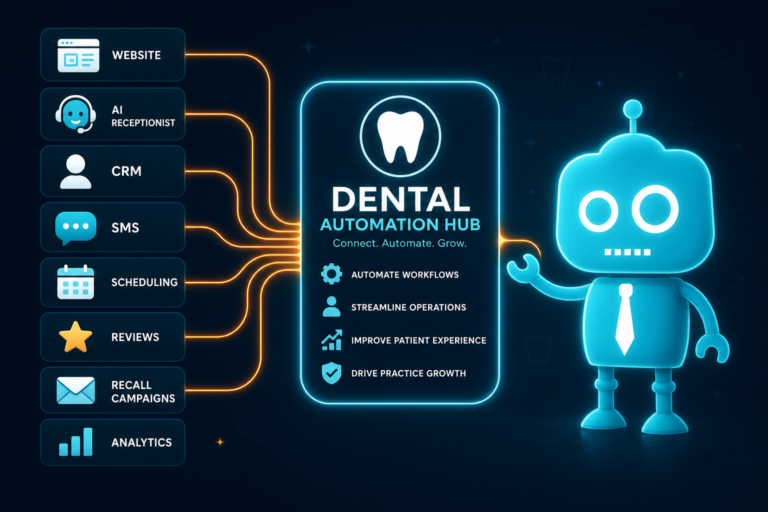
A smart scheduling system helps your practice respond faster, reduce no-shows, keep chairs productive, and make it easier for patients to take the next step. When connected to your website, CRM, email, SMS tools, and front desk workflow, scheduling becomes a growth system—not just an administrative task.
This article explains how smart scheduling systems help dental practices improve both patient satisfaction and practice revenue, with practical examples for dentists, office managers, and independent practice owners.
Why Smart Scheduling Matters for Dental Practices
Patients expect convenience. They want to request appointments online, receive quick confirmations, get reminders by text or email, and reschedule without a stressful phone call. At the same time, dental practices need to protect production, reduce gaps, manage provider availability, and keep staff focused on high-value patient conversations.
A smart scheduling system supports both sides.
For patients, it creates a smoother path from website visit to booked appointment. For the practice, it helps convert more leads, reduce missed appointments, and improve operational efficiency.
Online Appointment Requests Help Convert More Website Visitors
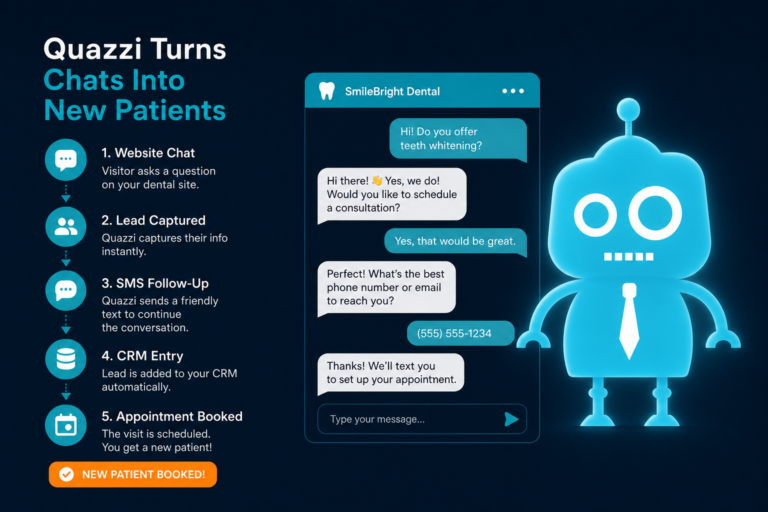
Your website is often the first place a potential patient decides whether to contact your office. If your only option is “Call us,” you may lose people who are browsing after hours, at work, or comparing several dentists nearby.
Online appointment requests make it easier for new and existing patients to take action immediately.
Why Online Requests Work Well for Dental Websites
Dental patients often search with immediate intent. Examples include:
- “Dentist near me accepting new patients”
- “Emergency dentist open today”
- “Teeth cleaning appointment near me”
- “Invisalign consultation dentist”
- “Dental implants consultation”
If those visitors land on your website and see a clear appointment request form, they are more likely to convert into a lead. The form should be mobile-friendly, simple, and specific to your practice.
What a Strong Dental Appointment Request Form Should Include
- Patient name
- Phone number
- Email address
- Preferred appointment day or time
- New or existing patient status
- Reason for visit, such as cleaning, emergency, cosmetic consultation, or tooth pain
- Consent to receive SMS or email follow-up
This gives your front desk team enough information to respond quickly and route the request properly. A new patient looking for a cleaning should be handled differently from someone with swelling, pain, or a broken crown.
Calendar Visibility Helps Your Team Fill the Right Openings
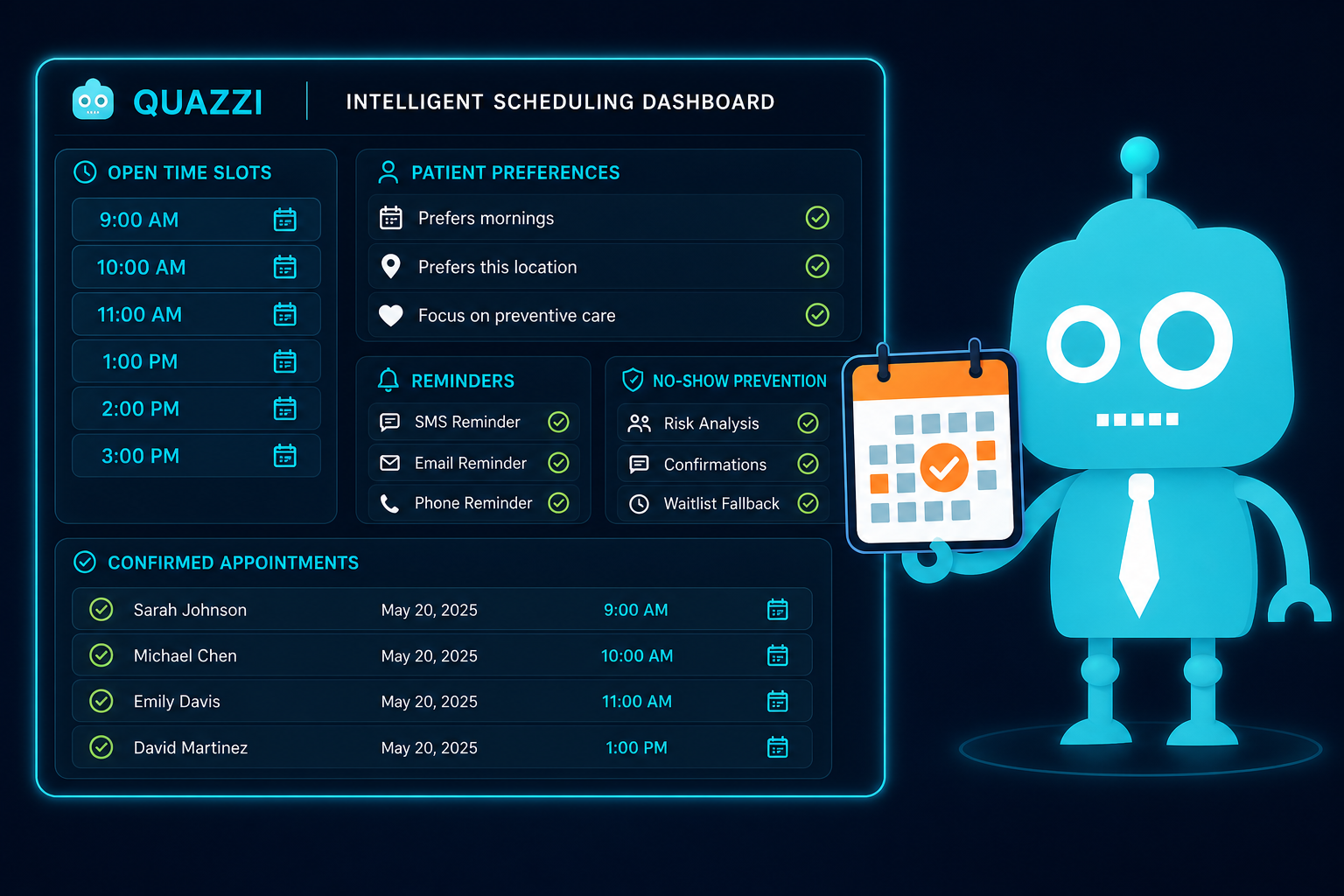
Calendar visibility is one of the most important features of a smart scheduling system. Your team needs to see provider availability, operatory availability, appointment types, hygiene openings, production blocks, and urgent care windows without jumping between disconnected tools.
When scheduling is unclear, the front desk may accidentally place the wrong appointment in the wrong slot. That can create bottlenecks, stress clinical staff, and reduce daily production.
Practical Example: Protecting High-Value Treatment Blocks
Suppose your practice reserves certain morning blocks for crowns, implants, clear aligner consultations, or other higher-production procedures. A smart scheduling workflow can help staff avoid filling those times with short, low-production appointments unless approved.
This does not mean every appointment should be based only on revenue. It means the schedule should reflect the clinical and financial needs of the practice. Better calendar visibility helps your team balance patient care, provider time, and production goals.
Appointment Confirmations Build Trust and Reduce Confusion
Once a patient requests an appointment, fast confirmation matters. Patients want to know that their request was received and that your office is paying attention.
Smart scheduling systems can send confirmation messages by email or SMS when an appointment is requested, approved, changed, or finalized.
What Confirmation Messages Should Do
- Confirm the appointment date and time
- Include the office address and phone number
- Explain what to bring, such as insurance card or ID
- Link to new patient forms when applicable
- Provide parking or arrival instructions
- Set expectations for cancellation or rescheduling
For new patients, confirmations also create a professional first impression. A clear, polished confirmation message can make your practice feel organized before the patient ever walks through the door.
Automated Reminders Reduce No-Shows Without Adding Front Desk Work
No-shows are expensive. They leave open chair time, disrupt provider flow, and create last-minute scrambling for the front desk. For a busy dental office, even a few missed appointments per week can add up to significant lost revenue over the year.
Automated reminders help reduce no-shows by keeping appointments visible to patients. SMS and email reminders can be sent at strategic times before the visit.
A Simple Dental Reminder Sequence
- Immediately after booking: Confirmation message with appointment details
- One week before: Reminder with forms, insurance instructions, or pre-visit details
- Two days before: SMS confirmation request
- Day before: Final reminder with arrival time and office location
- Same day: Optional short reminder for high-risk appointment types
Reminders are especially useful for hygiene appointments, new patient exams, consultations, and longer procedures where an empty chair can create a major production gap.
Easy Rescheduling Keeps Patients from Disappearing
Patients sometimes need to reschedule. The problem is not always the reschedule itself—it is when the patient cancels and never gets back on the calendar.
A smart scheduling system should make rescheduling easy while still protecting your practice from last-minute cancellations.
How Rescheduling Can Improve Patient Retention
When a patient receives a reminder and realizes the appointment no longer works, a convenient rescheduling option can prevent a total cancellation. Instead of calling during business hours, the patient can respond to a text, click a link, or submit a request.
Your team can then offer available times and keep the patient engaged. This is especially important for recall visits, periodontal maintenance, unfinished treatment, and cosmetic consultations.
The goal is simple: do not let a scheduling conflict become a lost patient.
Waitlist Management Helps Fill Last-Minute Openings
Every dental office has last-minute cancellations. The difference between lost revenue and recovered production often depends on how quickly your team can fill the opening.
Smart waitlist management helps your office identify patients who want earlier appointments, are overdue for hygiene, need treatment, or requested a specific provider or time window.
Practical Example: Filling a Hygiene Cancellation
Imagine a hygiene patient cancels tomorrow’s 10:00 a.m. appointment. Without a waitlist, the front desk may start calling patients manually and hope someone answers.
With a smart waitlist, your team can quickly message a targeted group of patients who are overdue or previously asked for an earlier cleaning. A simple SMS might say:
“Hi Sarah, this is Bright Smile Dental. We had a hygiene opening tomorrow at 10:00 a.m. Would you like this appointment? Reply YES and we’ll confirm.”
This type of workflow helps recover production while giving patients a helpful, convenient option.
No-Show Reduction Protects Practice Revenue
No-show reduction is one of the clearest revenue benefits of smart scheduling. A missed appointment is not just an empty slot. It can mean lost hygiene production, delayed treatment, lower case acceptance, and wasted staff preparation.
A smart system reduces no-shows by combining several tools:
- Clear appointment confirmations
- Automated SMS and email reminders
- Two-way confirmation options
- Easy rescheduling workflows
- Waitlist outreach
- Follow-up for missed appointments
Following Up After a Missed Appointment
When a patient misses an appointment, speed matters. An automated follow-up can go out quickly, while the front desk can prioritize personal outreach for higher-value or urgent cases.
For example:
“Hi Mark, we missed you today at your dental appointment. We hope everything is okay. Please reply to this message or call us at 555-123-4567 to reschedule.”
This message is professional, nonjudgmental, and action-oriented. It gives the patient a simple way back onto the schedule.
Smart Scheduling Improves Staff Efficiency
Front desk teams are often responsible for phone calls, insurance verification, check-in, check-out, treatment plan scheduling, recall, billing questions, and patient communication. If scheduling depends entirely on manual work, the team can become overwhelmed quickly.
Smart scheduling reduces repetitive tasks so staff can focus on conversations that require judgment, empathy, or sales skill.
Where Automation Helps the Front Desk Most
- Sending appointment confirmations
- Sending reminder messages
- Collecting online appointment requests
- Routing website leads to the right team member
- Following up with patients who have not scheduled
- Reactivating overdue recall patients
- Sending review requests after completed visits
This does not replace your front desk team. It supports them. Automation handles the repetitive follow-up so your staff can provide better service, answer questions, and help patients commit to care.
CRM Integration Turns Scheduling Into a Patient Growth System
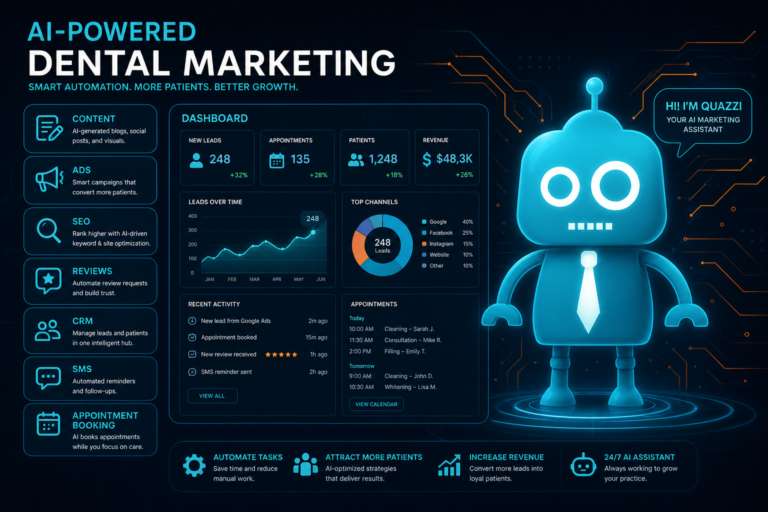
For dental practices focused on new patient acquisition, CRM integration is a major advantage. A CRM helps track leads from your website, phone calls, forms, ads, referral campaigns, and follow-up messages.
When scheduling connects with your CRM, your practice can see where new patient inquiries come from, whether they booked, whether they showed up, and what follow-up is needed.
What CRM Integration Can Track
- New patient appointment requests from the website
- Emergency dental inquiries
- Cosmetic dentistry consultation leads
- Dental implant or Invisalign interest
- Unscheduled treatment follow-up
- Missed appointment follow-up
- Recall and reactivation campaigns
- Review request campaigns
This gives owners and office managers better visibility into the patient journey. Instead of wondering whether the website is working, you can see how many appointment requests came in and how many became actual scheduled patients.
Smart Scheduling Supports Better Patient Reviews
Scheduling has a direct effect on patient satisfaction. Patients notice when booking is simple, reminders are clear, forms are easy, and the office runs on time.
A smooth scheduling experience can also support your online reputation. After a successful appointment, automated review requests can be sent by SMS or email. These requests work best when they are timely, personal, and connected to a positive visit.
Example Review Request After a Dental Visit
“Thank you for visiting Bright Smile Dental today. We appreciate the opportunity to care for you. If you had a great experience, would you mind leaving us a quick review?”
More positive reviews can improve trust, support local SEO, and help convert future website visitors into patients.
How Smart Scheduling Improves Website Conversion
Your dental website should not function like a static brochure. It should help visitors become patients. Smart scheduling improves website conversion by reducing friction at the exact moment someone is ready to act.
Important website elements include:
- Clear “Request an Appointment” buttons
- Mobile-friendly appointment forms
- Click-to-call buttons for urgent needs
- Separate forms for new patients, emergencies, and consultations
- Fast page speed and mobile optimization
- Trust signals such as reviews, provider photos, services, and insurance information
- CRM and automation connections for follow-up
For example, a visitor searching for “emergency dentist near me” should not have to dig through your website to find help. They should see a prominent call button and an urgent appointment request option immediately.
Scheduling Should Match the Needs of Each Dental Service
Not every appointment type should be treated the same. A smart scheduling strategy can help organize requests based on the type of care needed.
New Patient Exams
New patient requests should trigger quick follow-up, intake forms, insurance collection, and a warm welcome sequence. The faster your team responds, the less likely the patient is to call another office.
Emergency Dentistry
Emergency dental requests require urgency. These patients may be in pain and looking for the first practice that responds. SMS alerts, call tracking, and fast front desk routing are essential.
Hygiene and Recall
Hygiene appointments benefit from automated reminders, recall campaigns, and waitlist management. Consistent hygiene scheduling supports patient health and predictable practice revenue.
Cosmetic Consultations
Cosmetic leads may need nurturing. A CRM can help track interest in veneers, whitening, bonding, Invisalign, or smile makeovers, then send follow-up emails or texts that encourage booking.
Implants and Major Treatment
Implant and full-mouth treatment inquiries often require multiple touchpoints. Smart scheduling combined with CRM follow-up helps prevent high-value leads from slipping through the cracks.
What to Look for in a Smart Scheduling System
Before choosing tools or updating your website workflow, think about how scheduling fits into your overall patient acquisition and operations strategy.
Key Features for Dental Practices
- Online appointment request forms
- Mobile-friendly patient experience
- Calendar visibility for staff
- Email and SMS confirmations
- Automated reminders
- Two-way messaging options
- Simple rescheduling workflows
- Waitlist management
- No-show follow-up
- CRM integration
- Lead source tracking
- Review request automation
- Secure hosting and reliable website performance
The best setup is not always the most complicated. It is the one your patients will actually use and your team can manage consistently.
The Revenue Impact of Better Scheduling
Smart scheduling improves revenue in several practical ways. It helps your practice capture more website leads, respond faster to new patient inquiries, reduce no-shows, fill cancellations, improve recall, and support treatment follow-up.
Consider the value of filling just a few additional hygiene openings each month, converting more emergency visitors from your website, or preventing a high-value implant consultation from going cold. Small scheduling improvements can create meaningful revenue gains over time.
Just as importantly, patients experience a more organized, convenient, and professional practice. That improves trust, increases satisfaction, and supports long-term retention.
Smart Scheduling Is a Competitive Advantage
Independent dental practices compete with DSOs, corporate dental groups, and other local providers that are investing heavily in digital convenience. A modern scheduling experience helps your practice look professional, responsive, and easy to work with.
Patients may choose your office because they like your reviews, your services, your location, or your doctors. But if it is difficult to request an appointment, they may never make it onto the schedule.
Smart scheduling removes that friction and gives your team a stronger system for turning interest into appointments.
CreateTheSite.com Helps Dental Practices Modernize Scheduling and Patient Follow-Up
CreateTheSite.com helps dental practices build modern websites that do more than look good. We create websites designed to support new patient acquisition, appointment requests, mobile visitors, lead capture, and front desk follow-up.
Our services for dental practices include modern website design, secure hosting, mobile optimization, lead capture forms, CRM integrations, SMS and email automation, appointment follow-up workflows, and ongoing website support.
If your current website is outdated, difficult to update, or not helping your team capture and follow up with appointment requests, CreateTheSite.com can help you build a stronger digital foundation.
A better scheduling experience starts with a better website system. With the right design, forms, CRM connections, and automation, your practice can make it easier for patients to book—and easier for your team to keep the schedule full.
Ready to improve your dental website, appointment requests, and patient follow-up? Visit CreateTheSite.com to learn how we can support your practice with a modern, conversion-focused website and the digital tools needed to grow with confidence.