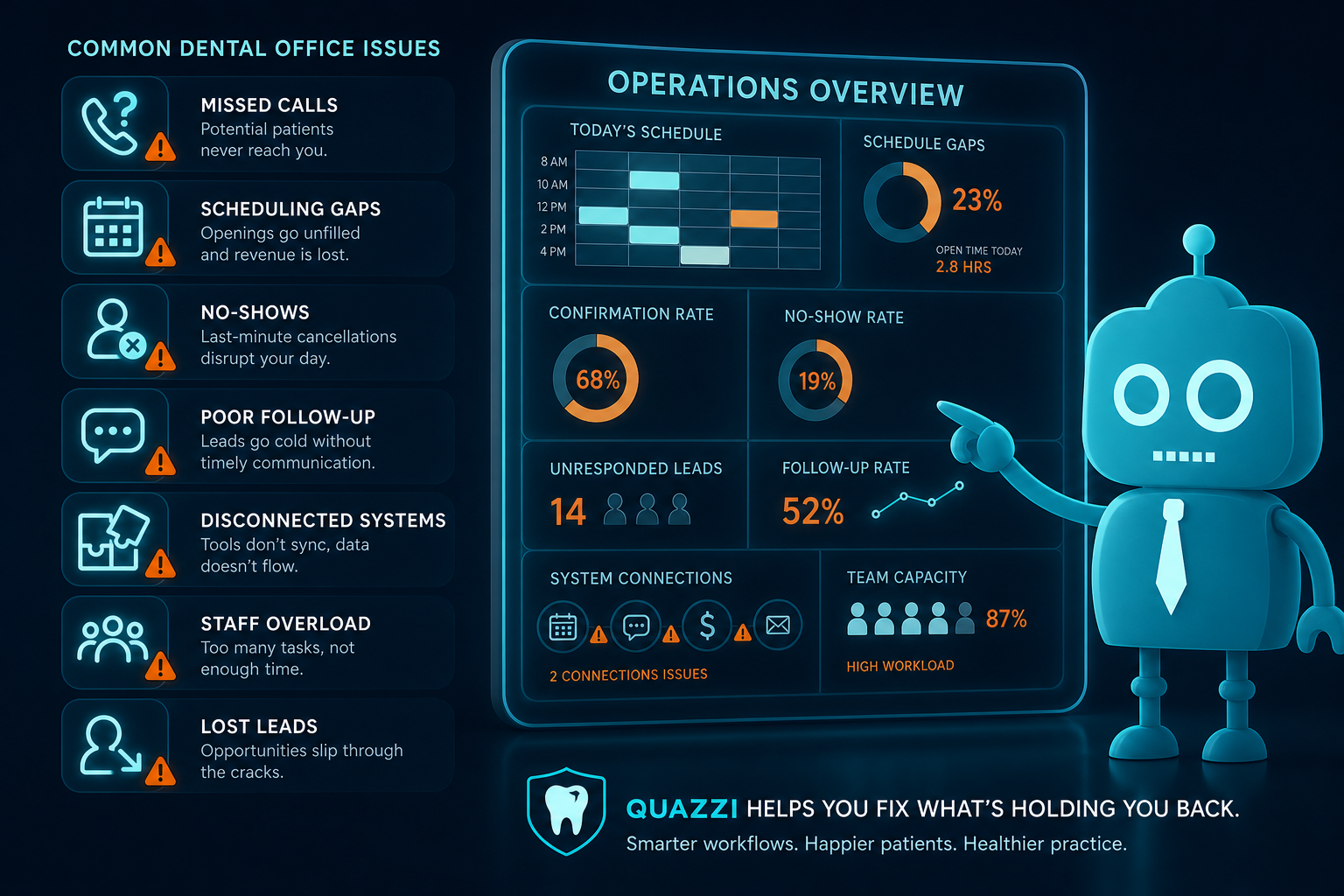
Common Operational Problems in Dental Practices
Running a dental practice is not just about clinical care. Every day, your team manages appointment requests, phone calls, insurance questions, patient reminders, treatment follow-up, website inquiries, reviews, and recall campaigns.
When operations feel chaotic, the root problem is often not just “being busy.” In many dental practices, common operational problems are connected to weak digital communication, disconnected systems, and manual front desk workflows that no longer match how patients expect to interact with healthcare providers.
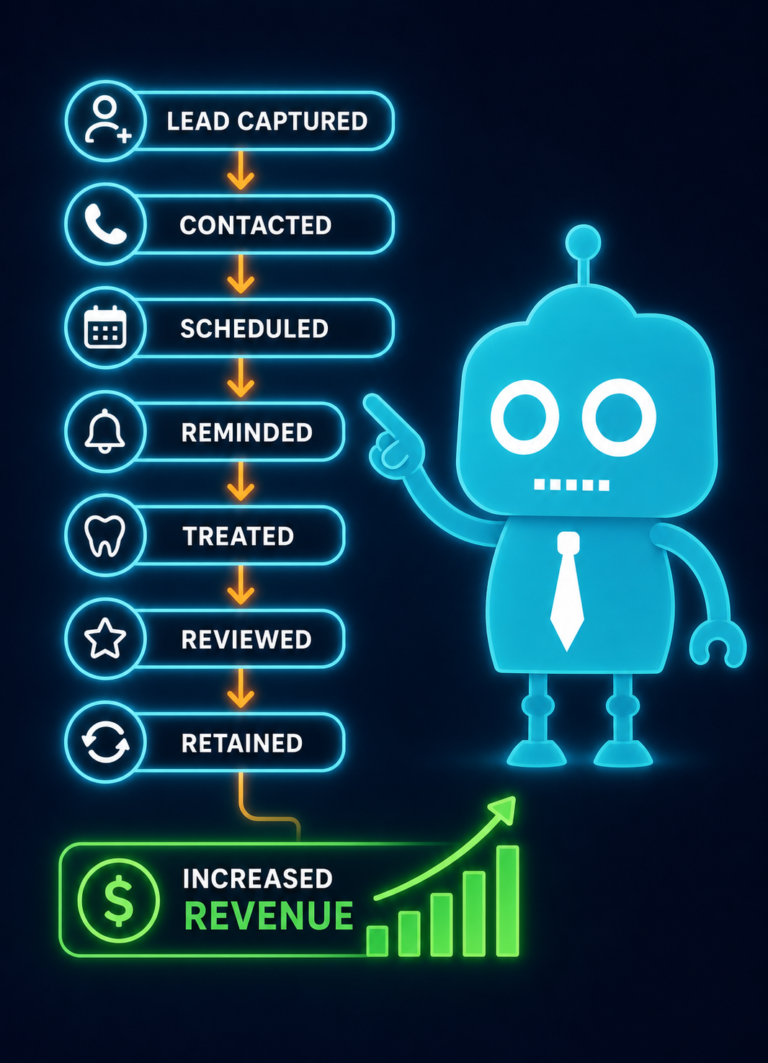
For independent dental practice owners, dentists, and office managers, improving operations often starts by looking at how patients move from website visitor to scheduled appointment, active patient, completed treatment, recall visit, and online reviewer.
Why Dental Practice Operations Often Break Down
Most dental offices rely on a combination of phone calls, practice management software, email, text messaging, paper notes, website forms, spreadsheets, and staff memory. When those tools do not work together, small inefficiencies become daily operational problems.
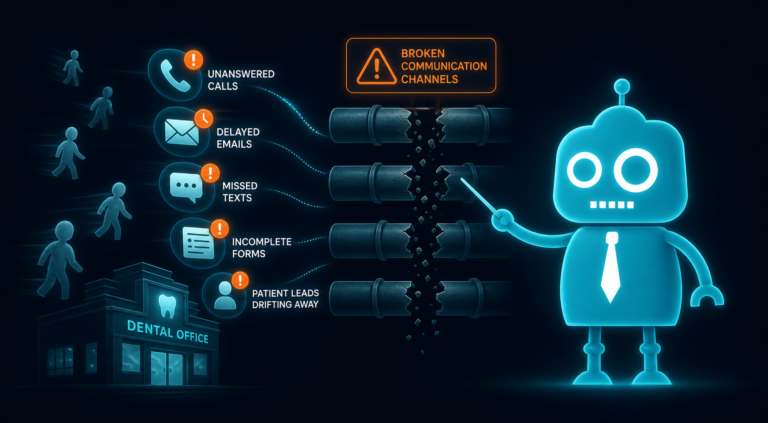
A missed call becomes a missed new patient. A web form that does not connect to a CRM becomes a forgotten lead. A patient who does not receive a timely reminder becomes a no-show. A happy patient who is never asked for a review never leaves one.
The result is a practice that may be clinically excellent but operationally inconsistent.
1. Scheduling Bottlenecks
Scheduling is one of the most common operational problems in dental practices because it affects production, patient experience, and staff workload at the same time.
Many offices still depend almost entirely on phone-based scheduling. That creates bottlenecks during peak call times, lunch hours, and after-hours inquiries. If a prospective patient visits your website at 9:30 p.m. and cannot easily request an appointment, they may move on to another practice.
Common signs of scheduling bottlenecks
- New patient calls go to voicemail during busy periods.
- Hygiene appointments are booked inconsistently.
- Emergency patients create chaos in the schedule.
- Patients wait too long for confirmation after submitting a website form.
- Front desk staff spend too much time going back and forth by phone.
Digital communication fix
Dental practices can reduce scheduling friction with clear website calls-to-action, appointment request forms, automated confirmation messages, and CRM-connected lead tracking. Even if your office does not offer real-time online booking, patients should be able to easily request an appointment from a mobile device and receive a fast response.
For example, a website form can capture the patient’s name, phone number, preferred appointment type, insurance status, and preferred time. That inquiry can then route directly into a CRM or notification system so the front desk can follow up quickly.
2. Missed Calls
Missed calls are more than an inconvenience. In dentistry, they often represent missed revenue. A missed call may be a new patient looking for an implant consultation, a parent trying to schedule a cleaning for a child, or an emergency patient with tooth pain.
Many patients will not leave a voicemail. They will simply call the next practice listed on Google.
Why dental practices miss calls
- The front desk is checking in patients.
- Insurance verification takes staff away from the phone.
- Multiple calls come in at once.
- The office is closed for lunch or after hours.
- Voicemail messages are not returned quickly.
Digital communication fix
Practices can reduce lost opportunities by using missed call text-back, website lead forms, call tracking, and automated notifications. A missed call text-back can instantly send a message such as, “Sorry we missed your call. How can we help you today?”
This gives the patient another path to communicate without waiting for a callback. It also helps the office capture the inquiry before the patient contacts a competitor.
3. Poor Follow-Up
Follow-up is one of the biggest gaps in dental practice operations. Many practices do a good job answering immediate questions but struggle to consistently follow up with unscheduled treatment, new patient inquiries, consultation requests, and incomplete appointment requests.
This is especially important for higher-value services such as dental implants, Invisalign, cosmetic dentistry, sleep appliances, and full-mouth restorations. These patients often need multiple touchpoints before they schedule.
Where follow-up commonly fails
- A patient submits a website form but does not receive a response until the next day.
- A cosmetic consultation lead is written on a sticky note and forgotten.
- A patient receives a treatment plan but no follow-up call or text.
- An implant inquiry is answered once but never nurtured.
- The team has no clear system for tracking open opportunities.
Digital communication fix
A dental CRM system can help track every inquiry and follow-up task. Instead of relying on memory, the office can see which patients need a callback, who requested pricing, who did not schedule, and who should receive an automated email or SMS sequence.
For example, a patient who requests an Invisalign consultation through the website can automatically receive a confirmation message, an educational email about treatment options, and a staff follow-up reminder.
4. No-Shows and Last-Minute Cancellations
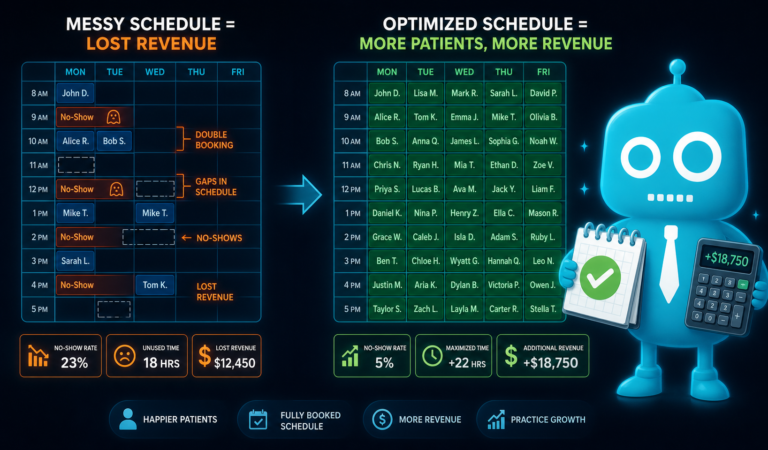
No-shows disrupt the schedule, reduce production, and frustrate the team. They also create gaps that are difficult to fill without a strong communication system.
While some cancellations are unavoidable, many no-shows happen because patients forget, do not understand the importance of the visit, or do not receive reminders through their preferred communication channel.
Operational impact of no-shows
- Lost chair time
- Lower hygiene productivity
- Interrupted provider schedules
- Increased stress on the front desk
- Difficulty meeting daily production goals
Digital communication fix
Automated SMS and email reminders can help reduce no-shows when they are timed correctly. Many practices use a combination of reminders, such as one week before, two days before, and the morning of the appointment.
Confirmation links also help the front desk quickly identify which patients have confirmed and which patients may need a personal call. For higher-risk appointments, the team can add a manual follow-up step.
5. Weak Recall Systems
Recall is the foundation of long-term dental practice growth. Yet many offices allow recall to become reactive instead of proactive. Patients leave after a hygiene visit, and unless they schedule before leaving, they slowly disappear from the active patient base.
Weak recall systems hurt hygiene production, treatment diagnosis, patient retention, and overall practice value.
Common recall problems
- Patients are not pre-appointed consistently.
- Recall lists are not worked regularly.
- Patients receive generic reminders that are easy to ignore.
- Inactive patients are not segmented by last visit date.
- The office does not track recall reactivation results.
Digital communication fix
Recall should be supported by automated SMS, email, and phone workflows. A strong system can segment patients based on when they are due, overdue, or inactive.
For example, a patient who is one month overdue may receive a friendly text reminder. A patient who is six months overdue may receive a different message emphasizing the importance of preventive care. A patient who has been inactive for more than a year may receive a reactivation campaign with a direct appointment request link.
6. Review Inconsistency
Online reviews are a major factor in new patient acquisition. Patients often compare dental practices on Google before calling or submitting a form. If your reviews are outdated, inconsistent, or lower than nearby competitors, it can reduce website conversion and phone inquiries.
The problem is that many dental practices rely on staff to remember to ask for reviews. When the day gets busy, review requests become inconsistent.
Why review generation breaks down
- The team forgets to ask happy patients.
- There is no standard review request process.
- Patients are not given a simple review link.
- Review requests are not timed after positive visits.
- The practice does not monitor review trends.
Digital communication fix
Automated review requests can help create a consistent system. After an appointment, selected patients can receive a text or email with a direct link to leave a Google review.
This is especially useful after new patient visits, cosmetic cases, implant completions, whitening appointments, and positive hygiene visits. The easier it is for patients to leave a review, the more likely they are to do it.
7. Staff Overload
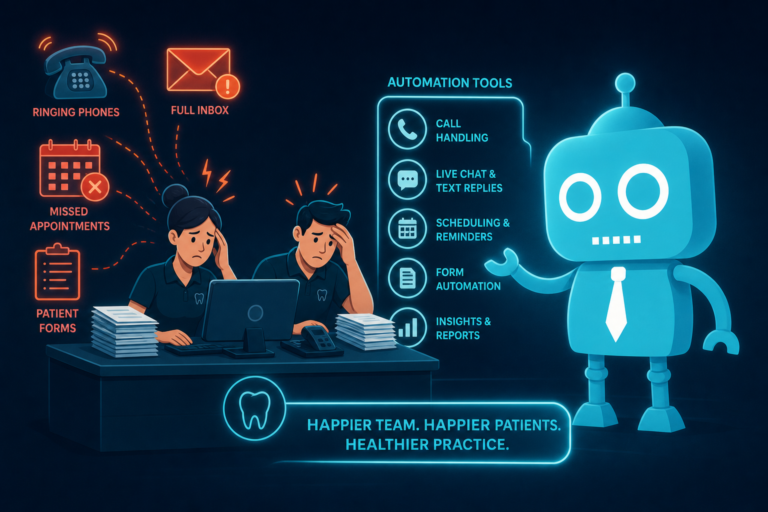
Front desk teams often carry the weight of the entire practice operation. They answer phones, schedule appointments, verify insurance, manage payments, handle patient questions, process forms, respond to website leads, and keep providers on schedule.
When systems are manual, staff overload becomes inevitable. This can lead to burnout, mistakes, slower response times, and poor patient communication.
Tasks that commonly overload dental staff
- Manually confirming appointments
- Calling overdue recall patients one by one
- Copying website form submissions into another system
- Tracking leads on paper or spreadsheets
- Repeatedly answering the same patient questions
- Manually sending review links
Digital communication fix
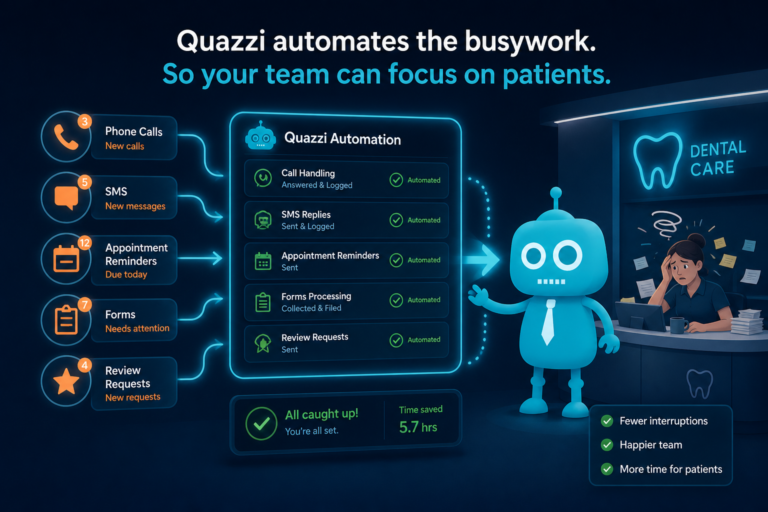
Automation should not replace the human touch in a dental practice. Instead, it should remove repetitive tasks so the team can focus on higher-value conversations.
For example, automated appointment reminders can reduce confirmation calls. Website FAQs can answer common questions about insurance, new patient visits, emergency care, and financing. CRM tasks can remind staff exactly who needs follow-up each day.
8. Disconnected Software
Many dental practices use multiple tools that do not communicate well with each other. The practice management system may handle clinical scheduling and billing, while the website collects leads, a separate platform sends emails, another tool handles reviews, and staff use spreadsheets to track implant or Invisalign inquiries.
This creates operational blind spots.
Problems caused by disconnected systems
- Website leads do not flow into a follow-up system.
- Staff cannot see where new patients came from.
- Marketing campaigns are difficult to measure.
- Follow-up tasks are missed because they live in different places.
- Patient communication is inconsistent across channels.
Digital communication fix
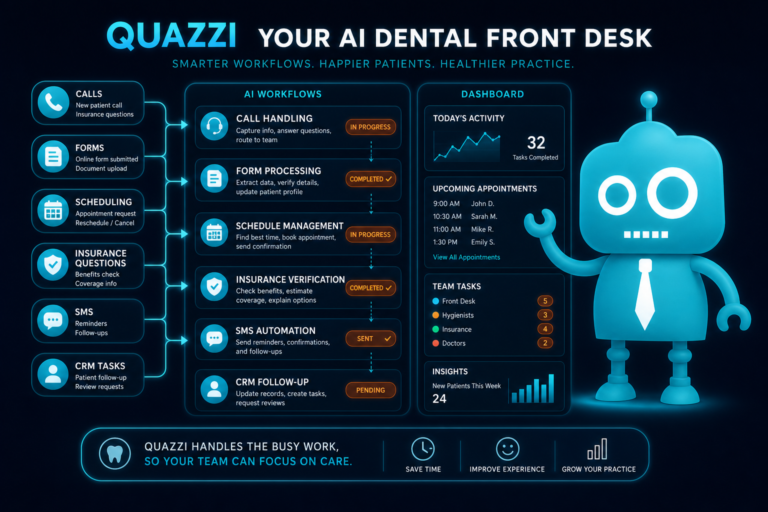
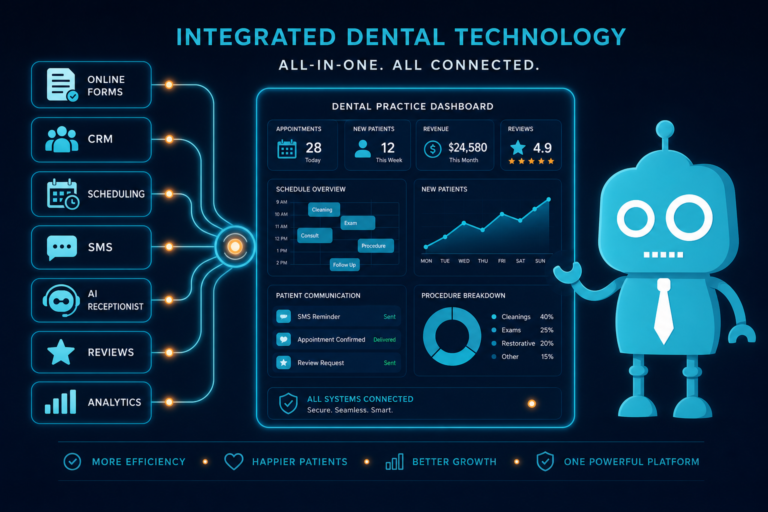
Practices benefit from connecting their website, CRM, appointment request forms, call tracking, SMS/email automation, and review systems where possible. The goal is not to create a complicated technology stack. The goal is to create a cleaner operational workflow.
For example, when a patient submits a “Request an Appointment” form, the information should not sit in an inbox unnoticed. It should notify the team, create a lead record, trigger a confirmation message, and support follow-up until the patient schedules.
9. Poor Lead Tracking
Dental practices invest in websites, SEO, Google Ads, social media, direct mail, and referral programs. But many offices still cannot answer a basic question: “How many new patient opportunities did we receive this month, and how many became scheduled appointments?”
Without lead tracking, it is difficult to know which marketing efforts are working and where patients are dropping off.
Lead tracking gaps in dental practices
- Website form submissions are not categorized by service.
- Phone calls are not tracked by source.
- No one tracks whether leads become scheduled patients.
- Consultation requests are mixed with general inquiries.
- Marketing reports focus on traffic instead of booked appointments.
Digital communication fix
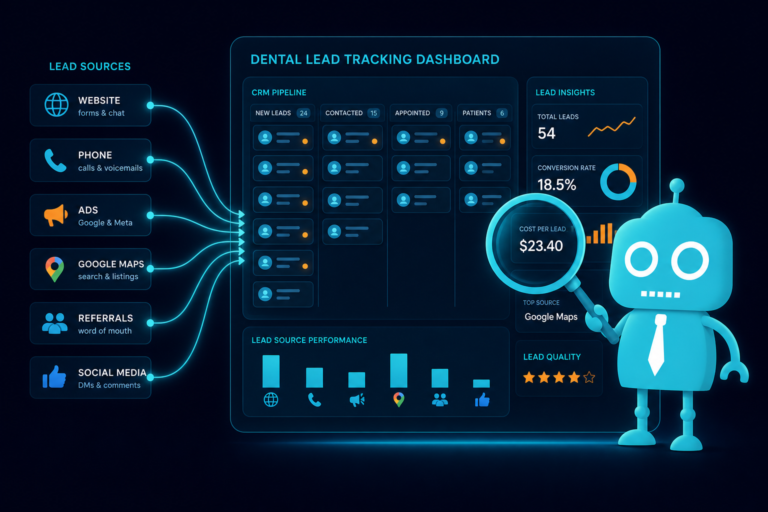
A CRM can help dental practices track leads from first contact to scheduled appointment. This is especially valuable for high-intent services such as dental implants, veneers, Invisalign, dentures, emergency dentistry, and sedation dentistry.
For example, if ten implant leads came through the website last month but only three scheduled consultations, the practice can investigate response time, follow-up quality, financing communication, and website messaging.
10. Website Gaps
Your dental website is often the first operational touchpoint for a new patient. If it is outdated, slow, confusing, or not mobile-friendly, it can create problems before your front desk ever has a chance to help.
A website should not be just an online brochure. It should support patient acquisition, appointment requests, trust-building, education, and conversion.
Common dental website gaps
- No clear “Request an Appointment” button on mobile.
- Forms are too long or difficult to complete.
- Service pages do not explain procedures clearly.
- There is no page for high-value services like implants or Invisalign.
- Insurance and financing information is hard to find.
- Reviews and testimonials are not featured effectively.
- The site loads slowly on mobile devices.
- Website inquiries are sent only to a general email inbox.
Digital communication fix
A modern dental website should be built for conversion. That means fast loading, mobile optimization, clear calls-to-action, strong service pages, simple lead capture forms, trust signals, and integration with follow-up systems.
For example, a patient looking for emergency dental care should be able to quickly understand that you offer emergency appointments, tap to call from a mobile phone, or submit a short urgent appointment request form.
How to Identify the Biggest Operational Problems in Your Dental Practice
Before adding more tools or hiring more staff, it helps to map the patient communication journey. Look at each point where a patient interacts with your practice and ask whether the process is clear, trackable, and consistent.
Questions to ask your team
- How quickly do we respond to website appointment requests?
- How many calls do we miss each week?
- Do we know which marketing channels generate scheduled patients?
- What happens when a patient does not schedule after a consultation?
- How do we follow up with unscheduled treatment?
- Are recall patients receiving consistent reminders?
- Do we ask for reviews automatically or manually?
- Which tasks take the most time at the front desk?
- Does our website help patients take action quickly?
The answers often reveal that the problem is not one person or one department. It is usually a workflow issue supported by incomplete systems.
Practical Examples of Better Dental Practice Workflows
New patient website inquiry workflow
- A patient visits your website from Google.
- They click “Request an Appointment.”
- The form asks for essential information only.
- The submission enters a CRM or lead tracking system.
- The patient receives an automatic confirmation text or email.
- The front desk receives a task to follow up.
- The lead is tracked until scheduled or closed.
Unscheduled treatment follow-up workflow
- A patient receives a treatment plan for a crown.
- The treatment coordinator marks the case for follow-up.
- The patient receives educational information by email.
- A staff member gets a reminder to call within a set timeframe.
- If the patient does not schedule, they receive a polite SMS follow-up.
- The outcome is tracked in the system.
Review request workflow
- A patient has a positive visit.
- The team identifies the patient as a good review candidate.
- The patient receives a text with a direct Google review link.
- The practice monitors new reviews and responds appropriately.
- Recent positive reviews are featured on the website.
Improving Operations Without Losing the Personal Touch
Dental care is personal. Patients still want friendly conversations, empathy, and trust. Better systems should make those human interactions easier, not replace them.
When digital communication tools are used correctly, they help your team respond faster, stay organized, and create a smoother patient experience. Automated reminders, CRM workflows, website forms, and review requests free your staff from repetitive tasks while keeping patients informed.
The strongest dental practices combine excellent clinical care with reliable communication systems.
Need Help Fixing the Digital Side of Your Dental Practice Operations?
Many common operational problems in dental practices start with the website, lead capture process, patient communication workflow, or disconnected systems. If your practice is missing calls, losing website inquiries, struggling with follow-up, or relying too heavily on manual front desk tasks, improving your digital foundation can make a measurable difference.
CreateTheSite.com helps dental practices build modern, conversion-focused websites and communication systems that support real front desk operations.
Services include:
- Modern dental website design
- Secure website hosting
- Mobile optimization
- Lead capture forms for appointment requests and consultations
- CRM integrations for better lead tracking
- SMS and email automation
- Appointment follow-up workflows
- Ongoing website support and updates
Whether you want to attract more new patients, improve website conversion, organize follow-up, or reduce front desk workload, CreateTheSite.com can help you create a stronger digital system around your practice.
Visit CreateTheSite.com to learn how a better dental website and smarter communication workflow can support your practice growth.