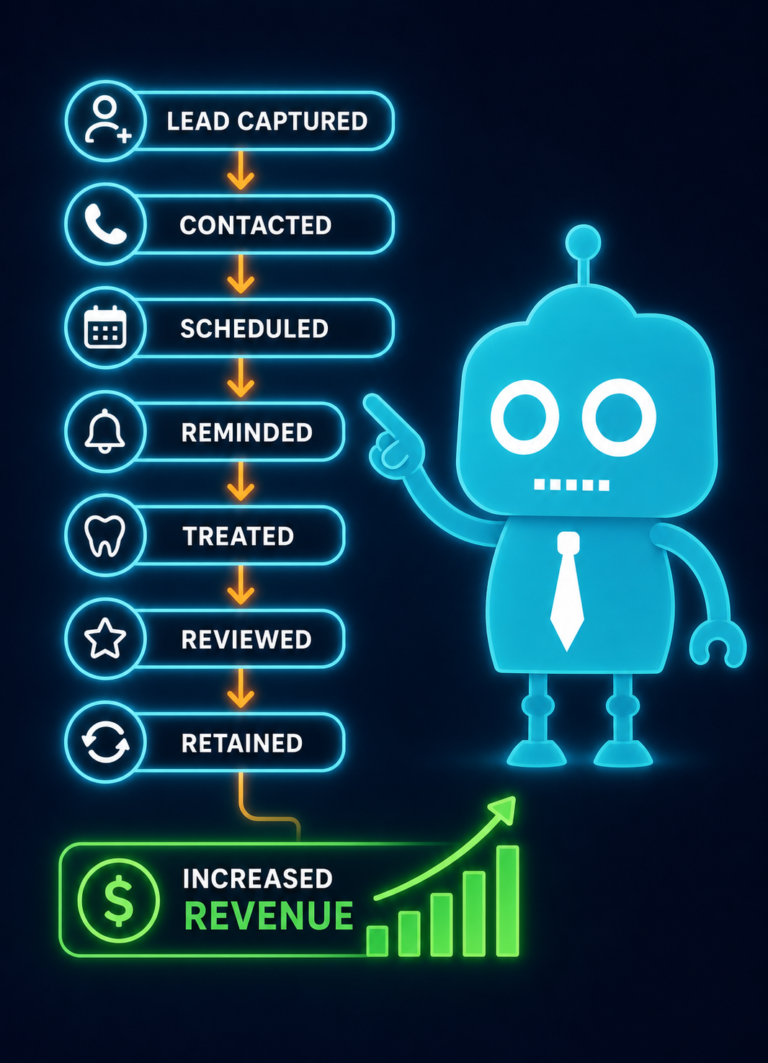
Why Dental Practices Need Better Internal Systems
Most dental practices do not have a demand problem first. They have a systems problem.
A practice may invest in a new website, local SEO, Google Ads, social media, or referral marketing and start generating more calls, form submissions, and appointment requests. But if the internal systems behind the scenes cannot keep up, growth starts to leak.
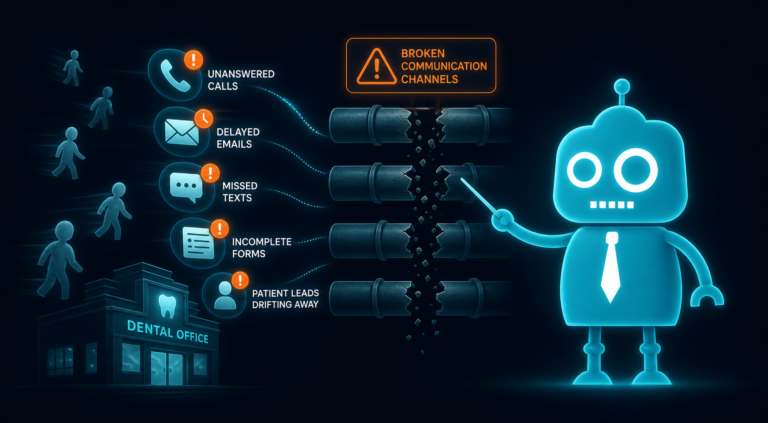
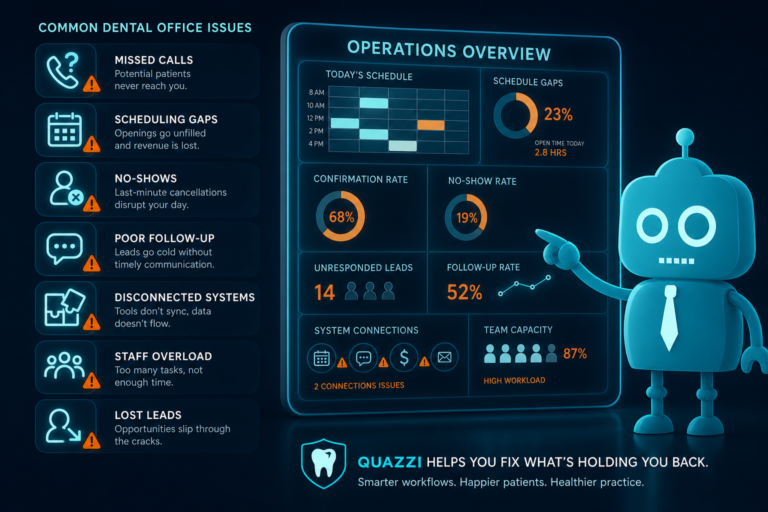
New patient leads go unanswered. Voicemails pile up. Online forms sit in an inbox. Recall opportunities get missed. Reviews are not requested consistently. The front desk gets overwhelmed. Dentists see a busy schedule but not always the right production or patient retention.
For independent dental practice owners, dentists, and office managers, the lesson is clear: growth breaks when internal systems cannot handle demand.
Better internal systems help dental practices capture more leads, schedule faster, follow up consistently, improve patient experience, generate more reviews, and make smarter decisions with accurate reporting.
Growth Exposes Weak Systems in Dental Practices
When a practice is small or demand is predictable, manual processes may seem manageable. A sticky note, a spreadsheet, a shared inbox, or a quick verbal reminder might work for a while.
But as patient demand increases, those loose systems become bottlenecks.
For example:
- A prospective patient submits a website form after hours, but nobody responds until the next afternoon.
- A missed call from a high-value implant patient is not returned because the front desk is busy checking patients in.
- A hygiene patient cancels and never receives a reactivation message.
- A happy patient leaves without being asked for a Google review.
- A treatment plan is presented, but there is no structured follow-up workflow.
- The dentist wants to know where new patients are coming from, but reporting is unclear.
These are not just administrative issues. They directly affect revenue, patient retention, case acceptance, online reputation, and overall practice growth.
Lead Capture: Every New Patient Opportunity Needs a System
Your dental website should not function like a digital brochure. It should be a lead capture tool that makes it easy for potential patients to take action.
Many dental practices lose new patient opportunities because their website forms are too basic, hard to find, or not connected to a follow-up process.
What Better Lead Capture Looks Like
- Clear appointment request forms on key service pages
- Mobile-friendly forms that are easy to complete
- Clickable phone numbers for mobile users
- Emergency dental request options
- New patient inquiry forms that ask the right questions
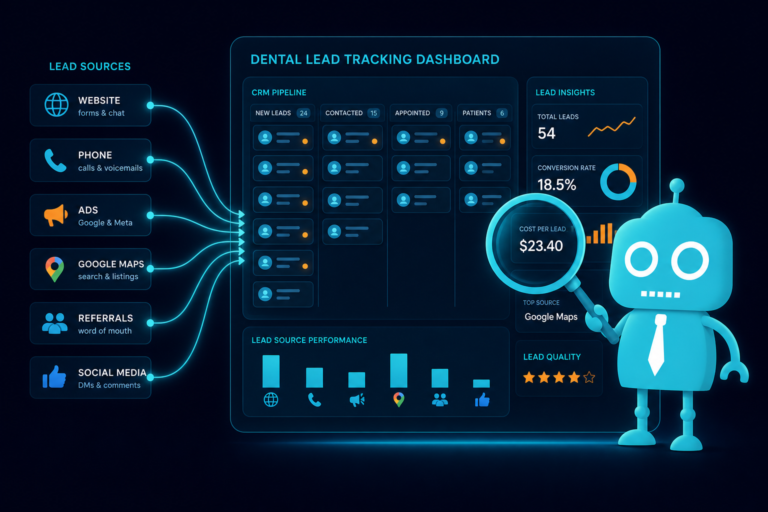
- CRM integration so leads do not sit in an email inbox
- Instant email or SMS confirmation after submission
For example, if someone visits your dental implant page and submits a consultation request, that lead should automatically enter a CRM workflow. Your team should be notified, the patient should receive confirmation, and follow-up should begin quickly.
Without that system, the practice may pay to attract the lead but fail to convert it.
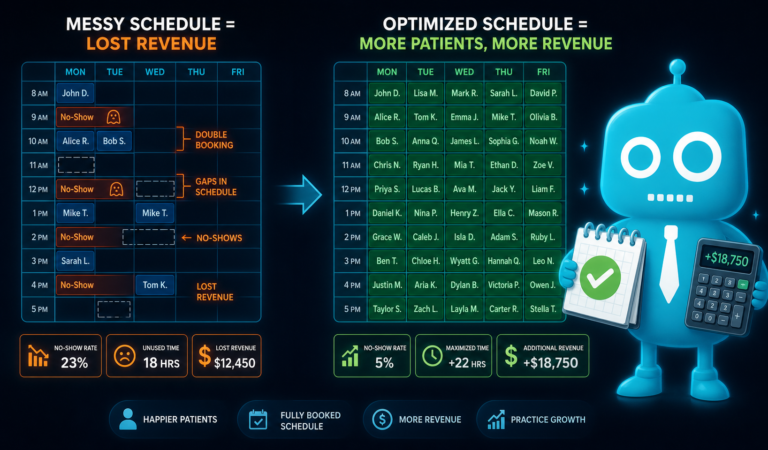
Scheduling: Speed Matters When Patients Are Ready to Book
Scheduling is one of the biggest friction points in dental practice growth. A patient may be ready to book, but if the scheduling process is slow or confusing, they may contact another office.
This is especially true for competitive services such as Invisalign, dental implants, cosmetic dentistry, emergency dentistry, and new patient exams.
Common Scheduling Bottlenecks
- Too many calls going to voicemail
- No online appointment request option
- Delayed response to website forms
- Unclear handoff between marketing leads and front desk staff
- No tracking of unbooked appointment requests
- No follow-up if a patient asks a question but does not schedule
A better scheduling system gives the front desk visibility into every inquiry and makes it easier to move patients from interest to appointment.
Even if your practice does not offer real-time online booking, you can still use structured appointment request forms, automated confirmations, internal notifications, and CRM task reminders to make scheduling more reliable.
Follow-Up: Most Missed Revenue Is Sitting in Unfinished Conversations
Dental practices often focus on generating more leads, but many already have revenue sitting in unfinished conversations.
These may include:
- Patients who requested an appointment but never scheduled
- Patients who asked about pricing but did not commit
- Patients who missed or canceled appointments
- Patients with unscheduled treatment plans
- New patients who called after hours and left a voicemail
- Website leads who were contacted once but never followed up with again
Without a follow-up system, the front desk has to rely on memory, manual notes, or scattered reminders. That creates inconsistency.
Practical Follow-Up Example
A patient fills out a form for a cosmetic dentistry consultation. A strong internal system might trigger:
- An immediate confirmation text to the patient
- An email with helpful information about the consultation
- A task for the front desk to call within business hours
- A reminder if the lead has not been marked as scheduled
- A second SMS follow-up after 24 hours
- A final email reminder a few days later
This kind of workflow does not replace the front desk. It supports the front desk so fewer opportunities are forgotten.
Reviews: Reputation Growth Should Not Depend on Memory
Google reviews are critical for dental practices. They influence local SEO, patient trust, click-through rates, and appointment decisions.
Yet many practices request reviews inconsistently. The team may ask when they remember, or only after an especially positive visit. That approach leaves reputation growth to chance.
Build Reviews Into the Patient Experience
A better review system creates a consistent process for asking the right patients at the right time.
For example:
- After a successful new patient visit
- After a cosmetic case is completed
- After an emergency patient is relieved of pain
- After a positive hygiene appointment
- After a patient compliments the doctor or team
SMS and email automation can make review requests easier. Instead of asking the team to manually send links, a workflow can send a polite message with a direct link to your Google Business Profile.
The key is to keep the request simple, timely, and compliant with your office policies.
Recall: Hygiene Retention Needs More Than Postcards
Recall is one of the most important systems in a dental practice. A healthy recall system supports patient retention, hygiene production, treatment diagnosis, and long-term practice value.
But many practices still rely on outdated or inconsistent recall processes. Patients fall through the cracks when reminders are too late, too generic, or too easy to ignore.
Modern Recall Systems Should Include Multiple Touchpoints
- SMS reminders for overdue hygiene patients
- Email reminders with convenient scheduling prompts
- Phone call tasks for high-priority patients
- Segmentation by overdue status
- Reactivation campaigns for patients inactive for 12 months or more
- Reporting on recall effectiveness
For example, a patient who is one month overdue may receive a friendly text reminder. A patient who is six months overdue may enter a different reactivation workflow with email, SMS, and a front desk call task.
Better recall systems do not just fill hygiene chairs. They help protect the patient relationship.
Reporting: You Cannot Improve What You Cannot See
Dental practice owners need clear reporting to understand what is working and what is not. Without reliable data, decisions become guesswork.
Marketing reports may show clicks, impressions, and website traffic, but practice owners also need to understand what happens after a patient takes action.
Important Metrics to Track
- Website form submissions
- Phone call leads
- New patient appointment requests
- Lead response time
- Scheduled versus unscheduled leads
- No-shows and cancellations
- Review request volume
- New Google reviews received
- Recall reactivation results
- Conversion rates by service page or campaign
For example, if your Invisalign page receives strong traffic but few appointment requests, the issue may be website conversion. If the page generates leads but few scheduled consultations, the issue may be follow-up or front desk workflow.
Reporting helps identify whether the bottleneck is marketing, website design, scheduling, follow-up, or patient communication.
Staff Communication: Internal Confusion Creates Patient Friction
Patients can feel when a dental office is not aligned internally. If one team member does not know what another team member promised, the experience becomes frustrating.
Strong staff communication systems reduce confusion and help everyone understand what needs to happen next.
Where Communication Often Breaks Down
- A website lead comes in, but nobody knows who owns the follow-up
- A patient asks a billing question online, but the message is not routed properly
- A treatment coordinator is not notified about a high-value consultation request
- The front desk does not know which marketing campaign a patient came from
- A patient cancels, but there is no clear process for rescheduling
Internal systems should make responsibilities clear. That may include CRM task assignments, shared lead pipelines, automated notifications, call notes, and status updates.
The goal is simple: every patient inquiry should have an owner, a status, and a next step.
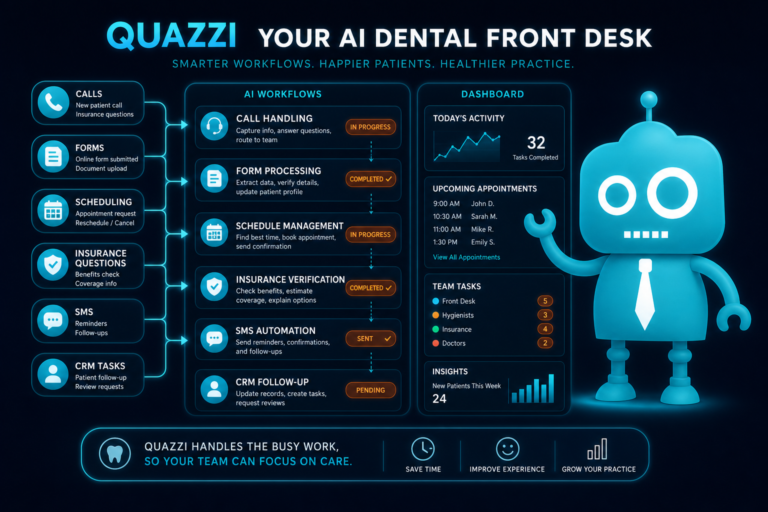
CRM Workflows: Dental Leads Need a Clear Path From Inquiry to Appointment
A CRM, or customer relationship management system, helps organize patient inquiries and automate communication. For dental practices, a CRM can be especially useful for managing new patient leads, cosmetic consultations, implant inquiries, Invisalign requests, emergency visits, and unscheduled treatment follow-up.
Without a CRM workflow, leads are often scattered across phone calls, inboxes, contact forms, sticky notes, and practice management software notes. That makes it difficult to know which opportunities still need attention.
Useful CRM Workflow Stages for Dental Practices
- New lead received
- Contact attempted
- Patient responded
- Appointment requested
- Appointment scheduled
- No response
- Consult completed
- Treatment accepted
- Treatment not yet scheduled
These stages help your team see where patients are in the process. They also make it easier to follow up with the right message at the right time.
For example, an emergency dental lead should be handled differently than a patient researching veneers. A CRM workflow can support both by triggering different messages, tasks, and urgency levels.
Automation: The Best Systems Make Consistency Easier
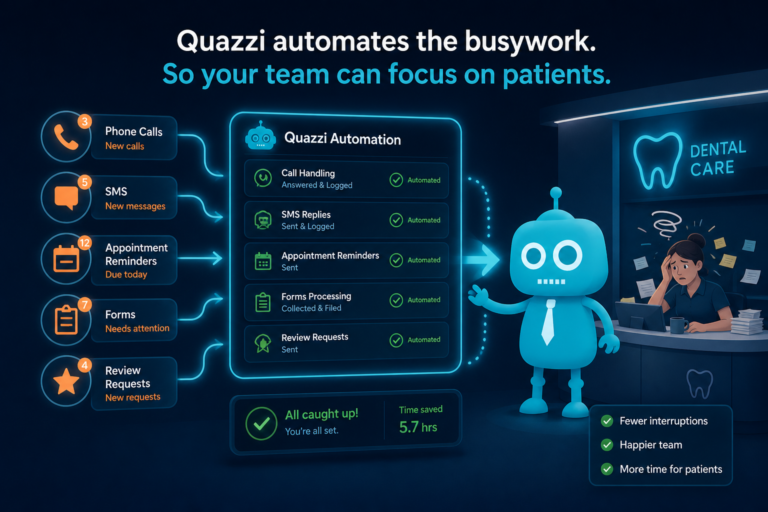
Automation is not about removing the human touch from dentistry. It is about making sure important communication happens consistently, even when the team is busy.
Dental offices are fast-moving environments. Phones ring, patients check in, insurance questions come up, clinical schedules shift, and emergencies happen. Automation helps protect key processes from being dropped during a busy day.
Where Automation Helps Most
- Instant responses to website form submissions
- New patient appointment request confirmations
- Missed call text-backs
- Appointment reminder sequences
- Post-visit review requests
- Recall and reactivation campaigns
- Unscheduled treatment follow-up
- Internal task reminders for front desk staff
For example, if a patient submits a form at 9:30 p.m., automation can immediately confirm that the request was received and explain when the office will follow up. That patient feels acknowledged instead of ignored.
When the office opens, the front desk already has a task waiting. That is how automation supports better service.
Patient Experience: Internal Systems Shape How Patients Feel
Patients may not see your CRM, automation tools, reporting dashboards, or internal workflows. But they feel the results.
When systems are weak, patients experience:
- Slow responses
- Repeated questions
- Confusing scheduling
- Missed follow-ups
- Inconsistent reminders
- Poor communication between team members
When systems are strong, patients experience:
- Fast confirmation after contacting the practice
- Clear next steps
- Convenient SMS and email communication
- Smoother scheduling
- Timely reminders
- Better continuity from website inquiry to in-office visit
A better patient experience does not happen only in the operatory. It begins the moment someone finds your practice online and decides to reach out.
Better Systems Help the Front Desk Perform at a Higher Level
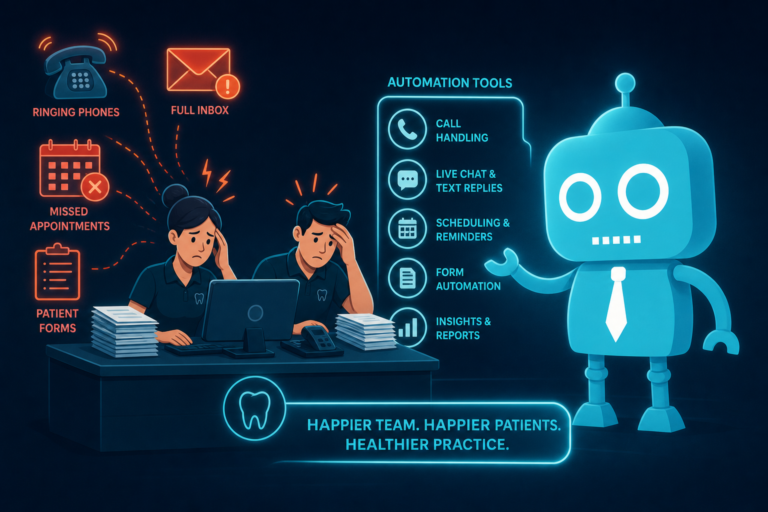
The front desk is often expected to answer calls, greet patients, verify insurance, manage scheduling, collect payments, handle forms, respond to emails, and follow up with leads. That is a lot of responsibility.
If your practice is investing in marketing but not improving internal systems, the front desk may become the pressure point where growth breaks.
Better systems help by:
- Reducing manual data entry
- Organizing leads in one place
- Automating repetitive messages
- Creating reminders for important follow-up
- Clarifying ownership of tasks
- Improving visibility into patient status
- Helping managers identify bottlenecks
This allows the team to focus more on meaningful patient conversations instead of constantly chasing scattered information.
Signs Your Dental Practice Has Outgrown Its Internal Systems
If your practice is growing, it is important to recognize when your systems are no longer enough.
Common signs include:
- New patient leads are not being contacted quickly
- The team is unsure which leads have been followed up with
- Appointment requests are managed from a general email inbox
- Missed calls are not tracked consistently
- Review requests happen randomly
- Recall lists are outdated or inconsistently managed
- Marketing performance is hard to connect to scheduled patients
- Staff members rely heavily on memory or manual notes
- Patients complain about communication delays
- The practice is getting more inquiries but not seeing proportional growth
These issues do not mean your team is failing. They usually mean the practice needs stronger infrastructure.
How to Start Improving Internal Systems Without Overwhelming the Team
Improving systems does not require changing everything at once. The best approach is to identify the biggest leaks and fix them in order.
1. Map the New Patient Journey
Start with the path from website visitor to scheduled appointment. Look at every step:
- How does the patient find the website?
- What page do they land on?
- What action are they asked to take?
- Where does the form submission or call go?
- Who follows up?
- How quickly does follow-up happen?
- What happens if the patient does not respond?
This will often reveal immediate opportunities to improve conversion.
2. Connect Website Forms to a CRM
Website forms should not disappear into an inbox with no tracking. Connect them to a CRM or lead management system so every inquiry has a visible status and follow-up history.
3. Add SMS and Email Automation
Use automation for confirmations, reminders, follow-up sequences, review requests, and recall campaigns. Keep messages clear, helpful, and aligned with your practice voice.
4. Create Front Desk Follow-Up Standards
Define how quickly new leads should be contacted, how many follow-up attempts should be made, and when a lead should be marked as inactive.
For example, your standard might be:
- Call within 15 minutes during business hours
- Send a text if there is no answer
- Send a follow-up email the same day
- Attempt again the next business day
- Continue automated follow-up for several days
5. Review Reports Monthly
Set a monthly meeting to review website leads, scheduled appointments, missed opportunities, reviews, recall performance, and conversion rates. Use the data to improve systems, not to blame the team.
Stronger Systems Create More Predictable Dental Practice Growth
Dental practice growth is not just about getting more attention online. It is about having the internal systems to turn that attention into scheduled appointments, positive patient experiences, accepted treatment, reviews, and long-term retention.
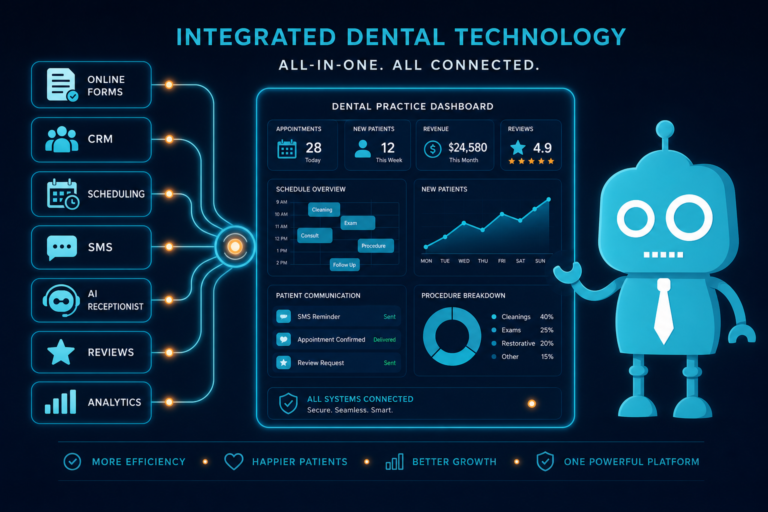
A modern dental practice needs more than a nice website. It needs a connected system that supports lead capture, scheduling, follow-up, reviews, recall, reporting, staff communication, CRM workflows, automation, and patient experience.
When those systems work together, growth becomes more manageable. The front desk feels less overwhelmed. Patients receive better communication. Practice owners gain clearer visibility. Marketing becomes easier to measure. And more new patient opportunities turn into real appointments.
Build a Better Digital System for Your Dental Practice With CreateTheSite.com
If your dental practice is generating interest but losing opportunities because of outdated website forms, slow follow-up, poor mobile experience, or disconnected systems, CreateTheSite.com can help.
CreateTheSite.com works with dental practices to build modern digital systems that support growth from the first website visit through appointment follow-up. Services include modern website design, secure hosting, mobile optimization, lead capture forms, CRM integrations, SMS and email automation, appointment follow-up, and ongoing website support.
The goal is not just to make your dental website look better. The goal is to help your practice capture more new patient opportunities, respond faster, improve front desk workflows, and create a smoother patient experience.
If your internal systems are starting to limit your growth, now is the right time to improve them. Visit CreateTheSite.com to learn how a better website and connected digital workflow can help your dental practice grow with more confidence.