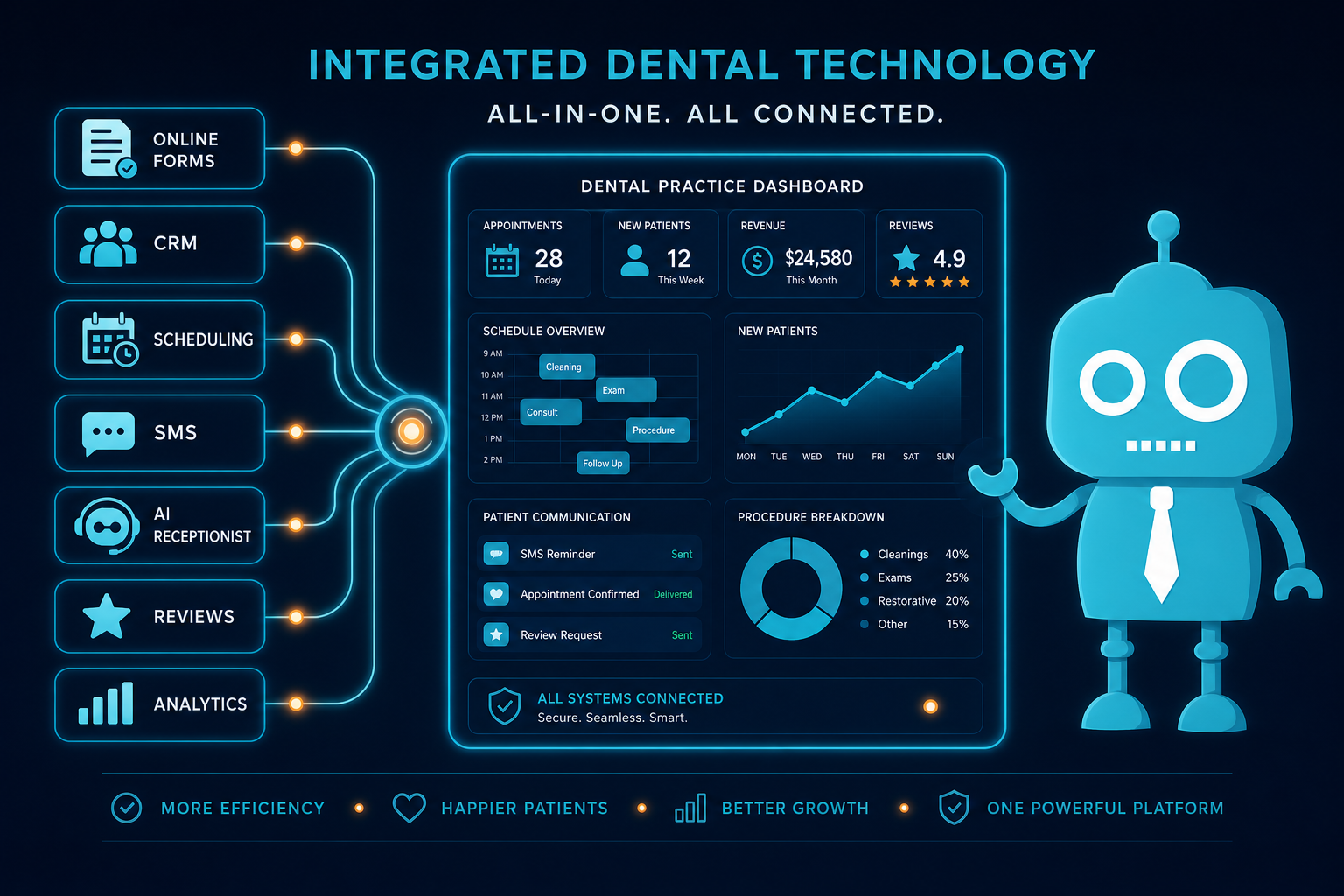
How Technology Improves Dental Office Efficiency
Technology should make a dental office easier to run—not create more logins, more manual work, or more confusion for the front desk.
For independent dental practice owners, dentists, and office managers, the right technology can reduce phone interruptions, improve new patient follow-up, increase completed forms, support treatment acceptance, generate more reviews, and give the team better visibility into what is happening each week.
The key is choosing tools that connect to your website, CRM, scheduling process, and patient communication workflow. When technology supports the way your practice already operates, it improves efficiency without adding unnecessary complexity.
Practical Dental Office Efficiency Starts With Fewer Manual Tasks
Most dental office inefficiency comes from small repetitive tasks that happen all day:
- Answering the same new patient questions
- Calling patients to confirm appointments
- Manually entering information from paper forms
- Following up with website leads too late
- Tracking new patient inquiries in spreadsheets or sticky notes
- Asking for reviews one patient at a time
- Sending unscheduled treatment reminders manually
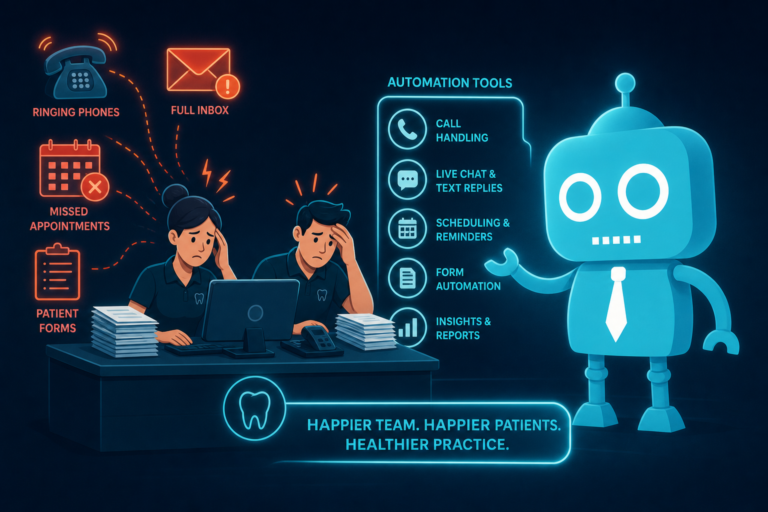
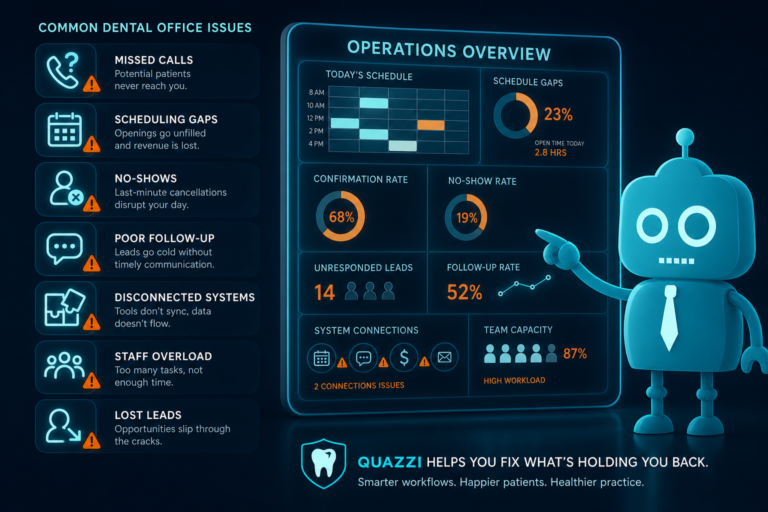
None of these tasks are difficult by themselves. The problem is volume. When your front desk is also checking patients in, collecting payments, verifying insurance, and answering phones, these small tasks create bottlenecks.
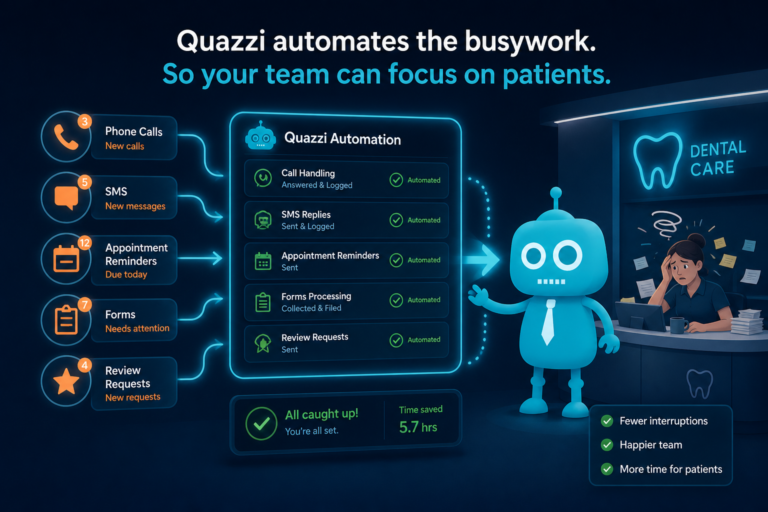
Well-planned technology removes friction from these workflows so your team can focus on patient experience, scheduling, and revenue-generating conversations.
Online Forms Reduce Check-In Time and Front Desk Bottlenecks
Online patient forms are one of the simplest ways to improve dental office efficiency. Instead of asking new patients to arrive early and complete paperwork in the waiting room, practices can collect information before the appointment.
How online forms help dental practices
- Reduce manual data entry
- Speed up new patient check-in
- Improve accuracy of medical history and contact information
- Give the team time to review important details before the visit
- Create a smoother first impression for new patients
For example, a new patient who requests an appointment through your website can immediately receive a link to complete health history, insurance details, consent forms, and communication preferences. By the time the patient arrives, the front desk is not scrambling to scan paperwork or decipher handwriting.
The best online form systems are mobile-friendly and easy to complete. If a form is difficult to use on a phone, patients may abandon it. Since many dental website visitors come from mobile search, mobile optimization matters.
Appointment Requests Help Convert Website Visitors Into Patients
Your dental website should do more than explain your services. It should turn visitors into scheduled appointments.
Appointment request forms make it easy for potential patients to contact your office without calling. This is especially important for people searching after hours, during work, or while comparing local dentists.
What an effective appointment request form should include
- Name, phone number, and email address
- Preferred appointment day or time
- Reason for visit, such as cleaning, emergency, implant consultation, or cosmetic dentistry
- New or existing patient status
- Optional insurance information
- Consent to receive SMS or email follow-up
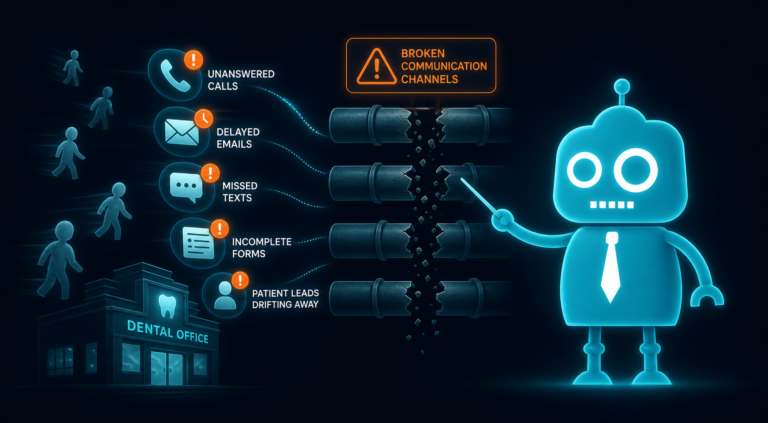
When appointment requests connect to a CRM or notification system, your team can respond faster and track every inquiry. This is where efficiency and new patient acquisition overlap. A website lead that sits in an inbox for two days is often a lost patient. A website lead that triggers an instant notification and follow-up sequence is much more likely to schedule.
Automated Reminders Reduce No-Shows and Repetitive Phone Calls
Appointment reminders are essential in a busy dental office. But manually calling every patient is time-consuming and inconsistent.
Automated reminders by SMS and email help confirm appointments, reduce no-shows, and free the front desk from repetitive outreach. Patients also appreciate convenient reminders because they are used to receiving confirmations from medical offices, salons, restaurants, and other service providers.
Examples of useful dental appointment reminders
- Appointment confirmation sent one week before the visit
- Reminder sent 48 hours before the appointment
- Same-day reminder with office address and parking details
- Post-appointment message with care instructions
- Recall reminder for patients due for hygiene visits
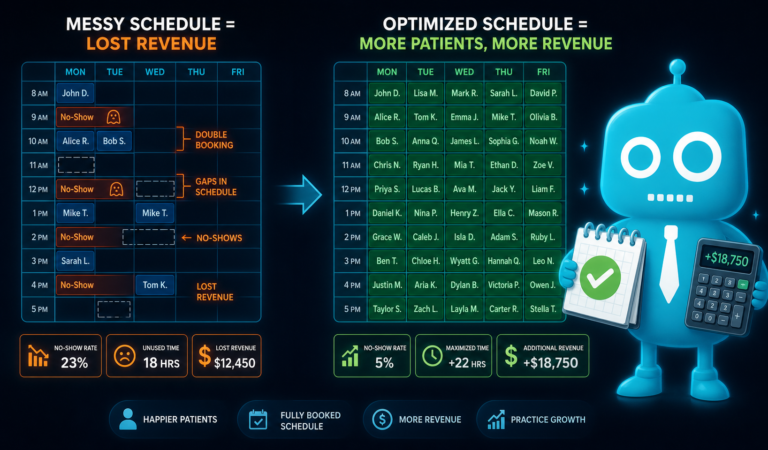
For dental practices, reminder automation is not just about convenience. It protects production. A missed hygiene appointment creates an opening that may not be filled. A missed crown seat or implant consultation can disrupt the schedule and impact revenue.
Automated reminders help keep the schedule full while allowing the front desk to focus on higher-value conversations.
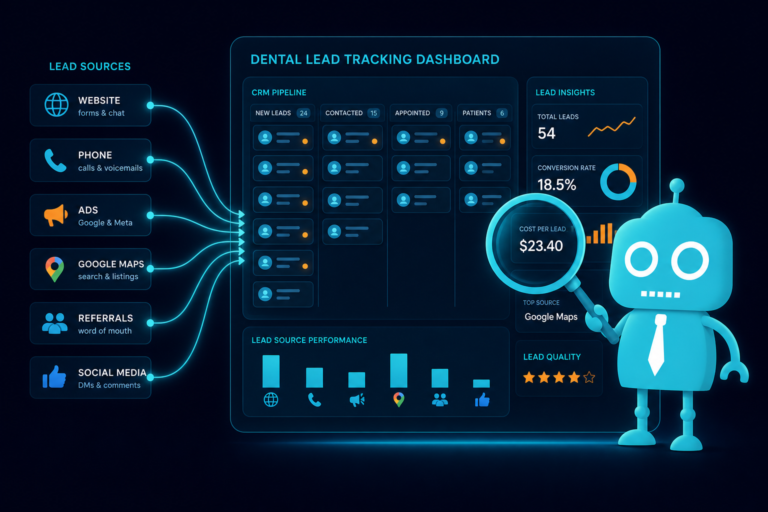
CRM Tracking Gives Dental Offices a Clear View of Every Lead
A customer relationship management system, or CRM, helps dental practices track patient inquiries and follow-up activity. For many independent practices, this is one of the most overlooked efficiency tools.
Without CRM tracking, new patient leads often end up scattered across voicemail, email, website form submissions, social media messages, and call notes. That makes it difficult to know who followed up, who scheduled, and who still needs attention.
How CRM tracking improves dental office operations
- Centralizes new patient inquiries from the website and campaigns
- Tracks lead source, such as Google search, ads, referral, or landing page
- Shows whether a lead was contacted, scheduled, or lost
- Helps office managers monitor front desk follow-up
- Supports automated SMS and email sequences
- Improves reporting on marketing performance
For example, if a patient submits an implant consultation request, the CRM can tag the lead as “implant,” notify the team, send a confirmation text, and assign a follow-up task. If the patient does not schedule right away, the system can keep the conversation active through a planned follow-up sequence.
This prevents valuable opportunities from slipping through the cracks.
AI Receptionist Support Can Help Manage Call Volume
AI receptionist support is becoming more useful for dental practices, especially when it is used to support the front desk rather than replace it.
The goal is not to remove the human touch from patient communication. The goal is to handle simple, repetitive, or after-hours inquiries so the team can focus on patients in the office and more complex calls.
Practical ways AI receptionist tools can help
- Answer common questions about office hours, location, and services
- Capture after-hours appointment requests
- Route emergency dental inquiries appropriately
- Collect contact information from missed calls
- Send website visitors to the right form or scheduling request
- Support front desk staff during peak call times
For example, if someone visits your website at 9:30 p.m. with a chipped tooth, an AI-supported chat or receptionist tool can collect the patient’s name, phone number, symptoms, and preferred appointment time. The office can then follow up first thing in the morning with context already captured.
This improves response time without requiring your team to be available 24/7.
Review Automation Builds Reputation Without Awkward Manual Requests
Online reviews influence dental patient decisions. When someone searches for a dentist, they often compare Google ratings, review count, recent comments, and how professional the practice appears online.
Most satisfied patients are willing to leave a review, but they need a convenient reminder. Review automation makes the process consistent.
How review automation works for dental practices
- A patient completes an appointment
- The system sends a polite SMS or email review request
- The patient clicks a link to your preferred review platform
- The office can monitor review activity over time
This is more efficient than asking the front desk to remember who to ask every day. It also helps increase review volume from happy patients who may otherwise forget.
A simple example: after a successful new patient cleaning or cosmetic consultation, the patient receives a message that says, “Thank you for visiting our office today. If you had a great experience, would you mind sharing a quick review?” The link takes them directly to the review page.
Consistent review generation supports local SEO, builds trust, and helps your website convert more visitors into appointment requests.
Email and SMS Campaigns Keep Patients Engaged Between Visits
Dental practices often focus heavily on attracting new patients, but patient reactivation and retention are just as important. Email and SMS campaigns help keep your practice visible between appointments.
Useful campaigns for dental offices
- Recall reminders for overdue hygiene patients
- Unscheduled treatment follow-up
- New patient welcome sequences
- Whitening or cosmetic dentistry promotions
- Dental implant consultation follow-up
- Insurance benefits reminders near year-end
- Post-operative care instructions
- Birthday or patient appreciation messages
The most effective campaigns are specific and timely. A general monthly newsletter may have value, but a targeted message to patients with unscheduled treatment can be much more productive.
For example, a patient who was presented with a crown treatment plan but did not schedule can receive a helpful follow-up message explaining the importance of restoring the tooth before it worsens. This keeps the conversation going without requiring the treatment coordinator to manually contact every patient.
SMS should be used carefully and with proper consent, but when done correctly, it is one of the most effective ways to reach patients quickly.
Reporting Dashboards Help Owners and Managers Make Better Decisions
Efficiency improves when practice leaders can see what is working. Reporting dashboards help dentists and office managers track key performance indicators without digging through multiple systems.
Dental practice metrics worth tracking
- Website visits and conversion rates
- Appointment requests by source
- New patient leads by service type
- Call, form, SMS, and email follow-up activity
- Scheduled versus unscheduled leads
- No-show and cancellation trends
- Review requests and completed reviews
- Campaign performance
For example, if your dashboard shows that emergency dentistry pages generate many website inquiries but few scheduled appointments, the issue may be follow-up speed, front desk scripting, or lack of appointment availability. If cosmetic dentistry pages receive traffic but few form submissions, the page may need stronger calls to action, better before-and-after examples, or a simpler consultation request form.
Reporting dashboards turn assumptions into useful decisions.
Website Integrations Connect the Entire Patient Journey
Your website is often the first operational system a new patient interacts with. If it is disconnected from your forms, CRM, reminders, and follow-up process, your team has to fill the gaps manually.
Website integrations help connect the full journey from visitor to scheduled patient.
Important dental website integrations
- Appointment request forms connected to CRM tracking
- Online forms connected to patient intake workflows
- Click-to-call buttons for mobile visitors
- SMS opt-in fields for follow-up
- Review platform links
- Analytics and conversion tracking
- Email marketing and automation tools
- Landing pages for implants, cosmetic dentistry, emergency care, and new patient specials
A modern dental website should not be a static brochure. It should help patients take action and help the office respond efficiently.
For example, a patient searching for “emergency dentist near me” may land on your emergency dentistry page from Google. From there, they should be able to call, submit an urgent appointment request, or receive clear instructions. That inquiry should be tracked so your team knows where it came from and how quickly it was handled.
Technology Should Simplify Front Desk Operations
The best dental technology reduces clutter. It does not force your team to manage five disconnected systems just to confirm one appointment or follow up with one lead.
Before adding any tool, ask these practical questions:
- Will this reduce manual work for the front desk?
- Will this improve the patient experience?
- Will this help us respond to new patient inquiries faster?
- Will this integrate with our website, CRM, or communication tools?
- Will this give us useful reporting?
- Will the team actually use it?
If the answer is no, the tool may create more complexity than value.
A Practical Example: From Website Visitor to Scheduled Patient
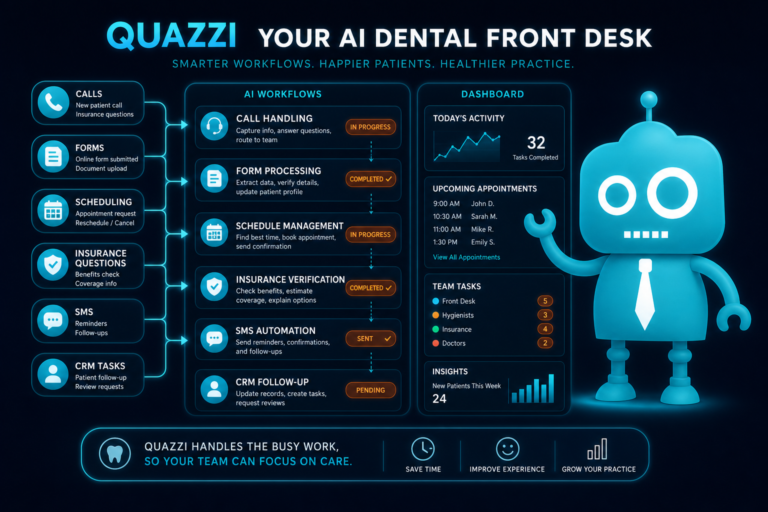
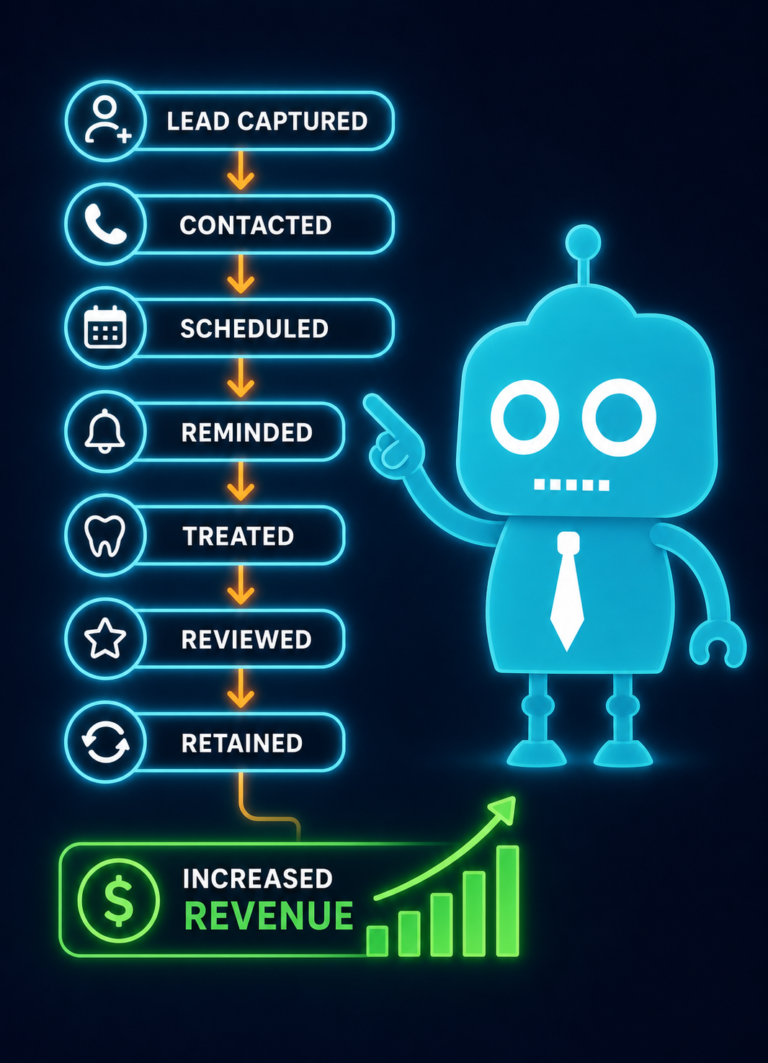
Here is how connected technology can improve efficiency in a real dental office workflow:
- A potential patient visits your website on a phone after searching for a local dentist.
- They complete a mobile-friendly appointment request form.
- The form submission automatically enters the CRM.
- The front desk receives an instant notification.
- The patient receives an automated SMS confirming the request was received.
- If the patient does not answer the first call, the CRM schedules a follow-up task.
- After the appointment is scheduled, the patient receives online forms.
- Automated reminders reduce the chance of a missed appointment.
- After the visit, the patient receives a review request.
- The dashboard shows the lead source, response time, and conversion result.
This is efficient because each step supports the next. The technology does not replace your team. It helps your team move faster and stay organized.
Common Mistakes Dental Practices Should Avoid
Using forms that do not notify the team quickly
If website form submissions only go to a general email inbox, leads can be missed. Appointment requests should trigger immediate notifications and be easy to track.
Adding tools that do not integrate
A reminder system, CRM, website form, and email platform should work together whenever possible. Disconnected tools create duplicate work.
Automating without a clear patient communication strategy
Automation should feel helpful, not robotic. Messages should be short, clear, and relevant to the patient’s stage in the process.
Ignoring mobile experience
Many dental patients search from mobile devices. If your forms, buttons, and pages are difficult to use on a phone, you may lose potential patients before they ever contact the office.
Failing to track results
If you do not track website conversions, lead sources, and follow-up outcomes, it is difficult to know which marketing efforts are producing real appointments.
Better Efficiency Means a Better Patient Experience
Dental office efficiency is not just about saving staff time. It also shapes how patients experience your practice.
When forms are easy, reminders are timely, appointment requests are answered quickly, and follow-up is consistent, patients feel more confident choosing your office. A smooth digital experience before the first visit can make your practice appear more organized, modern, and trustworthy.
For independent dental practices, this matters. You may not have the marketing budget or administrative depth of a large dental group, but smart technology can help your office operate with greater consistency and professionalism.
Improve Dental Office Efficiency With CreateTheSite.com
CreateTheSite.com helps dental practices use technology in a practical way that supports real office efficiency—not unnecessary complexity.
Our team works with dental practice owners, dentists, and office managers to build modern websites that are designed to convert visitors into appointment requests and support smoother front desk operations.
How CreateTheSite.com can help your dental practice
- Modern dental website design
- Secure website hosting
- Mobile optimization for patients searching on phones
- Lead capture forms for new patient inquiries
- CRM integrations to track website leads
- SMS and email automation for follow-up
- Appointment request and reminder workflows
- Review automation support
- Website integrations that connect marketing and operations
- Ongoing website support and updates
If your dental website is not helping your team capture leads, follow up efficiently, and convert more visitors into patients, it may be time to modernize your digital workflow.
Visit CreateTheSite.com to learn how a better dental website, smarter integrations, and practical automation can help your practice operate more efficiently while creating a better experience for new and existing patients.