How Patients Choose a Dentist Online
Most patients are not qualified to judge clinical skill from a Google search. They usually cannot evaluate your margin design, endodontic technique, implant planning, or occlusal philosophy before they meet you.
Instead, they judge what they can see.
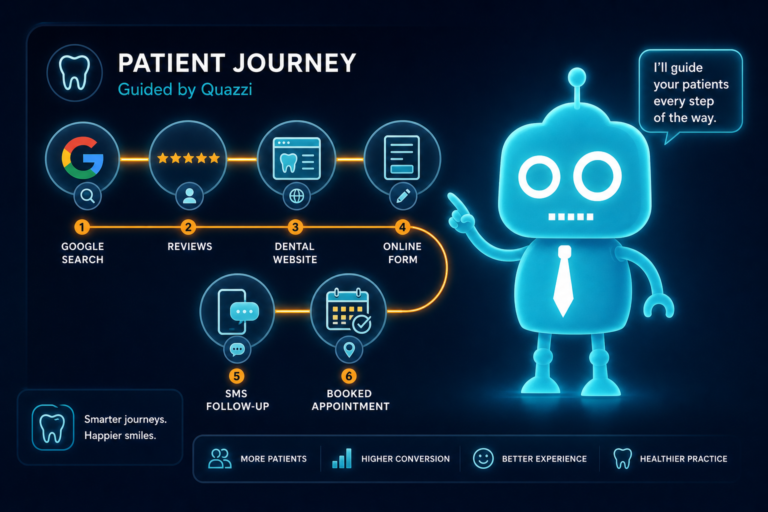
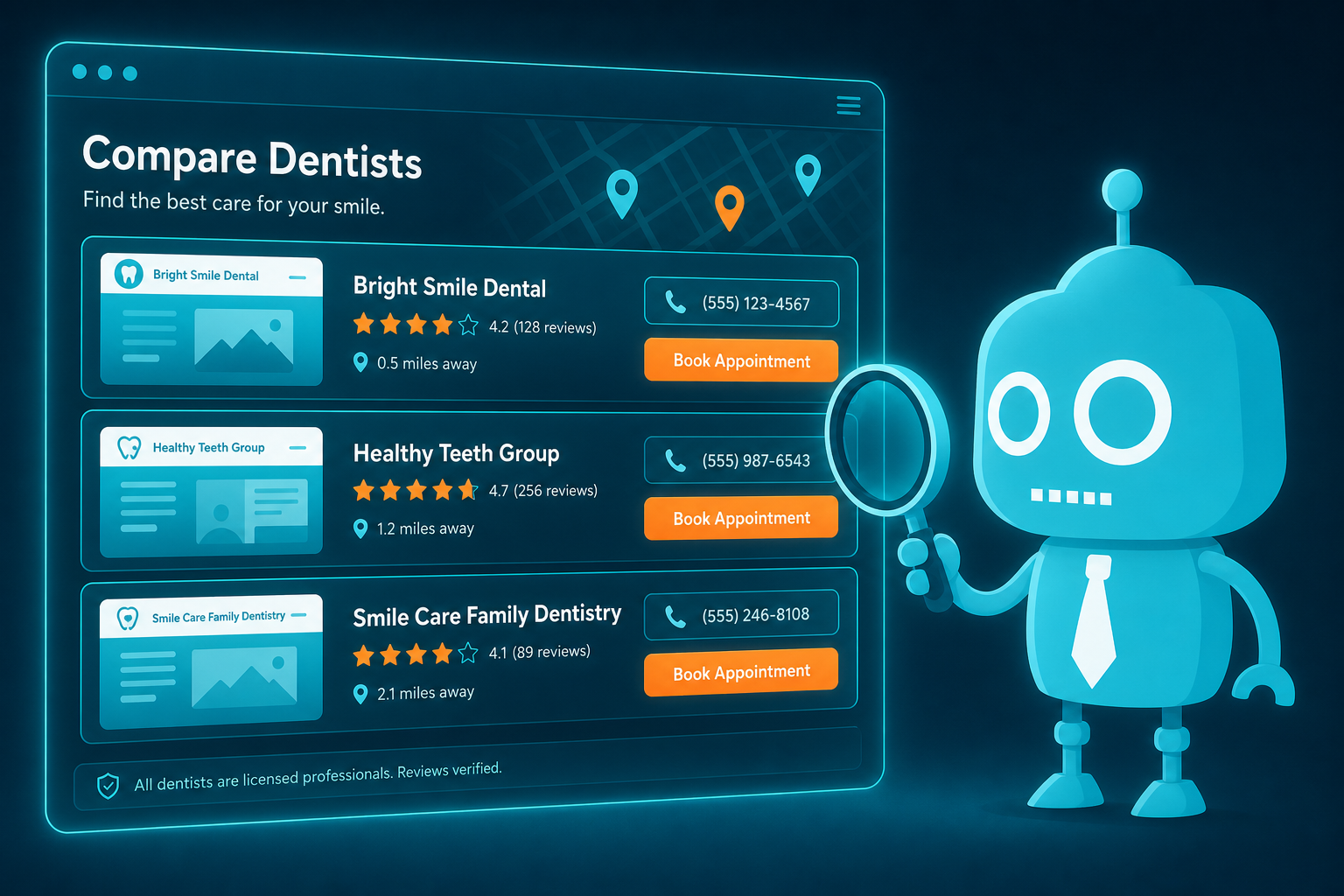
Before a new patient ever calls your office, they are looking for visible trust signals: your Google reviews, website design, staff photos, service pages, convenience, location, insurance information, online scheduling, and how quickly your team responds.
For independent dental practice owners, dentists, and office managers, this matters because online patient acquisition is not just about having a website. It is about making the patient feel confident enough to take the next step.

Patients Judge Trust Before They Judge Clinical Skill
A patient looking for a new dentist is often asking practical and emotional questions:
- “Can I trust this office?”
- “Will they be gentle?”
- “Do they take my insurance?”
- “Can I get an appointment soon?”
- “Is this office modern and organized?”
- “Will they answer the phone or call me back?”
Your clinical credentials matter, but they are rarely the first thing patients use to make a decision. A patient may never compare your CE history against another dentist’s. But they will compare your reviews, website, photos, and scheduling experience in seconds.
That means your online presence needs to reduce uncertainty quickly. Every visible detail should answer the same question: “Is this the right dental office for me?”
Google Reviews Are Often the First Trust Signal
For many patients, Google reviews are the starting point. They search “dentist near me,” “emergency dentist,” “family dentist,” or “Invisalign dentist,” then scan star ratings, review volume, and recent comments.
A practice with 4.8 stars and 300 recent reviews will usually feel safer than a practice with 5 stars and only 8 reviews from three years ago.
What Patients Look for in Dental Reviews
- Recent reviews: Patients want to know the practice is still active and consistent.
- Specific mentions: Words like “gentle,” “explained everything,” “front desk was helpful,” and “no pressure” build confidence.
- Staff names: When reviews mention hygienists, assistants, doctors, or front desk team members by name, the office feels more human.
- Response from the practice: Professional replies show the office is engaged and attentive.

Practical Example
After a positive hygiene visit, your team can send an automated SMS or email review request through your CRM or patient communication system. The message should be short and direct:
“Thank you for visiting us today. If you had a great experience, would you mind sharing a quick Google review? It helps other patients find our office.”
Review generation should be part of your front desk workflow, not something you remember once a quarter. Consistent review requests create a steady stream of trust signals that support new patient growth.
Website Design Tells Patients What Kind of Experience to Expect
Your dental website is often the second major trust signal after Google reviews. Patients use it to decide whether your office feels current, professional, and easy to work with.
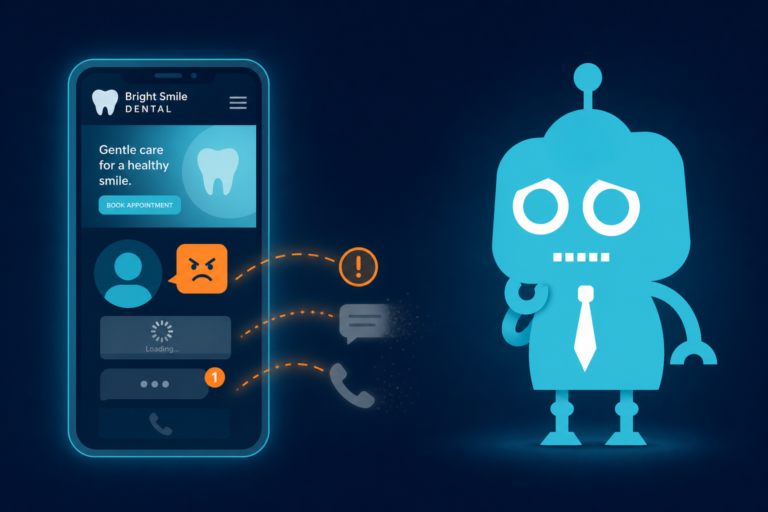
An outdated website can quietly cost you new patients, even if your clinical care is excellent. If the site loads slowly, looks broken on mobile, has blurry photos, or makes it difficult to request an appointment, patients may assume the office experience will feel the same way.
What a Modern Dental Website Should Communicate
- The practice is active, clean, and professional.
- The dentist and team are approachable.
- Services are clearly explained.
- Insurance, financing, and scheduling options are easy to find.
- The site works smoothly on a phone.
- Patients can take action without searching.
For website conversion, design is not just about appearance. It affects whether patients call, submit a form, schedule online, or leave for a competitor.
Staff Photos Make the Practice Feel Human
Dentistry is personal. Many patients feel anxious about choosing a dentist because they are not just buying a service; they are trusting someone with their health, comfort, appearance, and sometimes their fear.
Real staff photos help reduce that anxiety.
Patients want to see the people they may meet at the front desk, in hygiene, in the treatment room, and during consultations. Stock photos can fill space, but they do not build the same level of trust as authentic team imagery.

Photos That Help Convert New Patients
- Professional headshots of doctors and team members
- A friendly group photo
- Images of the front desk and reception area
- Operatory photos that show a clean, modern environment
- Photos of the dentist interacting naturally with patients or staff
You do not need every photo to look like a magazine ad. You do need them to feel real, clear, and current. A patient should be able to picture themselves walking into your office.
Service Pages Help Patients Know You Can Solve Their Problem
Many dental websites have a basic services list: cleanings, fillings, crowns, whitening, veneers, implants, Invisalign, emergency dentistry. But a list alone does not answer the patient’s deeper questions.
Patients want to know:
- Do you offer the treatment I need?
- What symptoms or concerns does this service address?
- What happens during the appointment?
- Will it hurt?
- How long does it take?
- What are my payment options?
Why Individual Service Pages Matter for SEO and Conversion
Dedicated service pages help your practice rank for specific searches such as “dental implants in [city],” “emergency dentist near me,” or “Invisalign provider in [city].” They also give patients enough information to feel ready to contact you.
For example, an emergency dentistry page should clearly explain same-day appointment availability, common emergencies treated, what to do if a tooth is knocked out, and how to call or schedule quickly. A cosmetic dentistry page should include services, benefits, smile concerns addressed, and a clear consultation CTA.
Strong service pages do not need to be overly technical. They need to be clear, local, patient-focused, and action-oriented.

Convenience Can Be the Deciding Factor
Patients often choose the dental office that feels easiest to work with. Clinical quality matters, but convenience gets people to book.
Convenience signals include:
- Early morning or evening appointments
- Family block scheduling
- Same-day emergency availability
- Online forms
- Text reminders
- Easy parking
- Clear directions
- Fast response times
If your practice offers convenient features, do not hide them on a secondary page. Put them on your homepage, contact page, service pages, and appointment request forms.
Practical Example
Instead of saying, “We provide comprehensive dental care,” say:
“Need a dentist before work? We offer 7:00 AM appointments on select weekdays and online scheduling for new patient exams.”
That message is specific. It gives busy patients a reason to choose your office.
Location Still Matters in Local Dental SEO
Dental care is local. Most patients want a dentist near home, work, school, or a familiar commute. Your website should make your location obvious to both patients and search engines.
Location Signals Your Website Should Include
- Practice name, address, and phone number
- Embedded Google Map
- Nearby neighborhoods or communities served
- Parking information
- Landmarks or cross streets
- Location-specific page titles and headings
For example, instead of a generic heading like “Contact Our Office,” use a more specific heading such as “Visit Our Dental Office in Franklin, TN.” This helps patients immediately confirm they are in the right place and supports local SEO.
If you serve multiple nearby communities, mention them naturally. A practice in one city may also attract patients from surrounding towns, suburbs, or neighborhoods. Make that clear without keyword stuffing.
Financing and Insurance Information Reduces Friction
Cost is one of the biggest reasons patients delay dental care. If your website does not clearly address insurance and financing, patients may assume treatment will be unaffordable or complicated.
You do not need to list every possible fee online. But you should make payment options easy to understand.
What to Include on Your Insurance and Financing Page
- Whether you accept dental insurance
- Major insurance providers accepted, if applicable
- Whether you are in-network or insurance-friendly
- Financing options such as CareCredit, Sunbit, Cherry, or other providers
- Membership plan details, if your practice offers one
- How your team helps patients understand benefits
- A clear call to contact the office with insurance questions
This page can also support your front desk team. When patients call with insurance questions, your team can direct them to a clear resource instead of explaining everything from scratch.
A helpful website reduces repetitive phone calls and improves the new patient experience before the first appointment.
Online Scheduling Turns Interest Into Action
Patients often search for a dentist outside of office hours. They may be comparing options at 9:30 PM after work or on a Sunday afternoon. If your only call to action is “Call us,” you may lose motivated patients who are ready to book now.
Online scheduling or appointment request forms give patients a low-friction way to take action immediately.
Best Practices for Dental Online Scheduling
- Make the button visible on every page.
- Use clear language such as “Schedule an Appointment” or “Request a New Patient Visit.”
- Keep forms short and mobile-friendly.
- Ask only for essential information.
- Connect submissions to your CRM or patient communication system.
- Send an automated confirmation by SMS or email.
- Have a front desk follow-up workflow for incomplete bookings.
If your practice does not allow real-time scheduling, an appointment request form is still valuable. The key is fast follow-up. A form submission that sits unread for two days is not a lead capture system; it is a missed opportunity.

Responsiveness Is a Trust Signal Patients Notice Immediately
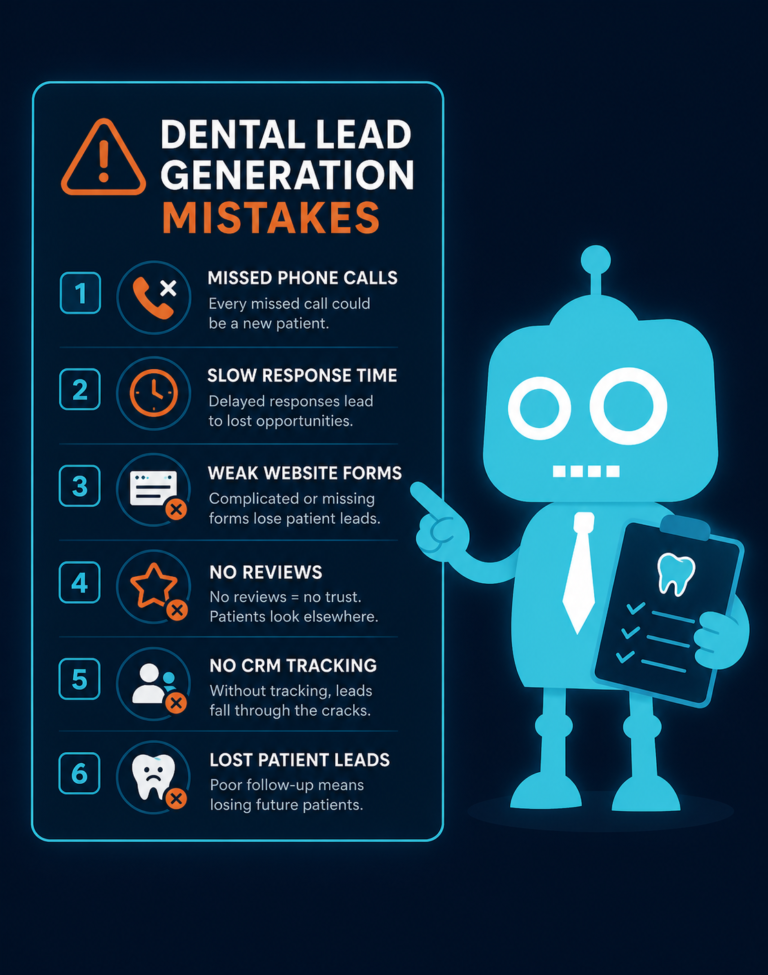
Responsiveness may be one of the most overlooked parts of dental marketing. A patient can love your reviews and website, but if nobody answers the phone or follows up quickly, trust drops fast.
New patient leads are time-sensitive. If someone requests an appointment for a toothache, Invisalign consultation, implant consult, or second opinion, they may contact multiple offices. The first practice to respond professionally often wins the appointment.
Where Responsiveness Matters
- Phone calls
- Voicemails
- Website forms
- Online scheduling requests
- Google Business Profile messages
- Facebook or Instagram messages
- SMS replies
- Email inquiries
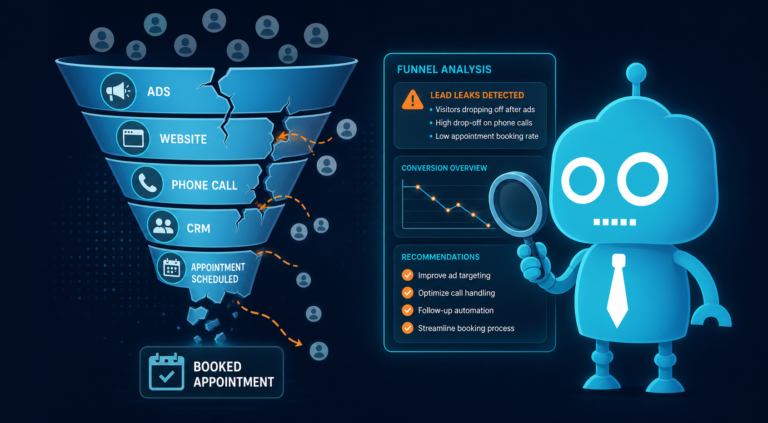
Practical Front Desk Workflow
A strong new patient response system might look like this:
- A patient submits a form on the website.
- The CRM creates a new lead record automatically.
- The patient receives an instant SMS and email confirmation.
- The front desk receives a notification.
- A team member calls within 10 minutes during business hours.
- If there is no answer, the system sends a friendly follow-up text.
- The lead is tracked until scheduled, declined, or closed.
This type of process prevents leads from slipping through the cracks. It also gives the patient the impression that your office is organized, attentive, and easy to communicate with.
Your Website Should Support the Front Desk, Not Work Against It
A dental website should do more than look good. It should help your team convert interest into booked appointments.
That means your site should answer common questions before patients call, route leads properly, and integrate with the systems your office uses every day.

Website Features That Support New Patient Conversion
- Click-to-call buttons on mobile
- Online appointment forms
- CRM integration
- SMS and email automation
- Insurance and financing pages
- Service-specific calls to action
- Review links and testimonials
- Emergency dental care prompts
- Fast hosting and mobile optimization
- Clear tracking for form submissions and calls
When your website, CRM, and front desk workflow are aligned, your marketing becomes easier to manage. You can see where leads come from, how quickly they are contacted, and which services are driving patient demand.
How to Improve the Way Patients Choose Your Practice Online
If you want more new patients from your website and local search, start by auditing the trust signals patients see first.
Quick Dental Practice Online Trust Audit
- Do you have recent Google reviews?
- Are you responding to reviews professionally?
- Does your website look modern on mobile?
- Are real doctor and staff photos visible?
- Do your service pages answer patient questions?
- Is your location easy to find?
- Do you clearly explain insurance and financing?
- Can patients request or schedule appointments online?
- Do website leads go into a CRM or follow-up system?
- Does your team respond quickly to calls, forms, texts, and emails?
Small improvements can make a measurable difference. Updating staff photos, adding clearer appointment buttons, improving your emergency dentistry page, or automating review requests can all help patients feel more confident choosing your office.
The Practices That Win Online Feel Trustworthy Before the First Visit
Patients do not choose a dentist online by evaluating clinical skill first. They choose based on visible evidence of trust, convenience, professionalism, and responsiveness.
Your reviews, website, photos, service pages, location details, financing information, scheduling options, and follow-up systems all work together. When those pieces are clear and consistent, patients are more likely to believe your practice will deliver a good experience.
That belief is what turns a searcher into a caller, a form submission into a scheduled appointment, and a first visit into a long-term patient relationship.
Build a Dental Website That Helps Patients Choose You
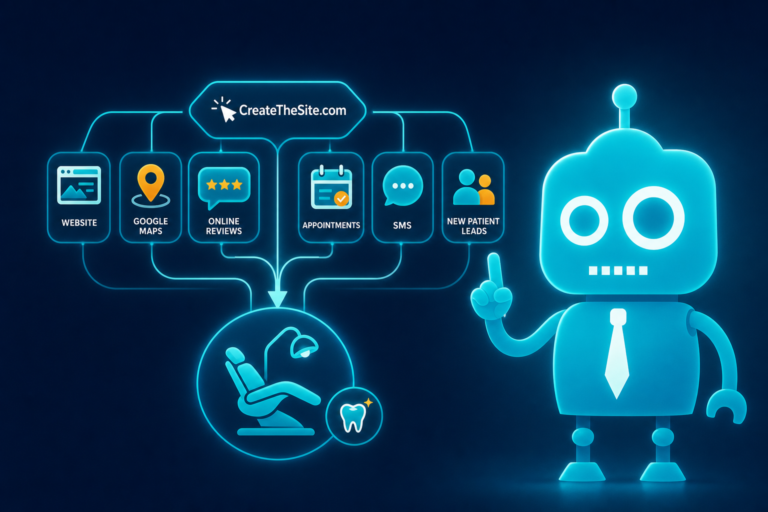
CreateTheSite.com helps dental practices create modern, conversion-focused websites that support new patient acquisition and front desk operations.
Our services include dental website design, secure hosting, mobile optimization, lead capture forms, CRM integrations, SMS and email automation, appointment follow-up workflows, and ongoing website support.
Whether your practice needs a refreshed website, better online scheduling, stronger lead tracking, or a more reliable follow-up system, CreateTheSite.com can help you build an online presence that makes patients feel confident choosing your office.
Visit CreateTheSite.com to learn how a better dental website can turn more online searches into scheduled appointments.