Why Trust Matters in Dental Website Design
For most new patients, trust in your dental practice begins before they ever speak to your front desk. It starts the moment they land on your website.
A patient may be searching for “dentist near me,” comparing cosmetic dentistry options, looking for emergency dental care, or trying to find a family dentist they feel comfortable calling. Before they schedule, they are silently asking: Can I trust this practice with my health, my time, my money, and my family?
That is why effective dental website design is not just about looking modern. It is about reducing doubt, answering patient questions, and creating confidence before the first phone call or online appointment request.
For independent dental practice owners, dentists, and office managers, your website should work like a digital front desk: welcoming, organized, professional, and designed to convert visitors into scheduled patients.

Your Dental Website Must Build Trust Before the First Call
New patient acquisition has changed. Patients no longer call the first dental office they find. They compare websites, read reviews, scan provider bios, check insurance or financing options, and look for signs that the practice is professional and reliable.
If your website feels outdated, vague, impersonal, or difficult to use on a phone, many patients will never contact you. They may not consciously think, “I don’t trust this office,” but they will feel uncertain enough to keep searching.
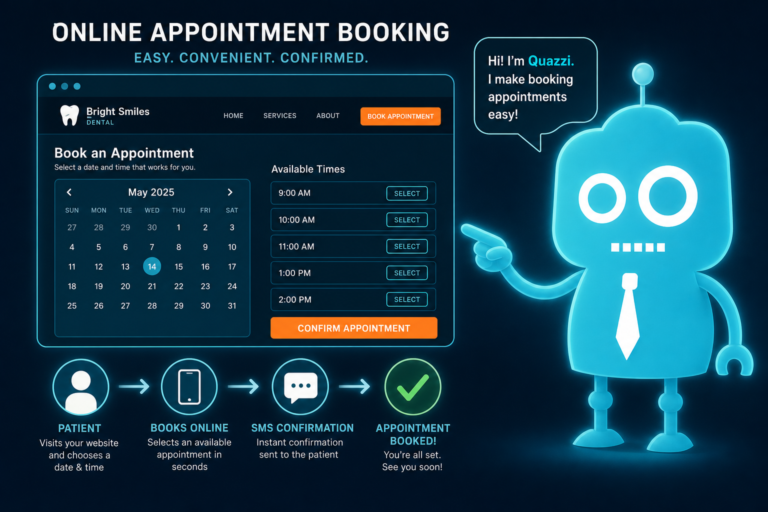
A trust-focused dental website helps patients feel comfortable taking the next step. That next step may be calling the office, submitting a new patient form, requesting an appointment, responding to an automated SMS follow-up, or starting a conversation with your front desk team.
Staff Photos Make the Practice Feel Human
Patients want to know who they will meet when they walk through the door. Staff photos are one of the simplest and most powerful ways to make your website feel trustworthy.
A sterile stock photo of smiling strangers does not create the same emotional connection as real images of your dentist, hygienists, assistants, treatment coordinators, and front desk team.

What Effective Staff Photos Should Show
- Your actual dentist and team members
- A warm, professional, approachable office environment
- Consistent lighting and style across the website
- Real smiles without overly staged poses
- Team members patients will actually interact with
For example, if your treatment coordinator is often the first person to explain financing or help nervous patients understand their options, featuring that person on your website creates familiarity before the patient arrives.
This also supports front desk operations. When patients already feel like they “know” your team, calls often start with more confidence and less hesitation.

Dentist Bios Should Do More Than List Degrees
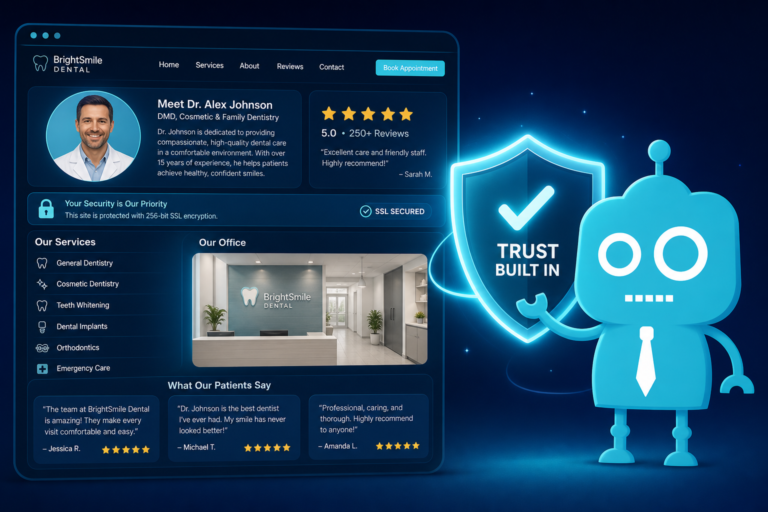
A strong dentist bio builds both credibility and connection. Patients want to know that the dentist is qualified, but they also want to understand the person behind the credentials.
A bio that only says “Dr. Smith graduated from dental school and enjoys continuing education” is not enough. Your website should explain why patients should feel comfortable choosing your practice.
What to Include in a Trust-Building Dentist Bio
- Education and training
- Years of experience
- Clinical interests, such as cosmetic dentistry, implants, Invisalign, family dentistry, or sedation
- Professional memberships
- Care philosophy
- Community involvement
- A personal detail that makes the dentist relatable
For example, instead of writing, “Dr. Lee provides comprehensive dental care,” you might say, “Dr. Lee focuses on helping anxious patients feel comfortable by explaining each step of treatment clearly and offering judgment-free care.”
That kind of language matters. It speaks directly to the patient who has delayed care because of fear, embarrassment, cost concerns, or a bad past dental experience.
Reviews Are Trust Signals That Influence New Patient Decisions
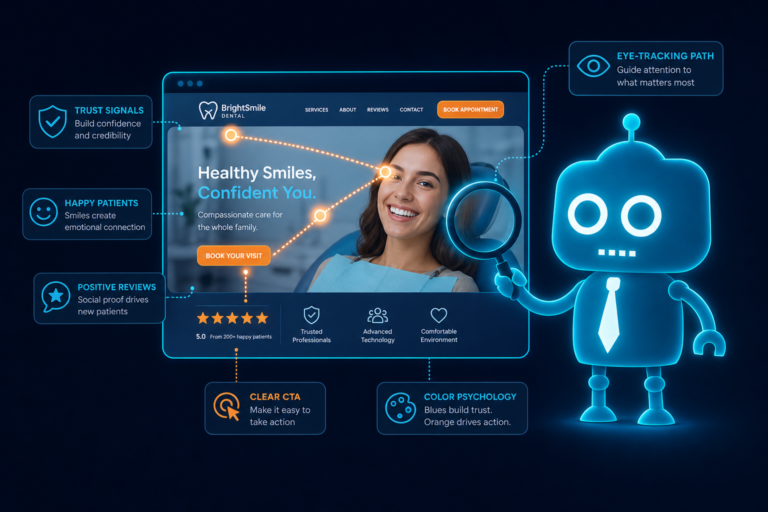
Online reviews are one of the most important conversion elements on a dental website. Patients often trust other patients before they trust marketing copy.
Your website should make reviews easy to find and easy to believe. A dedicated reviews page is helpful, but reviews should also appear strategically on key pages, such as your homepage, emergency dentistry page, dental implants page, cosmetic dentistry page, and new patient page.
Where Reviews Can Improve Website Conversion
- Near appointment request buttons
- On service pages for high-value treatments
- Beside new patient offers or consultation information
- On location pages for local SEO
- In follow-up email or SMS campaigns after a patient submits a form
Reviews also connect directly to your CRM and automation strategy. If your website captures leads through appointment forms, those leads can be added to a CRM where your team can send SMS or email follow-ups that reinforce your reputation.
For example, after a patient requests a dental implant consultation, an automated email could include a short message from the practice, a link to relevant patient reviews, and details about what to expect during the consultation.
This kind of follow-up helps maintain trust between the website visit and the scheduled appointment.
Credentials Reduce Uncertainty
Credentials matter, especially for patients considering complex or higher-cost treatment. If someone is researching dental implants, veneers, clear aligners, sedation dentistry, or full-mouth reconstruction, they want reassurance that they are choosing a qualified provider.
Your website should clearly display relevant credentials without overwhelming the patient.
Credential Examples for Dental Websites
- Dental school and residency information
- Advanced training or certifications
- Professional associations
- Technology used in the practice
- Continuing education focus areas
- Awards or community recognition
- Years serving the local community
Credentials should be placed where they matter most. For example, implant training should appear on your dental implants page, not only on the dentist bio page. Invisalign or clear aligner credentials should appear on your orthodontic or cosmetic treatment pages.
This helps patients connect your expertise to the specific treatment they are considering.
Clean Design Creates Confidence
Clean design is not just an aesthetic choice. It affects how patients perceive your practice.
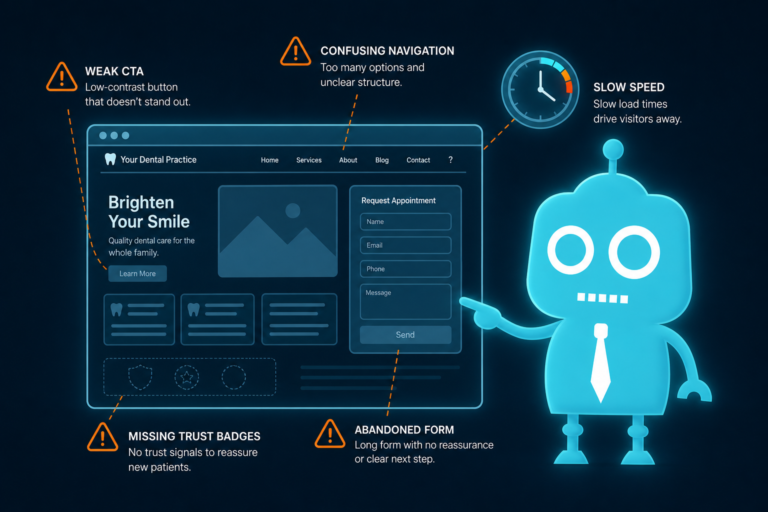
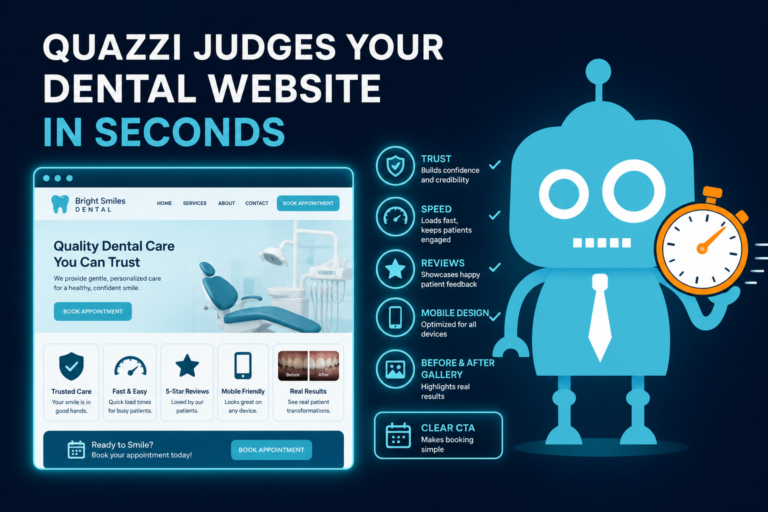
If your dental website is cluttered, slow, outdated, or difficult to navigate, visitors may assume the practice experience will feel the same. A clean, modern website suggests that your office is organized, professional, and attentive to detail.
Clean Dental Website Design Includes
- Clear navigation
- Fast mobile loading
- Readable fonts
- Professional colors
- Consistent branding
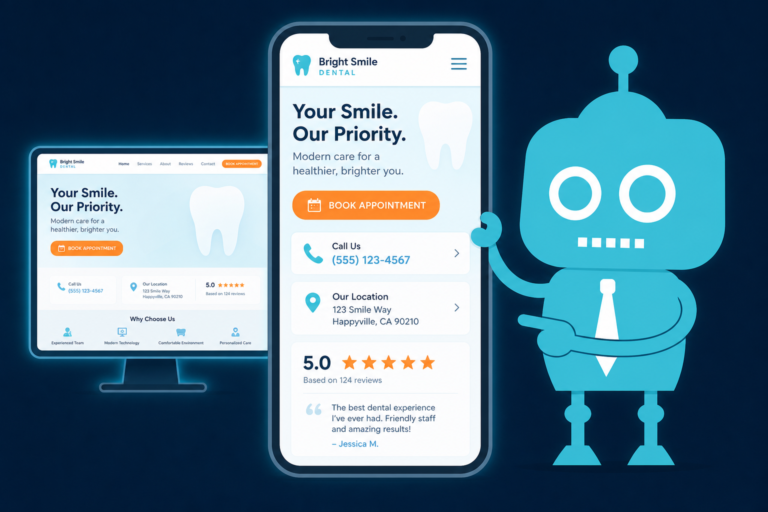
- Obvious phone number and appointment buttons
- Simple forms that are easy to complete
- Service pages that answer real patient questions
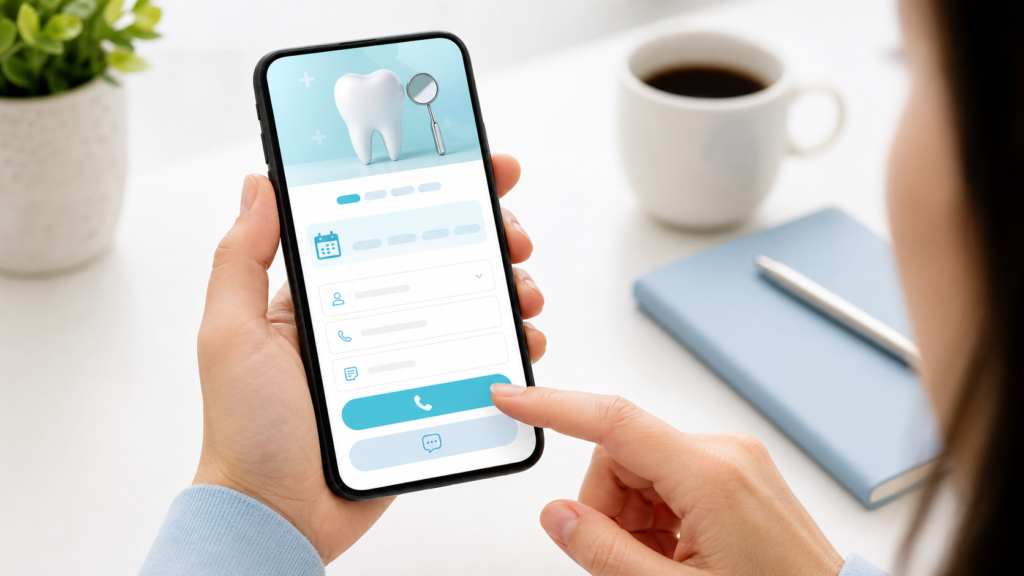
Most dental website traffic now comes from mobile devices. A parent may be searching during a lunch break. A patient with a toothache may be looking for emergency care from their phone. A cosmetic patient may be comparing veneer providers at night.
If they have to pinch, zoom, hunt for the phone number, or wait for pages to load, trust drops quickly.
A clean mobile-first design helps patients act when they are ready. That means tap-to-call buttons, simple appointment forms, directions, office hours, insurance information, and clear calls to action.
Pricing and Financing Language Helps Patients Feel Safe
Cost is one of the biggest reasons patients delay dental care. Your website does not need to list every fee, but it should address money concerns clearly and respectfully.
Vague language like “affordable dentistry” is not always enough. Patients want to know if you accept insurance, offer financing, provide membership plans, or have payment options for larger treatment plans.
Helpful Pricing and Financing Content
- Insurance plans accepted or a note that your team helps verify benefits
- Financing options such as CareCredit, Cherry, Sunbit, or other providers
- In-house membership plan details if available
- New patient exam or consultation information
- Clear language explaining that treatment costs vary based on diagnosis
- Encouragement to call or request an estimate
For example, a dental implants page might say, “Because every implant case is different, final pricing depends on your exam, imaging, bone health, and treatment plan. Our team will review your options clearly before treatment begins, and financing may be available for qualified patients.”
This type of wording creates trust because it is honest. It acknowledges the patient’s concern without making promises that may not apply.
It also helps your front desk team. When patients understand that your office will explain costs and options clearly, calls are more productive and less uncomfortable.
Before-and-After Galleries Build Confidence in Results
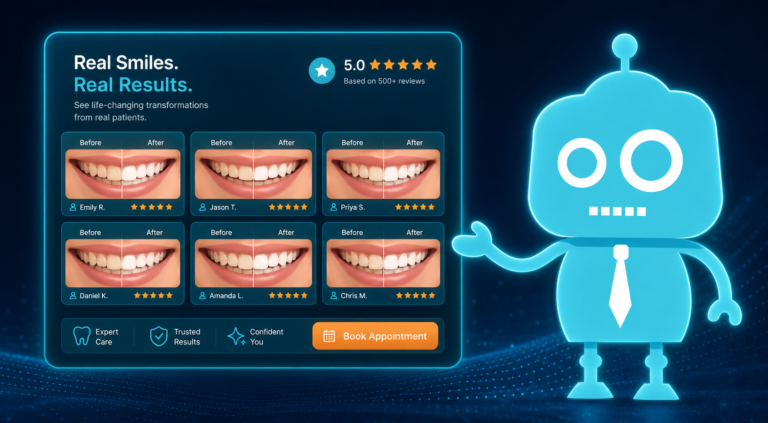
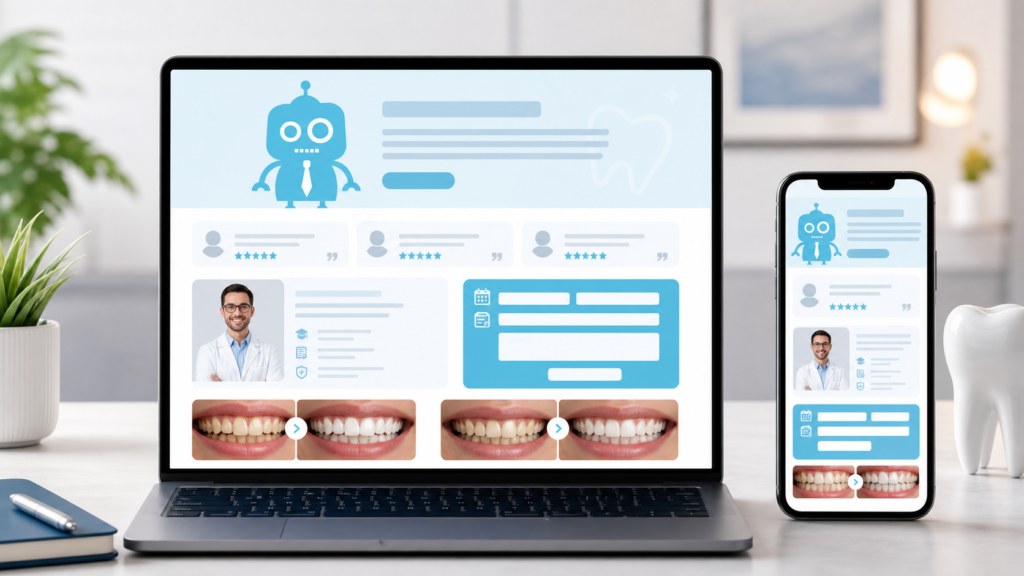
Before-and-after galleries are especially valuable for cosmetic dentistry, veneers, whitening, bonding, implants, crowns, dentures, clear aligners, and smile makeovers.
Patients want proof that you can deliver the kind of result they are hoping for. Real case photos can be more persuasive than a long paragraph about your services.
Best Practices for Dental Before-and-After Galleries
- Use real patient cases with proper consent
- Organize photos by treatment type
- Keep image quality consistent
- Include short captions explaining the treatment
- Avoid exaggerated claims or unrealistic promises
- Make galleries easy to view on mobile devices
A strong gallery does not need to be massive. A smaller number of high-quality, clearly labeled cases is often more effective than dozens of unorganized images.
For high-value treatments, galleries can also be connected to lead capture forms. For example, after a patient views veneer cases, the page can invite them to request a cosmetic consultation. That form submission can then flow into your CRM, triggering an automated email or SMS follow-up from your team.
Patient Education Shows That You Care About Informed Decisions
Trust grows when patients feel informed instead of pressured. Educational content helps your website answer common questions before the patient calls.
This is especially important because many patients research dental treatment privately before they are ready to speak with anyone. They may be embarrassed about missing teeth, worried about gum disease, or unsure whether a painful tooth needs a crown, root canal, or extraction.
Patient Education Topics That Support New Patient Acquisition
- What to expect at your first visit
- Signs you may need emergency dental care
- Dental implant process and timeline
- Veneers vs. bonding
- Clear aligners vs. braces
- How dental insurance works
- What happens during a hygiene visit
- How sedation dentistry helps anxious patients
Educational content also supports dental SEO. When your website answers the same questions patients type into Google, your practice has more opportunities to be found by local searchers.
However, education should always connect to conversion. A blog article about dental implants should include a clear next step, such as requesting a consultation, calling the office, or downloading a treatment guide. If you use a CRM, that interaction can trigger follow-up messages that keep the patient engaged.
Security and Professionalism Affect Patient Trust
Patients share sensitive information with dental practices. Even before they become patients, they may submit their name, phone number, email address, insurance details, or appointment preferences through your website.
Your website must look and function professionally. Security issues, broken forms, missing SSL certificates, outdated plugins, or suspicious pop-ups can quickly damage trust.
Professional Website Elements Patients Notice
- HTTPS security
- Fast page speed
- Working contact forms
- Accurate office hours and contact information
- Professional email addresses
- Clear privacy language
- No broken links or outdated promotions
- Consistent branding across website, Google Business Profile, email, and SMS messages
Security and professionalism also matter operationally. If your appointment forms do not route correctly, if your CRM integration fails, or if your front desk does not receive notifications quickly, potential new patients may be lost.
A trustworthy dental website is not just what patients see. It is also what happens behind the scenes after they click “Request an Appointment.”

Trust and Conversion Work Together
Some dental websites are designed to look nice but do not convert. Others push aggressive calls to action but fail to build trust. The best dental websites do both.
Trust-building elements should be placed near conversion opportunities. For example:
- Place patient reviews near appointment request forms
- Show dentist credentials on service pages
- Add financing language near high-value treatment pages
- Include staff photos on the new patient page
- Use before-and-after galleries near cosmetic consultation calls to action
- Feature patient education before asking visitors to schedule
This approach helps patients feel ready to take action. It also improves the quality of leads your front desk receives because patients are better informed before calling.
Your Website Should Support the Front Desk, Not Burden It
A strong dental website should make life easier for your office manager and front desk team. When the website answers common questions, collects useful lead information, and routes inquiries properly, your team can focus on scheduling and relationship-building.
Website Features That Support Front Desk Operations
- Simple new patient request forms
- Clear office hours and location details
- Insurance and financing information
- Service-specific inquiry forms
- CRM integration for lead tracking
- SMS and email automation for follow-up
- Automated reminders for unscheduled leads
- Review request workflows after appointments
For example, if a patient submits a form for an emergency dental appointment after hours, your system can automatically send a confirmation message, notify the office team, and create a CRM task for follow-up the next morning.
This kind of process protects potential new patient opportunities and creates a more professional experience.
Practical Trust Checklist for Dental Website Design
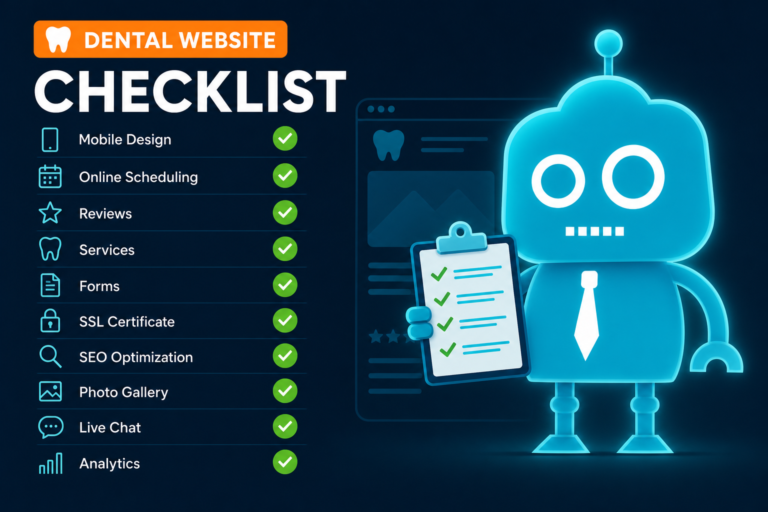
If you are reviewing your current dental website, use this checklist to identify areas that may be helping or hurting trust.
- Does the homepage clearly show who you are, where you are located, and what services you provide?
- Are real staff photos used instead of generic stock images?
- Do dentist bios explain both qualifications and care philosophy?
- Are reviews visible on important pages?
- Are credentials connected to relevant services?
- Is the design clean, modern, and mobile-friendly?
- Can patients easily call, request an appointment, or ask a question?
- Is pricing, insurance, or financing addressed clearly?
- Are before-and-after galleries organized and easy to view?
- Does the website provide useful patient education?
- Are forms secure, functional, and connected to your follow-up process?
- Does your team receive lead notifications quickly?
- Do SMS and email follow-ups continue the trust-building experience?
If several of these areas are missing, your website may be costing your practice new patient opportunities without you realizing it.
Build a Dental Website That Earns Trust Before Patients Call
Patients choose dental practices based on more than location. They choose based on confidence, comfort, credibility, and convenience. Your website plays a major role in shaping those feelings before the first conversation with your team.
A trust-focused dental website uses real photos, strong bios, patient reviews, credentials, clean design, helpful financial language, before-and-after galleries, educational content, and secure technology to guide visitors toward action.
When done well, your website does more than represent your practice. It supports new patient acquisition, improves lead quality, strengthens front desk workflows, and helps your team follow up with patients through CRM systems, SMS, and email automation.
How CreateTheSite.com Helps Dental Practices Build Trust Online
At CreateTheSite.com, we help dental practices create modern websites designed to build trust before the first call. Our approach focuses on professional design, mobile performance, clear patient communication, and practical systems that support your front desk team.
CreateTheSite.com helps dental practices with modern website design, secure hosting, mobile optimization, lead capture forms, CRM integrations, SMS and email automation, appointment follow-up, and ongoing website support.
Whether your practice needs a complete website redesign, better lead tracking, improved mobile conversion, or a more reliable follow-up process, we can help you create a website that feels professional to patients and works smoothly for your team.
If your dental website is not building trust or converting visitors into scheduled patients, CreateTheSite.com can help you fix that with a smarter, more patient-focused online presence.